From idea to market-ready product, our NPI solutions make every stage easier, faster. Discover How We Help

Views: 222 Author: Tomorrow Publish Time: 2026-01-25 Origin: Site


Content Menu
● What Is a 3-Axis CNC Milling Machine?
● 1: Understanding CNC Milling Fundamentals
● 2: Designing the Frame and Structure
● 3: Building the Motion System
>> Choosing Screw and Rail Systems
● 4: Spindle and Tool Holding System
>> Selecting the Right Spindle
● 6: Software, Calibration, and Testing
● 7: Safety Practices and Machine Maintenance
● 8: Performance Upgrades and Enhancements
● 9: Applications of a 3-Axis CNC Milling Machine
● FAQ
>> 1. What materials can a 3-axis CNC milling machine cut?
>> 2. How accurate is a homemade CNC milling machine?
>> 3. What are common software tools for CNC milling?
>> 4. How much does it cost to build one?
>> 5. Can it be upgraded to multi-axis control?
Creating a 3-axis CNC milling machine from scratch is one of the most satisfying engineering projects a maker or small manufacturer can undertake. Building your own CNC mill means you can customize its mechanical structure, precision level, and cutting capability according to your specific needs. Whether you are an engineer, a hobbyist, or a small workshop owner, developing a solid understanding of CNC systems can open up new possibilities in automated machining and digital manufacturing.
This guide will walk you through every step of building a 3-axis CNC milling machine — from conceptual planning and mechanical design to electronic setup, software configuration, and fine-tuning. Along the way, you'll learn how each subsystem contributes to precise and efficient CNC milling performance.

A 3-axis CNC milling machine operates along three linear axes — X, Y, and Z — controlling the movement of the cutting tool relative to the workpiece. The X-axis moves left and right, the Y-axis moves front and back, and the Z-axis controls vertical motion. The computer sends commands to motors via G-code, instructing the machine to move with precision and repeatability.
Compared to conventional manual mills, CNC-controlled systems eliminate human error, improve accuracy, and allow the automatic creation of complex geometries. They are used in many industries including automotive prototyping, aerospace part fabrication, and precision mold manufacturing. With a digital control setup, you can move seamlessly from a 3D CAD drawing to an actual machined part within minutes.
Before you begin assembling your own CNC milling machine, it's crucial to understand how CNC machining works. The system involves three core components: mechanics, electronics, and software.
- Mechanical system: Includes the frame, rails, spindle, table, and motion screws that define physical movement.
- Electronics: Features controller boards, drivers, motors, and power supplies that generate and regulate movement.
- Software: Translates design files into machine instructions using CAD and CAM programs.
Together, these systems work harmoniously to transform digital designs into precise, physical products. Every component must be designed and calibrated carefully to ensure accurate results in CNC milling operations.
The frame forms the backbone of your milling machine. Its rigidity directly affects the accuracy and surface finish of your workpieces. When designing the structure, prioritize stiffness and vibration resistance.
- Aluminum extrusions: Lightweight, easy to cut and assemble; ideal for small workshops.
- Steel profiles: Very rigid and durable; recommended for cutting metals.
- Cast iron: Used in professional-grade machines for excellent vibration damping.
Design your frame using CAD software. Confirm that each axis will have enough travel distance for your target part size. Simulate the assembly in the model to check interferences and screw positions. The structure must be flat, square, and capable of holding linear rails with precision.
When assembling:
1. Level the base frame carefully on a stable surface.
2. Use high-strength connectors, angle brackets, or welds for structural integrity.
3. Mount the linear guides using feeler gauges to maintain parallelism.
4. Include adjustable supports to fine-tune leveling during calibration.
A well-built frame lays the foundation for smooth and accurate CNC milling results.
The motion system controls the linear movements of the spindle and table along the X, Y, and Z axes. Smooth translation is key to precision.
The motion system typically uses either lead screws or ball screws. Lead screws are affordable and simple to install, making them suitable for small projects. Ball screws, although more expensive, deliver higher accuracy, lower friction, and minimal backlash — ideal for precision CNC milling.
Complement these with linear guide rails and bearing blocks. Install them meticulously to prevent binding or uneven motion. Remember that even a minor misalignment can produce cutting errors or vibration.
Each axis requires a dedicated stepper or servo motor. Stepper motors (e.g., NEMA 23 or NEMA 34) are widely used in DIY CNC builds for their simplicity. Servo motors, on the other hand, provide closed-loop feedback and are preferred for professional CNC milling applications where speed and torque stability matter.
To connect the motor shaft to the screw shaft, use flexible couplings. They absorb minor alignment errors and reduce strain on bearings during operation.
The spindle is the central component that performs the cutting. Selecting the right spindle determines the materials you can machine and the finish quality.
- Low-power DC spindles (200–800W): Suitable for softer materials like wood, plastic, or acrylic.
- High-frequency VFD spindles (1.5kW–2.2kW): Support cutting aluminum, brass, and mild steel.
- Industrial-grade spindles (3kW+): Used for continuous heavy-duty metal milling.
Mount the spindle using a rigid aluminum or steel bracket on the Z-axis plate. Ensure the spindle is perfectly perpendicular to the table surface — misalignment can cause uneven depths and poor surface quality.
For versatility, integrate a collet chuck system such as ER11, ER16, or ER20, depending on tool shank sizes.
A reliable electrical system brings your mechanical components to life. The electronics control signals, power, and feedback loops, ensuring CNC precision.
- CNC controller board: GRBL, Mach3, or LinuxCNC-compatible boards are common.
- Motor drivers: Convert control signals to high-current pulses for the motors.
- Power supply unit (PSU): Typically 24–48V DC, depending on motor specifications.
- Limit switches and proximity sensors: Prevent axis over-travel and support homing routines.
- Emergency stop circuit: Mandatory for stopping the system instantly in case of fault.
Route all wires through cable channels with proper shielding to reduce electronic noise. Label each connection and use ferrules for clean terminations. Ground your frame to prevent electrostatic discharge, and place electronics inside a protected enclosure with ventilation.
Safety should be the top priority — never operate the system without an emergency cutoff switch or proper insulation of high-voltage components.
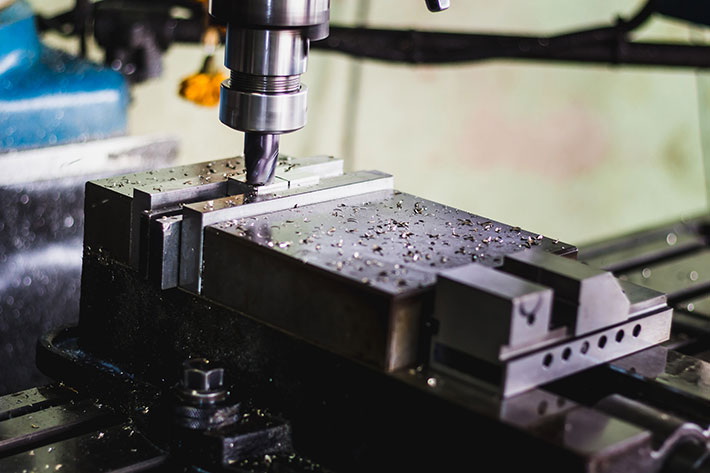
Once hardware assembly is complete, you'll configure the software and fine-tune system precision. CNC software translates 3D CAD designs into motion commands that drive the tool paths.
1. CAD: Design your models using Fusion 360, SolidWorks, or FreeCAD.
2. CAM: Generate G-code using tools like Fusion 360's Manufacture workspace or CAMBAM.
3. Machine Control: Send the G-code via Mach3, GRBL Controller, or LinuxCNC.
Calibrate “steps per millimeter” for each axis. This value ensures the machine moves exactly as commanded in programmed distances. You can test accuracy by commanding specific movements and measuring results with a dial indicator.
- Start with a dry run to validate movement direction and limit switch behavior without cutting.
- Run a simple engraving pattern on scrap material to check feed rates.
- Gradually increase cutting load to evaluate spindle performance and rigidity.
Accurate configuration minimizes backlash and ensures consistent CNC milling results over time.
Operating a CNC milling machine involves high-speed rotating tools and moving components. Proper safety precautions ensure smooth, accident-free operation.
- Always wear protective glasses and hearing protection.
- Keep your workspace clean and clutter-free.
- Never reach near the spindle while it's spinning.
- Secure workpieces using clamps or vises before running programs.
- Stand clear of the cutting path during the first test of each job.
- Lubricate lead screws and linear rails regularly.
- Check bolts and fasteners weekly to prevent loosening.
- Clean chips and dust after every session to prevent buildup.
- Periodically inspect calibration to maintain accuracy.
Regular maintenance extends the service life of your CNC milling equipment and ensures consistent cutting performance.
After your machine operates successfully, consider implementing upgrades to boost precision and convenience.
- Automatic tool changer (ATC): Switch tools automatically during jobs, saving time.
- Coolant mist system: Reduces tool wear and improves surface finish.
- Dust extraction system: Keeps debris off sensitive components.
- Touch probe: Automates workpiece positioning and surface detection.
- Rigid couplings upgrades: Reduce micro-vibrations for improved surface smoothness.
Such modifications not only make your machine more efficient but also enhance product quality and safety during operation.
A 3-axis CNC milling machine can be used in a variety of fields. In prototyping, it helps engineers test ideas rapidly. In jewelry making, it produces intricate patterns and precise engravings. In woodworking, it shapes decorative panels or fixtures. For education labs, it's an indispensable tool for teaching mechatronics and computer-aided manufacturing principles.
The ability to digitally design and physically produce parts bridges the gap between creativity and engineering — making CNC milling one of the most transformative technologies in modern production.
Building a 3-axis CNC milling machine combines mechanical design, electrical engineering, and digital control into a rewarding project. Understanding each element — from frame construction and motion system setup to spindle selection and software calibration — ensures your system can deliver high precision and repeatability. Once assembled, your homemade CNC milling machine becomes a powerful tool for custom manufacturing, rapid prototyping, and creative production. With proper maintenance and periodic calibration, it can rival commercial systems in precision and reliability.
Contact us to get more information!
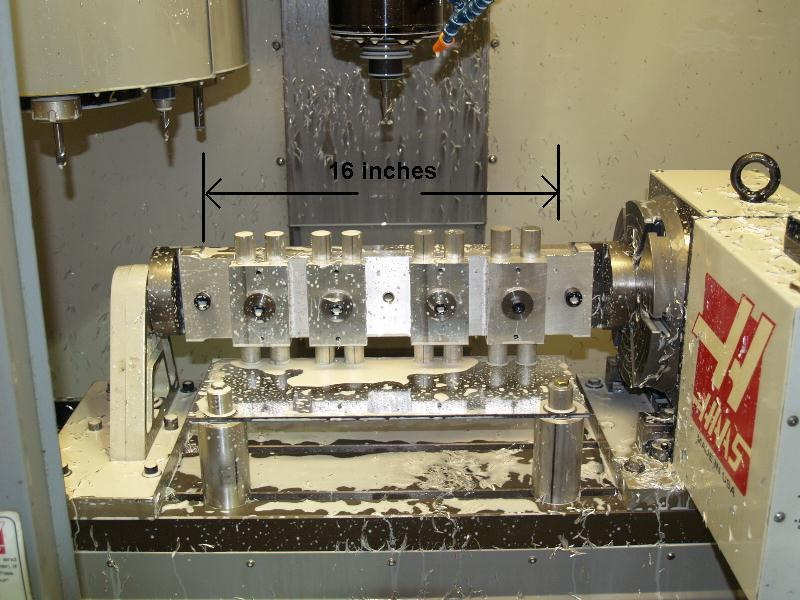
A 3-axis CNC milling machine can process metals like aluminum, brass, mild steel, and copper, as well as plastics, composites, and wood. The cutting performance depends on spindle power, tool selection, and feed rate.
With high-quality linear rails and ball screws, a well-built homemade CNC mill can achieve positional accuracy within 0.02–0.05 mm — suitable for precision engineering and prototyping.
Most builders use Fusion 360, Mach3, GRBL, or LinuxCNC. Fusion 360 combines CAD and CAM features, while Mach3 and GRBL interpret G-code to drive machine motion.
Building your own machine typically costs between $700 and $2,500 depending on materials, spindle type, and control system sophistication. Using recycled or locally sourced parts can reduce costs.
Yes, a 3-axis CNC mill can be expanded by adding rotary axes or tilt tables to create 4-axis or 5-axis functionality. However, this requires more advanced motion controllers and mechanical redesign for stability.
1. https://www.autodesk.com/products/fusion-360
2. https://www.machsupport.com/software/mach3
3. https://github.com/gnea/grbl
4. https://linuxcnc.org
5. https://www.hubs.com/knowledge-base/what-is-cnc-milling


