From idea to market-ready product, our NPI solutions make every stage easier, faster. Discover How We Help

Views: 222 Author: Tomorrow Publish Time: 2026-01-30 Origin: Site


Content Menu
● Understanding Workplace Coordinates in CNC Machining
● The Role and Importance of Workplace Coordinates
● Coordinate Systems Used in CNC Machining
>> 1. Machine Coordinate System (MCS)
>> 2. Work Coordinate System (WCS)
>> 3. Tool Coordinate System (TCS)
>> 4. Program Coordinate System (PCS)
● Tools and Equipment for Finding Workplace Coordinates
>> 4. Tool Presetter and Length Gauge
>> 5. Laser and Optical Sensors
● Step-by-Step Process to Find Workplace Coordinates
>> Step 1: Secure the Workpiece
>> Step 2: Choose a Logical Zero Point
>> Step 3: Locate X and Y Coordinates
>> Step 4: Determine Z Coordinate
>> Step 5: Verify with a Dry Run
>> Step 6: Begin Machining Operations
● Advanced Techniques for Work Coordinate Setup
>> 2. Coordinate Transformation (G68/G69)
>> 3. Fixture Offsets and Subprograms
>> 4. On-Machine Measurement (OMM)
● Best Practices for Coordinate Accuracy
● Troubleshooting Coordinate Problems
● FAQ About Workplace Coordinates in CNC Machining
>> (1) What are workplace coordinates in CNC machining?
>> (2) Why are G54–G59 codes important?
>> (3) How can I automatically set coordinates?
>> (4) What happens if workplace coordinates are inaccurate?
>> (5) Can CAD/CAM systems define coordinates directly?
In the precision engineering sector, CNC machining has transformed how metal and plastic parts are fabricated. It ensures repeatability, dimensional accuracy, and production scalability. Among the most critical aspects of CNC setup is determining the workplace coordinates, sometimes known as work offsets or work coordinate systems (WCS). Without properly setting workplace coordinates, even the most advanced CNC machine cannot guarantee accurate cuts or repeatable part production.
In simple terms, workplace coordinates serve as the “reference language” between the CNC controller and the physical workpiece. This article explores how to find workplace coordinates in CNC machining, the tools and methods used, common mistakes, and tips for achieving the highest level of precision in your operations.
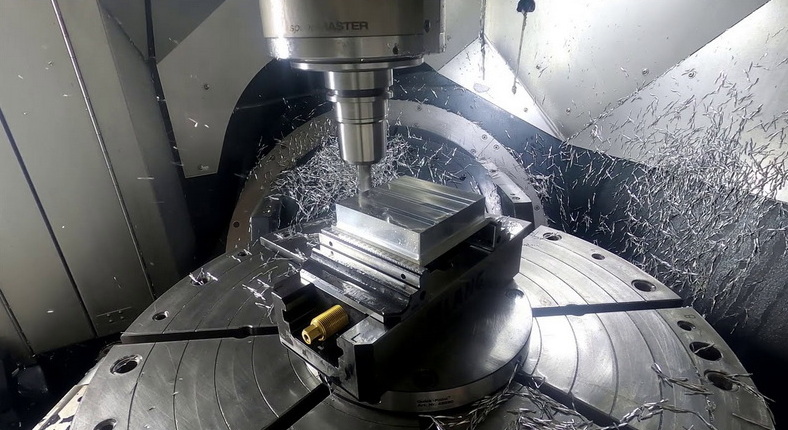
Every CNC machine operates using a Cartesian coordinate system composed of three linear axes—X, Y, and Z—and sometimes additional rotational axes such as A, B, and C. The intersection of these axes defines the machine's home or origin point, known as the Machine Coordinate System (MCS).
However, manufacturing rarely allows operators to work directly from this origin. Parts differ in size, shape, and position on the table. Therefore, a Work Coordinate System (WCS) is established to define the specific zero point for each workpiece setup.
When the WCS is defined, the CNC machine interprets all tool movements relative to that point. This allows the operator to repeat the process efficiently across multiple parts, fixtures, or jobs without resetting the entire system.
In most CNC controls, such as those from Fanuc, Siemens, or Haas, standard work coordinate systems are stored using G-codes — G54 to G59. These codes enable multiple setups on one machine, increasing flexibility and productivity.
Accurate workplace coordinates are essential for the success of any CNC machining operation. They affect everything from surface finish to part geometry and tool life. Key advantages include:
- Dimensional Precision: Correct coordinates ensure the cutting tool follows exact paths relative to the part geometry.
- Reduced Setup Time: Once offsets are saved, operators can reuse them for repetitive parts or orders.
- Enhanced Repeatability: Identical parts can be cut across multiple shifts with consistent accuracy.
- Improved Tool Efficiency: Proper coordinates ensure optimal cutting depths and feed paths.
- Preventing Collisions: Correct coordinate alignment minimizes the risk of tool crashes and machine damage.
Without precise coordinate setup, even well-programmed toolpaths can lead to dimensional inaccuracies, surface defects, or scrapped components.
This system represents the internal coordinate framework defined by the CNC manufacturer. It uses a permanent zero point that corresponds to the machine's home position. The machine moves to this home reference every time it is initialized, ensuring consistent baseline coordinates.
The WCS defines the origin or zero point of the actual part being machined. Operators can shift or redefine this coordinate for every new setup. Systems like G54 or G55 are stored directly in the CNC controller and applied during program execution.
Each cutting tool used in CNC machining has its own length and diameter offset. The TCS accounts for these differences, ensuring that every tool aligns to the same reference plane. This prevents overcutting or undercutting when switching tools.
When programming toolpaths in CAM software, the coordinate system defined in the digital environment must match the WCS in the physical machine. Mismatched coordinate definitions are one of the most common causes of machining errors.
An edge finder is one of the simplest and most commonly used tools for locating workpiece edges. The operator spins the tool in the spindle and slowly moves it toward the workpiece. As soon as the tool shifts or "kicks," the machine registers the edge location.
Dial indicators help measure small variations when setting a workpiece surface parallel to the machine table. They provide excellent precision in both X and Y alignment, crucial for multi-face machining.
A 3D touch probe provides automatic coordinate detection. It measures multiple points on the workpiece surface and records the data directly in the controller. This tool is especially useful for complex 3D components or when high-speed setups are required.
These tools measure the exact length of each cutting tool relative to the spindle gauge line. Once stored, the Z-axis coordinate can be automatically compensated during cutting operations.
Advanced CNC machining centers often feature laser measurement systems or optical alignment tools to detect contours and edges without physical contact. They are ideal for delicate or thin materials that could deform under pressure.
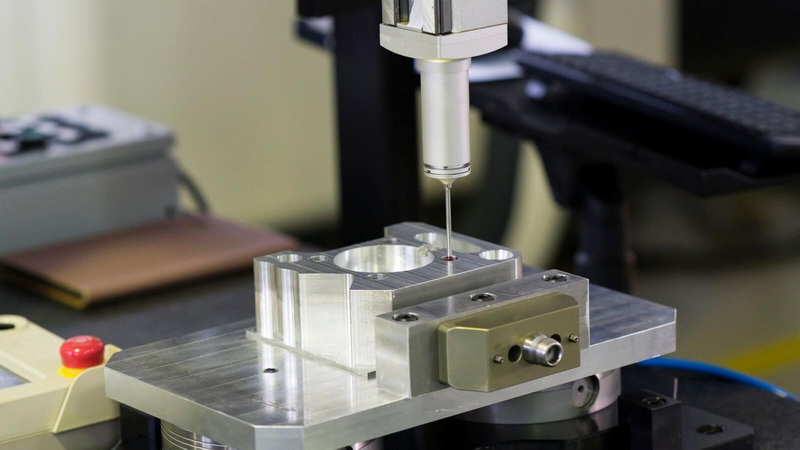
Before setting workplace coordinates, ensure that the workpiece is rigidly clamped. Any movement after zeroing will compromise accuracy. Check that the mounting fixture is clean, stable, and free of chips or oil residue.
Select a consistent and easy-to-locate reference point such as a corner, center hole, or datum surface. The reference point should match the origin defined in your CAD file for consistent programming accuracy.
Using an edge finder or probe, move the tool incrementally until it contacts the workpiece edges. Record the machine coordinates where contact occurs, then set the midpoint as your X and Y origin.
To find the Z-axis zero, lower the tool or probe gently until it touches the top surface of the part. This position defines the tool height for that particular job. Store the offset under your chosen WCS code (e.g., G54).
Always run a simulated “dry cycle” before actual cutting. The tool moves through the programmed path without contacting the material, confirming that all coordinate values are correct and collision-free.
Once verified, start the actual CNC machining process. If all offsets have been accurately set and documented, you can repeat this operation with confidence across dozens or even hundreds of parts.
Even experienced machinists occasionally make errors with coordinate setups. Understanding these common mistakes can save both time and material:
- Incorrect Offset Selection: Using G55 instead of G54 can produce immediate misalignment.
- Tool Offset Miscalculation: Forgetting to update the Z offset when changing tools leads to depth inconsistencies.
- Ignoring Machine Warm-Up: Temperature expansion can slightly shift zero points, especially on large components.
- Dirty Fixture Surfaces: Chips under the workpiece create false alignment references.
- Skipping Verification: Failing to run a dry cycle or verification program is a frequent cause of scrapped material.
By correcting these setup habits, machinists maintain tighter tolerances and more reproducible outcomes.
Touch probe systems are now standard on most modern CNC machining centers. Probing cycles automatically measure coordinate points, part orientation, and even fixture misalignment. Many machines can also update WCS automatically using macro programs.
These G-codes allow the operator to rotate or mirror the coordinate system digitally instead of physically re-clamping the part. It's especially useful when machining parts with angled features or when you need to reuse a fixture setup.
Complex production environments benefit from using multiple fixture offsets. For instance, one fixture might use G54 for Part A and G55 for Part B. Subprograms can automate these transitions without manual intervention.
High-end machines integrate coordinate measurement directly into production. Using probing cycles, they measure key dimensions mid-process and automatically adjust offsets. This reduces waste and ensures part consistency across the entire batch.
In digital CNC machining, the programmer defines the WCS directly in CAD/CAM. The part's origin, tool orientation, and fixture positions are synchronized with the machine control. This seamless integration eliminates duplication of work and reduces human error during setup.
- Always perform a full machine home cycle before any coordinate measurements.
- Clean both the work surface and jig base before mounting the workpiece.
- Regularly calibrate probing systems and edge finders.
- Use a consistent measurement method for repeated jobs.
- Record all offset values in a setup sheet to maintain traceability.
- Warm up the machine spindle to avoid thermal distortion during lengthy runs.
- Recheck coordinates after any tool crash, maintenance activity, or fixture change.
Following these universal best practices ensures a stable and predictable machining process, reducing downtime and waste.
When issues occur in CNC machining, coordinate misalignment is often the culprit. Here's how to troubleshoot:
- Symptom: Tool Cuts Too Deep
Cause: Incorrect Z-offset or missing tool length compensation.
Solution: Recalibrate the tool height using the tool setter function.
- Symptom: Toolpath Not Centered
Cause: Incorrect WCS origin or uneven clamping pressure.
Solution: Recheck X/Y positions and ensure the workpiece is firmly seated.
- Symptom: Offset Drift Over Time
Cause: Temperature fluctuation or machine wear.
Solution: Perform a re-zeroing procedure and remeasure after machine warm-up.
Implementing a checklist-based approach to coordinate verification can drastically reduce recurring issues.
Understanding how to find workplace coordinates for CNC machining is a fundamental requirement for precision manufacturing. Whether you use manual tools like edge finders or advanced automated probing systems, every setup depends on correctly defining the work coordinate system.
Proper coordinate management ensures consistent results, shorter setup times, and longer tool life—three essential pillars of modern CNC machining productivity. By combining solid technical knowledge, discipline, and digital integration, machinists can maintain accuracy across thousands of parts, keeping production efficient and competitive in the global market.
Contact us to get more information!
Workplace coordinates refer to the origin or zero point that defines where the CNC machine begins machining operations. They set the part's position relative to the machine table or spindle.
These G-codes define multiple work coordinate systems, allowing operators to set up different workpieces or fixtures without resetting the machine each time.
You can use a 3D touch probe or integrated measurement system that communicates the detected surface data to the CNC control, automatically updating offsets.
Incorrect workplace coordinates can result in misalignment, poor surface finish, dimensional errors, and even tool collisions.
Yes. Modern CAD/CAM platforms let you define the WCS digitally. When the program is post-processed, those coordinates are included in the G-code and matched with the physical setup during machining.
1. https://www.haascnc.com
2. https://www.cnccookbook.com
3. https://www.autodesk.com/manufacturing
4. https://www.siemens.com/motioncontrol
5. https://www.mastercam.com


