Language


Views: 222 Author: Tomorrow Publish Time: 2025-12-12 Origin: Site


Content Menu
● Understanding CNC Turning Fundamentals
● CNC Turning Machine Programming Structure
● Overview of G-Codes and M-Codes
>> Common G-Codes in CNC Turning:
>> Common M-Codes in CNC Turning:
● Step-by-Step: How To Make CNC Turning Program in Hindi
>> Step 1: Read and Analyze the Component Drawing
>> Step 2: Set the Coordinate System
>> Step 3: Select Appropriate Tools
>> Step 4: Input Spindle Speeds and Feeds
>> Step 5: Roughing the Workpiece
>> Step 6: Finishing Operation
>> Step 7: Threading and Chamfering (If Required)
>> Step 8: Parting Off and Program End
● Additional Important Concepts
>> Constant Surface Speed (CSS)
>> Canned Cycles for Efficiency
● Common CNC Turning Mistakes and Solutions
● Tips for Hindi-Speaking Beginners
● Advanced CNC Programming Concepts
● Real-World Industry Applications
● Safety Measures in CNC Turning
● FAQ
>> 1. What is CNC turning used for?
>> 2. Can you write a CNC program completely in Hindi?
>> 3. What software is recommended for beginners?
>> 4. How can I confirm whether my program is correct?
>> 5. What are the career benefits of learning CNC turning programming?
The world of manufacturing heavily depends on automation today, and Computer Numerical Control (CNC) technology has become its backbone. Among the many CNC machining processes, CNC turning stands out as one of the most common and essential methods for producing round and symmetrical parts with exceptional precision. By learning how to make a CNC turning program, particularly explained for Hindi-language learners, machinists, and students, you can gain a strong foundation for working in modern workshops.
This complete guide walks you through how to make CNC turning program in Hindi, covering the step-by-step process of writing a CNC code, understanding how each command functions, and how beginners can approach CNC programming effectively and safely.
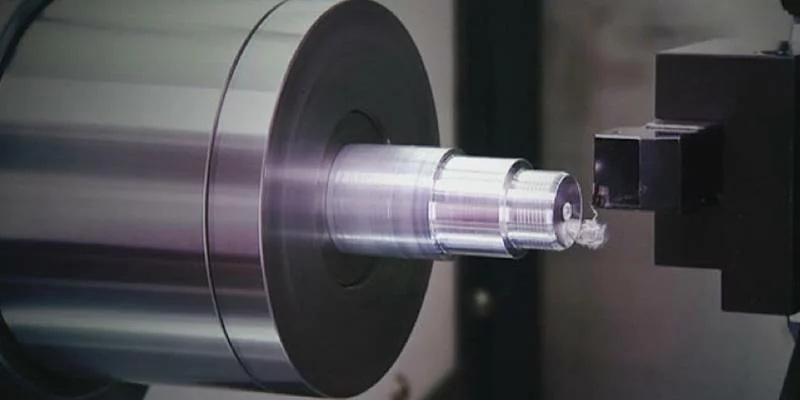
CNC turning is a machining process where a workpiece rotates while a stationary cutting tool removes material to shape the desired component. This process produces cylindrical, conical, or contoured shapes with tight tolerances and smooth finishes. Instead of manual control, CNC turning machines follow digital instructions known as G-codes and M-codes, enabling automatic, precise, and repeatable operations.
In traditional lathe machines, an operator would handle all the movements manually using levers and handwheels. However, CNC turning automates every aspect of the job—from tool selection and rotation speed to cutting depth—according to the program you write. That's why learning how to write an accurate CNC program is so crucial in today's machining industry.
Before you start programming, it's important to understand the main components and terms associated with CNC turning.
- Workpiece: The raw material mounted in the chuck that gets machined into the final product.
- Tooling: Cutting tools such as carbide inserts, boring bars, and threading tools used for material removal.
- Axes of motion: In turning, only X (diameter) and Z (length) axes are usually active.
- Machine zero and work zero: Reference coordinates used to establish the tool and workpiece position.
- Feed and spindle speed: Control the rate of cutting and rotation speed of the part.
A strong understanding of these fundamentals ensures that when you write your program, each line of code aligns perfectly with your toolpath and intended machining operations.
CNC programs consist of a structured block format. Each line, or block, begins with a sequence number like N001, followed by a series of commands (G-codes, M-codes, feed rate, spindle speed, etc.).
A standard CNC turning program includes the following sections:
1. Program Header: Contains the program number, drawing details, and comments.
2. Tool Selection: Brings the right tool into position.
3. Spindle and Coolant Start: Initiates rotation and coolant flow.
4. Machining Operations: Performs tasks such as roughing, finishing, threading, or grooving.
5. Program End: Stops the machine safely and resets parameters.
Correctly structuring your CNC program ensures clarity and prevents damage to both the part and the machine.
G-codes (preparatory functions) define tool movement and machining behavior, while M-codes (miscellaneous functions) control non-cutting operations like starting or stopping the spindle.
- G00 – Rapid positioning (non-cutting movement)
- G01 – Linear interpolation (cutting movement at feed rate)
- G02/G03 – Circular interpolation, clockwise/counterclockwise
- G71–G76 – Canned cycles for roughing, finishing, grooving, and threading
- G90 – Absolute programming mode
- G96/G97 – Constant surface speed / constant spindle speed modes
- M03 – Spindle start in a clockwise direction
- M04 – Spindle start counterclockwise
- M05 – Stop spindle rotation
- M08/M09 – Coolant on/off
- M30 – End of program and reset
These codes form the language through which machinists communicate with CNC machines.
This step-by-step tutorial is designed for Hindi-speaking learners but uses universal G-code syntax, which is always written in English letters and numbers. The focus is on the logic, sequence, and understanding behind each step.
Begin by carefully studying the engineering drawing of the part you plan to machine. Identify important features such as the base diameter, overall length, grooves, chamfers, and threads. Every feature you see in that drawing must correspond to the commands in your program.
In CNC turning, the Z-axis runs along the length of the job, and the X-axis represents the diameter. Establish the work zero point (W0) at the front face and centerline of the workpiece. This point acts as the starting reference for tool movement.
Assign tool numbers and offsets for every cutting tool. Tools can include:
- T0101 – Facing tool
- T0202 – Rough turning tool
- T0303 – Finishing tool
- T0404 – Parting tool
Each tool's offset compensates for its unique geometry, ensuring proper depth and alignment.
Decide the spindle speed (S) and feed rate (F) according to the material type—steel, aluminum, or brass. For example:
S1200 M03 (Spindle speed 1200 RPM, clockwise)
F0.25 (Feed rate 0.25 mm/rev)
M08 (Coolant on)
A slower speed with a moderate feed is ideal for hard materials, while higher speeds can be used for softer materials.
Roughing is the process of removing bulk material quickly before fine finishing. CNC machines use a G71 roughing cycle for this operation.
Example:
G71 U2.0 R1.0
G71 P10 Q20 U0.5 W0.2 F0.25
N10 G00 X50 Z0
G01 Z-80 F0.3
X80
N20 G00 X100 Z5
Here, the program defines multiple passes to remove extra material efficiently until the required shape is formed.
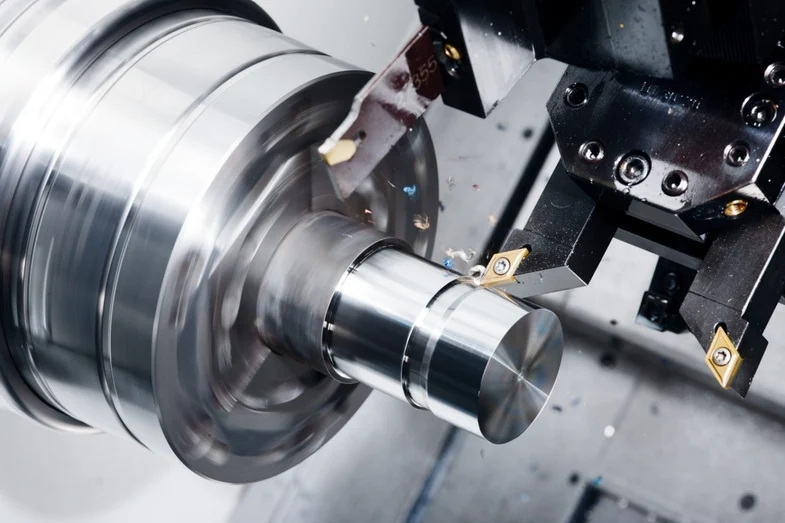
Once roughing is complete, apply G70 for finishing cuts. This produces the final surface accuracy and dimension tolerance needed.
Example:
G70 P10 Q20
This command references the same block numbers used during roughing and executes finishing passes at a finer feed rate, giving the final polish to the machined component.
If the part design includes external or internal threads, the G76 threading cycle is used.
Example:
G76 P020060 Q100 R0.05
G76 X28.4 Z-20 P1020 Q200 F1.5
Chamfers and fillets can be created using small X–Z movement commands during contour programming. Always ensure smooth tool transitions to avoid cutting marks.
After finishing, the component is separated using the parting tool:
T0404
G00 X50 Z2
G01 X-2 F0.1
M05
M09
G28 U0 W0
M30
This marks a safe and organized end to the program.
CNC systems allow for tool nose radius compensation (G41/G42) to ensure precise profiling, particularly in finishing cycles.
- G41 – Compensation left of path
- G42 – Compensation right of path
- G40 – Cancel compensation
The G96 command maintains constant surface cutting speed (in meters per minute) by automatically adjusting spindle speed according to the diameter. This results in better surface finish and tool life.
Example:
G96 S180 M03
CNC turning includes multiple canned cycles for quick programming:
- G72 – Facing cycle
- G74 – Peck drilling or reverse fine boring cycle
- G75 – Grooving cycle
These built-in cycles reduce manual code length and simplify repetitive tasks.
Even skilled machinists can make mistakes in CNC programming. Below are frequent errors and solutions:
- Missing G or M codes: Always review the syntax using simulation software.
- Wrong tool offset: Verify tool zero position and update offset values.
- Feed too high: Leads to rough surface; reduce feed rate for finishing.
- Incorrect coordinate setup: Reset the work zero point before machining.
- No coolant or wrong spindle direction: Always confirm coolant and spindle commands at program start.
Regular practice and program simulation help identify and correct such issues before running the machine.
Learning CNC turning programming in Hindi doesn't mean programming in Hindi letters—it means understanding every command's meaning in your native language. Here are useful guidelines:
- Create a personal glossary translating common CNC terms, like *Roughing (रफ़िंग)*, *Feed Rate (फीड रेट)*, and *Spindle Speed (स्पिंडल गति)*.
- Watch Hindi-language machining tutorials for practical insights.
- Read both English and Hindi reference materials to bridge understanding gaps.
- Simulate every new program on software like Fusion 360, EdgeCAM, or CIMCO Edit before real machining.
Combining English code syntax with Hindi-learning resources gives you the best of both worlds.
Once comfortable with basic commands, learners can explore advanced programming techniques that improve efficiency:
1. Subprograms: Allow reusable code for repetitive features like grooves or holes.
2. Macro Variables: Store dynamic values using parameters (e.g., \#100 = 50).
3. Conditional Programming: Create intelligent adjustments during production.
4. Mirroring and Shifting: Simplify multi-sided machining setups.
Mastering these techniques helps programmers handle complex parts, minimize code length, and automate time-consuming operations.
CNC turning programs are widely used in industries that demand accuracy and repeatability:
- Automotive: Shafts, pistons, bearings, and discs.
- Aerospace: Precision turbine components and fittings.
- Medical: Surgical instruments and dental implants.
- Tooling: Bushings, collets, and threaded inserts.
Each application may require different program parameters, spindle speeds, and operations, but the fundamental logic of CNC programming remains the same.
Programming precision goes hand-in-hand with safety awareness:
- Always ensure proper clamping of the workpiece.
- Confirm the tool path through dry-run simulation.
- Avoid manual measurement when the spindle is rotating.
- Keep the tool turret clear of unnecessary tools.
- Use appropriate safety gear like gloves, goggles, and safety shoes.
Safety practices not only protect operators but also prevent machine damage and costly downtimes.
Writing a CNC turning program is about understanding motion, control, and logic. For Hindi-speaking learners, learning this programming language becomes easier when explained step by step with bilingual guidance.
By combining theoretical knowledge of G-code and M-code with practical exercises, you can create efficient, error-free, and productive machining programs. Remember to start with simple components, simulate every code, and gradually progress to complex geometries. Mastery of CNC turning opens up rewarding career opportunities in modern manufacturing.
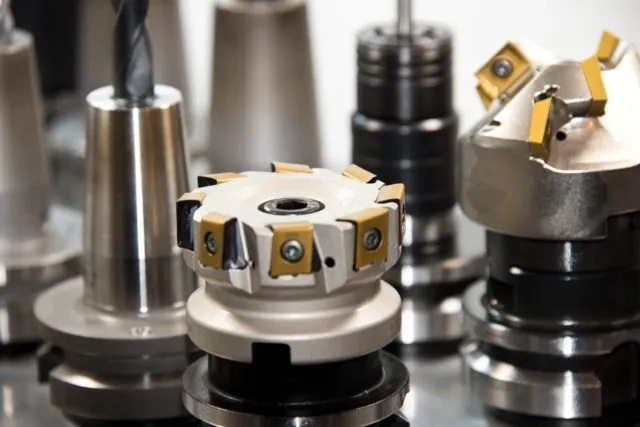
CNC turning is primarily used for shaping cylindrical or conical components by rotating the material while removing excess using cutting tools.
The code syntax (G and M codes) must stay in English alphanumeric format, but documentation, notes, and teaching materials can be written in Hindi for easier learning.
Beginners can use simulation programs like NCPlot, CIMCO Edit, or Fusion 360 to write, test, and visualize CNC turning programs before running them on a real machine.
Perform a dry run or simulation without material. Observe tool movements, ensure no collision, and verify the final shape against the drawing.
CNC programmers are in high demand in industries such as automotive, aerospace, and precision engineering, offering stable jobs and high salary potential.


