From idea to market-ready product, our NPI solutions make every stage easier, faster. Discover How We Help

Views: 222 Author: Tomorrow Publish Time: 2025-12-12 Origin: Site


Content Menu
● Understanding the Relationship Between Speed and Feed
● Why Locking Speed and Feed is Essential
● Different Ways to Lock Speed and Feed in Fanuc CNC
● 1. Locking Speed and Feed Using CNC Parameters
● 2. Locking Through Program Commands and Custom M-Codes
● 3. Implementing Lock in Ladder Logic (PMC)
● 4. Password Protection and Access Restriction
● 5. Using External Switches or Key Locks
● Advanced Strategies for Shops with Multiple Operators
● Troubleshooting Common Problems
● Verifying the Effectiveness of the Lock
● Case Example: Production Line Stability Improvement
● Best Practices and Maintenance Recommendations
● FAQ
>> 1. How do I disable feed override on Fanuc 0i-T?
>> 2. What parameter locks spindle speed override?
>> 3. Can locking overrides be limited to automatic mode only?
>> 4. Does Fanuc provide hardware-based speed/feed locks?
>> 5. If I use macro programs, can I temporarily unlock the overrides?
Fanuc CNC turning systems are some of the most sophisticated and widely adopted controllers in the global machining industry. They provide precision, repeatability, and automation necessary for consistent part production. However, with such control power comes responsibility. If an operator accidentally alters spindle speed or feedrate during production, it can compromise machining accuracy, shorten tool life, or even cause machine damage. Therefore, understanding how to lock speed feed in Fanuc CNC turning is an essential skill for both operators and maintenance engineers.
This article explains in detail the different methods you can use to lock speed and feed in Fanuc CNC controls, ranging from parameter configuration to ladder logic and password protection. You will also learn how to troubleshoot common locking issues and adopt best practices that ensure production stability in the long term.
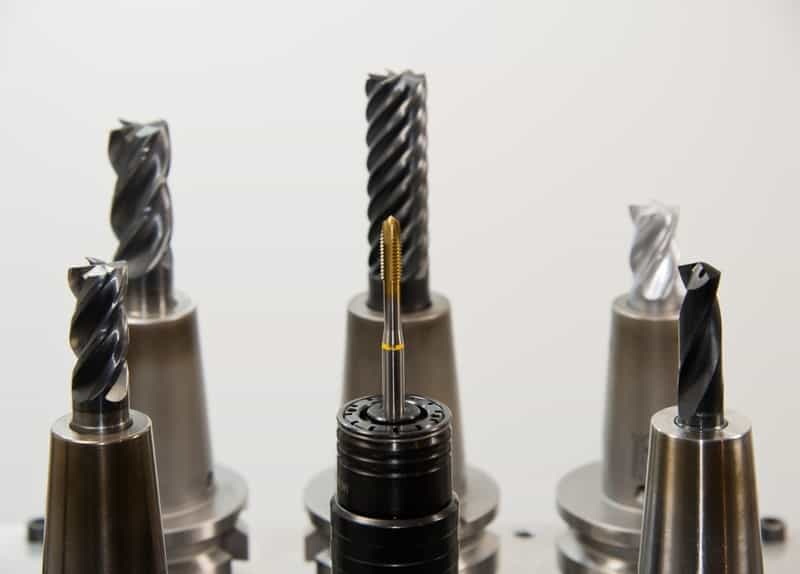
Before locking these critical parameters, it is vital to understand why they matter.
- Spindle speed (defined by the symbol ‘S') controls how fast the spindle rotates in revolutions per minute (RPM).
- Feed rate (represented by the symbol ‘F') dictates the velocity at which the cutting tool moves relative to the workpiece surface.
In CNC turning, these two parameters govern the entire cutting process. A minor increase or decrease can drastically change the cutting forces, chip formation, and surface roughness.
Modern Fanuc controls give operators the flexibility to modify both of these during operation using the override knobs or soft keys on the machine panel. Although convenient during prototyping or testing, such flexibility becomes risky in mass production where consistency is paramount. Hence, locking these features ensures the system always runs according to the programmed conditions.
Locking the speed feed function is not just about restricting users—it's about maintaining operational integrity.
1. Repeatability and precision – Each workpiece produced under the same mechanical settings ensures dimensional consistency across multiple production batches.
2. Safety enhancement – Preventing sudden speed changes mitigates machine vibration and mechanical failure, reducing the likelihood of operator accidents.
3. Tool longevity – Running tools at precise speeds within the recommended cutting parameters extends tool life and prevents premature failure.
4. Quality assurance – Fixed cutting conditions create a predictable surface finish and reduce inspection failures.
5. Shop-floor discipline – Operators remain focused on setup and monitoring instead of making arbitrary adjustments.
In highly regulated industries such as aerospace and medical manufacturing, parameter locking is often a certification requirement under ISO or AS standards.
There are several approaches for locking speed and feed in a Fanuc CNC turning machine. The method you choose depends on factors like the control version, OEM configuration, and how much flexibility you want between automatic and manual modes. The three main categories are:
- Through parameter settings on the control.
- By custom M-codes or macro programming.
- Through ladder logic interlocks at the PMC level.
Let's explore each method step by step.
Fanuc controls provide a parameter table that governs machine behavior. These tables are accessible through the SYSTEM menu on the control panel. By adjusting specific bits within the parameter addresses, you can lock or unlock certain features like feed and speed overrides.
1. Switch to parameter write mode
Enable Parameter Write Enable (PWE) by setting it to 1. This temporarily allows parameter modifications.
2. Locate the override disable parameters
- On most Fanuc controls such as 0i-T, 21i-T, 31i, parameter 3202#4 and #5 control feed and spindle overrides respectively.
- The symbol ‘#' denotes a bit position in the binary value.
3. Understand what each bit does:
- 3202#4 (FRO) – Feedrate override disable.
- 3202#5 (SRO) – Spindle speed override disable.
- Set each bit to 1 to lock. Setting to 0 enables modification.
4. Enter values and verify
Type the new value, press the input key, and disable the parameter write after saving.
5. Test the lock
Rotate the physical override knob on the panel. The override percentage should remain constant, typically at 100%.
This procedure locks the hardware knobs, meaning manual adjustments no longer influence program execution speed.
Some factories prefer automated lock activation through program control. This ensures that even if an operator forgets to lock manually, the system automatically disables adjustment at cycle start and re-enables it afterward.
- Custom M-code integration: Machine builders can create M-codes such as `M210` or `M220` to activate PLC bits that disable override knobs.
- Macro variable control: Use macro variables like `#500` or `#600` as Boolean flags—`#500=1` means locked, `#500=0` means unlocked. The ladder checks this bit continuously.
- Condition-based restrictions: Create logic that locks feed and spindle only during auto-mode, while allowing freedom during setup or tool measurement.
This technique adds flexibility and automation, which is especially useful for long production cycles.
For deeper integration, technicians can modify the Fanuc PMC ladder diagram—a graphical representation that controls machine I/O operations.
Steps to apply it include:
1. Access PMC Edit mode via Ethernet or memory card.
2. Identify the input addresses linked to feed and speed override potentiometers.
3. Insert an interlock coil that forces these inputs inactive during full-cycle operations.
4. Tie the locking condition to system signals such as Cycle Start (X0020) or Auto Mode (M6000).
5. Save, compile, and test your modifications carefully.
This is a robust method used by OEMs because it allows conditional control and minimizes operator interference. However, it requires ladder programming skills and understanding of I/O mapping.
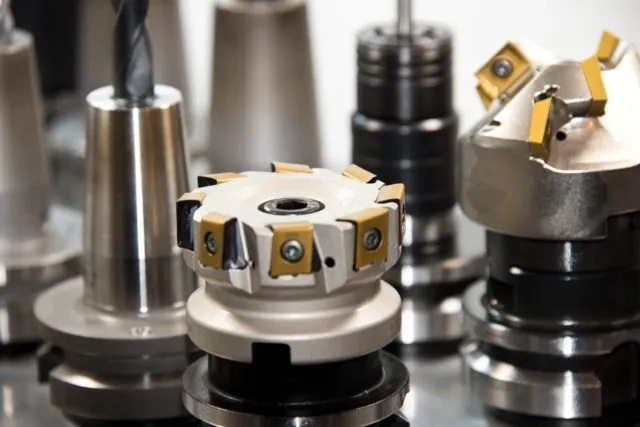
Parameter and ladder locks alone are sometimes insufficient, especially in shared production environments. Fanuc provides password protection features that limit who can alter parameters.
- Password hierarchy: Specific passwords can be assigned to machine builder level, maintenance level, or operator level.
- Protected regions: Certain parameter ranges can be locked to prevent unauthorized access.
- Audit trail: The system records every parameter write action for traceability.
Combining parameter locks with password protection establishes a solid layer of security for critical machining data.
Many Fanuc-powered lathes are equipped with physical key switches or lockout toggles on the control panel. These are often labeled as *FEED LOCK*, *EDIT LOCK*, or *SPINDLE LOCK*.
- When the switch is turned ON, it disconnects the analog override signal to the CNC input.
- Some machines integrate it with the safety circuit to ensure that feed or spindle cannot change even when the key is removed.
This mechanical safeguarding is simple yet incredibly effective, particularly in training environments.
If several operators use the same machine, it becomes crucial to maintain consistency. Here are advanced strategies often used in production lines:
1. Centralized parameter backup: Maintain a copy of locked parameters using Fanuc Data Server or PC software. Regularly restore verified settings.
2. Digital signage for approved feeds/speeds: Display benchmark values on the machine display to inform operators of the intended locked settings.
3. Scheduled verification: Include override lock verification in daily checklists or machine startup routines.
4. Integration with MES systems: Some factories integrate machine data into Manufacturing Execution Systems that monitor override status in real time.
These steps turn speed-feed locking into part of a broader quality management ecosystem.
Even experienced technicians sometimes encounter situations where the lock doesn't behave as expected. Below are several recurring issues and their resolutions:
- Overrides still active after locking:
The most common reason is a missing PLC interlock. The knob may still send an analog signal unless its input is disconnected by logic.
- Parameter not saving:
Ensure `PWE=1` during modification and `PWE=0` afterward. Always turn off power for a full reset if necessary.
- Feed override working only in specific modes:
Confirm machine mode. Feed lock typically affects Auto and MDI modes but not Jog or Handle.
- Wrong parameter number:
Always consult the exact Fanuc manual version, as parameter layouts differ among the 0i, 16i, 18i, and 31i series.
- Memory protection errors:
If password protection is active, you must unlock it temporarily before changing override parameters.
Once locking methods are applied, verification is just as critical as implementation.
Follow these checks:
1. Run a test program that varies spindle and feed parameters.
2. Attempt to alter override percentages during cutting and check if any response occurs.
3. Observe the status screen on the CNC—it should show consistent override values.
4. Reboot the control to confirm persistence across restarts.
5. Have multiple operators confirm that manual knobs no longer influence operation.
A medium-scale automotive supplier adopted override locking after quality variations appeared between shifts. The Fanuc controls were set so operators could adjust up to ±50% of programmed feedrates. After analysis, management discovered operators were tweaking knob values to "feel" smoother cuts, unknowingly altering production tolerances.
By locking feed and spindle overrides with parameter 3202 and enabling password protection, variability was reduced by 90%, and tool life improved by 25%. This simple adjustment saved thousands in rework and inspection time each month.
- Document every change: Keep written or digital logs of each parameter adjusted, who changed it, and when.
- Train operators: Properly educating staff prevents misuse and unnecessary service calls.
- Combine physical and digital locks: Use both parameter-level and key-level security for redundancy.
- Revalidate after software updates: New control firmware may reset or alter parameter settings.
- Integrate into preventive maintenance checklists: Include “verify feed/spindle lock state” as a recurring maintenance action.
These best practices ensure long-term reliability and compliance with production standards.
Locking speed feed in a Fanuc CNC turning machine is a simple but highly impactful technique to ensure accuracy, repeatability, and process safety. By disabling manual overrides, you eliminate the risks of unintentional speed or feed changes that could affect tool life or part geometry. Whether you implement it via parameter 3202, custom ladder logic, or password protection, always treat locking as a vital element of equipment calibration and quality control. When consistently maintained, this small configuration step leads to higher yields, safer operation, and uniform machining performance across all production shifts.
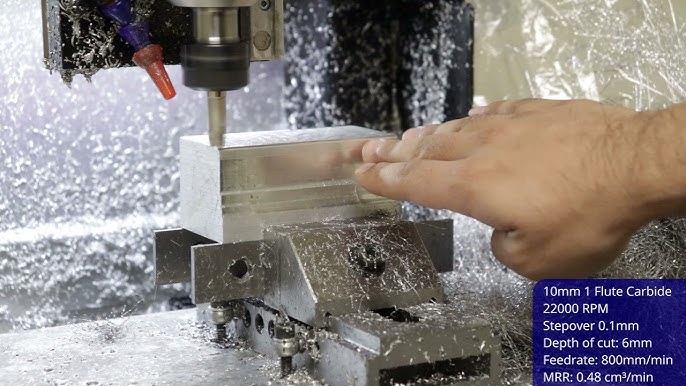
Set parameter 3202 bit 4 (FRO) to 1. This prevents manual feedrate adjustments using the front panel knob.
Change parameter 3202 bit 5 (SRO) to 1. This keeps spindle rotation speed at the programmed value regardless of manual inputs.
Yes, it's possible through the PMC ladder. You can link the lock logic to the Auto or Cycle Start signal so the lock activates only during automatic machining.
Yes. Many machines include key switches or toggle locks that physically disable the speed/feed control circuit.
Absolutely. By defining custom M-codes or macro variables, you can unlock and re-lock overrides under specific program conditions, offering controlled flexibility.


