From idea to market-ready product, our NPI solutions make every stage easier, faster. Discover How We Help

Views: 222 Author: Tomorrow Publish Time: 2026-02-06 Origin: Site


Content Menu
● The Rise of Mobile Solutions in CNC Milling
● Popular iOS Apps for CNC Milling
>> 3. NC Viewer (Web App for iOS)
● Advantages of Using iOS Apps for CNC Milling
● How CNC Milling Professionals Use iOS Apps
● Integrating iOS Apps into Your CNC Workflow
● The Future of CNC Milling on iOS
● Selecting the Right App for CNC Milling
● Real-World Example of iOS Implementation
● Why iOS Is Preferred for Industrial Applications
● The Role of Cloud Technology in CNC Milling
● FAQ
>> 1. What is the best iOS app for CNC milling?
>> 2. Can I control a CNC machine directly from an iPhone?
>> 3. Are iOS CNC milling apps free?
>> 4. How secure is using iOS for CNC applications?
>> 5. Will iOS apps replace traditional CAM software?
The manufacturing industry continues to evolve toward digital transformation, and one frequently asked question among engineers and machinists is: Is there an iOS app for CNC milling? Modern production processes depend heavily on advanced software tools, and mobile technology now plays a significant role in simplifying complex manufacturing tasks. The ability to control, monitor, and optimize CNC milling operations directly from a phone or tablet has become both practical and essential.
The integration of mobile apps into industrial operations enhances flexibility, boosts productivity, and connects engineers across global supply chains. This article explores the best iOS apps for CNC milling, their main features, benefits, challenges, and future potential in precision machining.
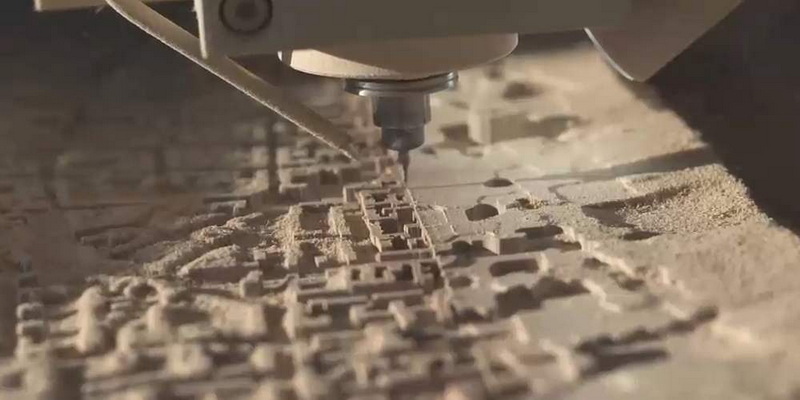
CNC milling is a subtractive manufacturing process where computer-driven machines use rotary cutting tools to carve solid materials into precise 3D shapes. The acronym CNC stands for Computer Numerical Control—a technology that interprets digital design files, known as G-code, into tool movement instructions. With its ability to maintain extreme accuracy and repeatability, CNC milling dominates industries such as aerospace, automotive, electronics, and prototyping.
Typically, the CNC milling workflow includes several key steps:
- Creating a detailed CAD (Computer-Aided Design) model
- Converting CAD designs into CAM (Computer-Aided Manufacturing) toolpaths
- Generating G-code for machine interpretation
- Executing automated machining processes
Because the entire methodology revolves around digital precision, the use of mobile apps on iOS devices aligns perfectly with the modern needs of machinists who require real-time functionality and responsive control outside the traditional workstation environment.
In the past, CNC milling systems were entirely dependent on desktop or in-house computer networks. However, the evolution of cloud computing and mobile connectivity has shifted this landscape dramatically. Apple's iOS devices—renowned for their processing power, ergonomic interface, and secure architecture—offer excellent platforms for managing manufacturing data and communication.
iOS apps can serve multiple functions in CNC milling:
- Viewing, editing, or commenting on 3D design files
- Monitoring live machining cycles for production efficiency
- Running G-code simulations and toolpath visualizations
- Calculating speeds, feeds, and machining parameters
- Managing production documentation and machine records
Today's machinists benefit from faster decision-making, improved collaboration, and mobile-driven control capabilities that streamline entire operations.
The Apple App Store features a variety of CNC-oriented applications that cater to professionals and students alike. These tools enhance accuracy and convenience throughout design, programming, and execution stages.
Fusion 360 Mobile from Autodesk is one of the most trusted names in CAD/CAM software. The iOS version allows users to access project files anywhere, view 3D models, share markups, and review assembly parts in real time. Although full machining toolpath generation must still be performed on a desktop, the app makes field collaboration seamless. It helps CNC milling operators confirm design intent before production begins—saving both time and material.
This specialized calculator is a must-have for precision engineers. Machinist Calc Pro 2 simplifies the process of determining feed rates, cutting speeds, and depth of cut parameters across different material types. The app also supports trigonometric calculations, making it especially useful in multi-axis CNC milling operations where geometry accuracy matters most.
NC Viewer functions as a browser-based G-code viewer that also runs effectively on Safari for iPhones and iPads. Users can upload G-code files, visualize toolpaths, and detect programming errors before executing the job on a machine. This prevents costly mishaps and ensures that CNC milling performance remains consistent across different parts and operators.
Fusion Team, also by Autodesk, emphasizes project collaboration. Engineers and machinists working on distributed teams can upload files, comment on designs, and synchronize G-code data through secure cloud integration. For CNC milling professionals managing multiple projects, this app ensures that no version conflicts occur, keeping production lines synchronized.
The CNC Tools app provides an extensive library of feed rate calculators, spindle speed adjustment tools, and cutting data references. It supports common materials like aluminum, steel, and composites, enabling engineers to optimize tool performance directly from their phones. The app simplifies what used to require manual reference charts, making it highly practical on the shop floor.
The integration of iOS apps into CNC milling workflows yields numerous operational advantages:
- Enhanced Mobility: Engineers can check machining progress anytime, anywhere.
- Streamlined Communication: Designers, programmers, and machinists can collaborate instantly.
- Reduced Downtime: Quick access to technical data and diagnostics minimizes machine idle time.
- Data Consistency: Cloud-based platforms prevent versioning errors in design and programming.
- Higher Accuracy: Real-time calculations ensure reliable machining parameters.
From design reviews to live performance tracking, mobile apps redefine how manufacturers approach productivity.
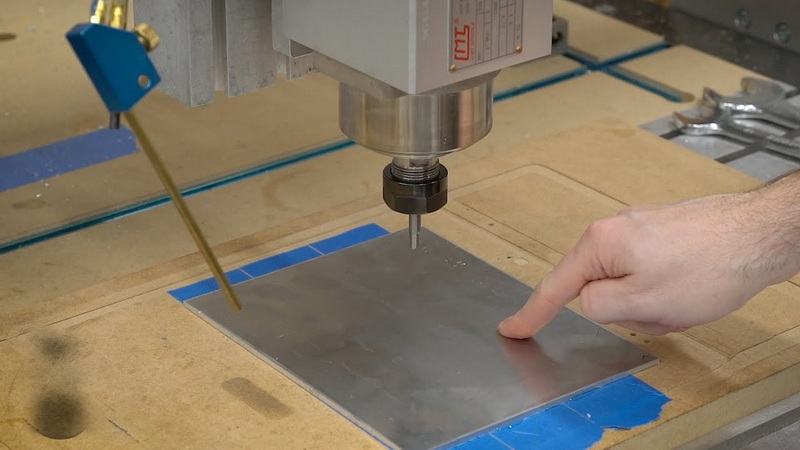
Experienced CNC specialists now integrate iOS apps as part of their daily processes. For example, a machinist may use Machinist Calc Pro 2 to fine-tune feed rates right before launching a milling cycle, while supervisors use Fusion 360 Mobile to verify the CAD file's conformity to client specifications.
Workshops adopting iOS integration typically report measurable improvements in:
- Setup time reduction
- Better material utilization
- Faster client approvals through mobile previews
- Reduced risk of programming errors
By combining mobile tools with traditional CAM software, modern CNC milling facilities benefit from real-time control that was once impossible.
Seamless adoption of mobile tools requires a structured plan. To effectively integrate iOS apps into CNC milling workflows, follow these steps:
1. Assess Workflow Requirements: Identify whether you need design collaboration, monitoring, or toolpath verification capabilities.
2. App Evaluation: Compare available apps and prioritize those compatible with existing systems.
3. Cloud Integration: Use services like Autodesk Cloud, iCloud, or Dropbox to share models and G-code seamlessly.
4. Training: Educate staff on mobile functions and navigation for better adoption.
5. Security Compliance: Protect data through password management and encrypted communications.
When properly implemented, iOS apps complement desktop software, rather than replacing it, to create an interconnected digital ecosystem within your workshop.
While iOS apps offer flexibility, certain practical limitations remain:
- Hardware Constraints: Mobile devices can't yet match the processing power of desktop workstations for complex simulations.
- Application Scope: Some advanced CAM functions, such as adaptive clearing, remain unavailable on mobile platforms.
- Connectivity Dependencies: Many apps rely on stable internet connections for cloud synchronization.
- Cost Management: Enterprise-level tools often require separate licensing or subscriptions.
Despite these limitations, the advantages—especially for small and medium-sized machining businesses—far outweigh the drawbacks.
The future for CNC milling on iOS is promising. Apple is continuously enhancing the performance of its processors, and developers worldwide are expanding the functionality of mobile CAD/CAM systems. The next decade will likely feature comprehensive apps capable of performing advanced manufacturing simulations, AI-driven G-code optimization, and machine learning-enabled predictive maintenance.
Emerging trends include:
- Augmented Reality (AR) overlays for better toolpath visualization
- AI-assisted tool selection and cutting optimization
- Bluetooth-based connectivity with CNC machine dashboards
- Industry 4.0 integration for real-time analytics and cloud data insights
These advancements suggest that mobile devices will move from being monitoring tools to becoming integral, interactive components of the entire CNC workflow.
Choosing the right iOS app requires an evaluation of your workshop's goals, scale, and technical demands. Key considerations include:
- Functionality: Determine whether the app supports CNC simulation, machine monitoring, or parameter calculation.
- Ease of Use: The interface should be simple and intuitive for quick access to critical data.
- Integration Compatibility: Ensure the app communicates effectively with your existing desktop software or CNC machine brand.
- Cost Efficiency: Balance licensing fees with operational benefits.
- Technical Support: Look for reliable updates and customer support services.
For example, small custom fabrication shops might prefer calculation and file-viewing apps to save costs, while larger factories benefit more from integrated collaboration systems like Fusion Team.
Consider a CNC milling manufacturer specializing in precision aerospace components. After adopting Fusion 360 Mobile and NC Viewer, the company's engineering team now reviews CAD files remotely during production shifts. Supervisors no longer need to halt machines for drawing clarifications—design intent is confirmed instantly through iOS devices.
The outcome:
- 25% reduction in setup delays
- 35% faster design-to-production transition
- Noticeable improvement in communication between offices and shop floors
This practical scenario highlights how investing in digital mobile tools leads directly to measurable productivity improvements.
Many manufacturing professionals choose iOS because of its reliability, smooth performance, and long-term software consistency. Compared to other mobile systems, Apple's ecosystem ensures precision synchronization, low latency, and superior data security standards. These characteristics make iOS uniquely suitable for CNC milling operations, where downtime and miscommunication can result in costly material loss.
In addition, iOS app developers often optimize interfaces for technical operation, making navigation easier even when machinists wear gloves or face strict time schedules.
Cloud-based integration stands at the heart of mobile CNC evolution. It allows machinists to upload toolpaths, share 3D renderings, and monitor jobs remotely. Many iOS apps like Fusion Team use advanced cloud architecture to ensure that every file version remains consistent, regardless of location or user.
This shift creates a new workspace culture where design engineers, factory operators, and project managers function as synchronized teams rather than isolated departments. Such digital ecosystems drastically improve workflow transparency and build long-term client trust.
Is there an iOS app for CNC milling? Yes—there are several useful options, from CAD-based design viewers and calculators to full collaboration management systems. The steady evolution of iOS technology has transformed how manufacturers manage precision machining. By incorporating mobile tools such as Fusion 360 Mobile, Machinist Calc Pro 2, and CNC Tools, engineers can optimize tasks, accelerate communication, and eliminate errors.
As manufacturing moves further toward digital transformation, iOS devices will remain integral to enhanced flexibility, higher efficiency, and smarter decision-making. For CNC milling professionals, adopting iOS apps is no longer optional—it's a competitive necessity.
Contact us to get more information!
Popular choices include Fusion 360 Mobile for design access, Machinist Calc Pro 2 for accurate machining parameters, and NC Viewer for visualizing and simulating G-code toolpaths.
While direct machine control is limited, you can use certain iOS apps for monitoring, job tracking, and parameter verification via connected dashboards.
Many apps provide free versions with basic tools. Advanced features such as cloud storage, G-code editing, or simulation may require a paid plan.
iOS features high-level encryption and data protection, ensuring safe communication between users and cloud servers during industrial operations.
Not entirely. iOS apps complement full-scale CAM systems by providing mobile accessibility and real-time productivity support, but heavy computations still occur on desktops.
1. https://www.autodesk.com/products/fusion-360/overview
2. https://machinistapps.com/machinist-calc-pro-2
3. https://ncviewer.com
4. https://apps.apple.com/us/app/cnctools/id1470395237
5. https://www.autodesk.com/products/fusion-team


