From idea to market-ready product, our NPI solutions make every stage easier, faster. Discover How We Help

Views: 222 Author: Tomorrow Publish Time: 2026-01-03 Origin: Site


Content Menu
● Understanding CNC Milling and Tool Speed
● The Relationship Between Feed Rate and Tool Speed
● Steps to Turn On Tool Speed in a CNC Milling Machine
>> Step 1: Power On and Verify Safety
>> Step 3: Load or Create the Machining Program
>> Step 4: Set the Spindle Direction
>> Step 5: Confirm Speed on the Display
● Factors Affecting Spindle Speed Selection
>> 4. Machine Rigidity and Condition
● Common G-Codes for Tool Speed Control
● Troubleshooting Spindle Speed Issues
● Monitoring Spindle Speed in Real Time
● Optimizing Tool Speed with Technology
● Best Practices for Long-Term Efficiency
● FAQ
>> 1. What G-code controls spindle speed?
>> 2. How can I calculate the correct spindle speed?
>> 3. Can spindle speed be changed during operation?
>> 4. Why is my spindle producing vibration at high speed?
>> 5. How often should spindle speed be checked?
In the world of manufacturing, the precision and performance of CNC (Computer Numerical Control) machines depend significantly on proper control of tool speed. Whether you are machining steel, aluminum, or composite materials, the way you set and manage spindle speed directly affects machining quality, surface finish, tool life, and overall productivity. Understanding how to turn on and fine-tune tool speed in milling CNC operations is a critical skill for machinists, engineers, and operators alike.
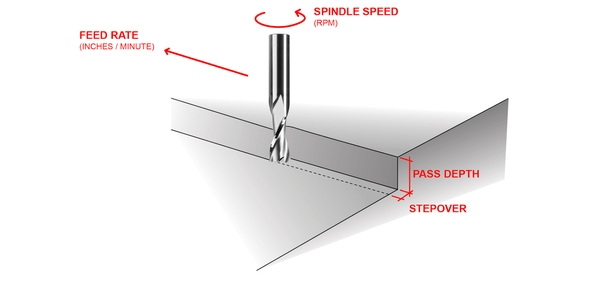
CNC milling works by rotating a cutting tool while the workpiece is moved along various axes under controlled parameters. The spindle, which holds the tool, rotates at a programmed speed measured in revolutions per minute (RPM). Tool speed determines how quickly the cutting edges engage and remove material from the surface.
If the spindle rotates too fast, excessive heat can dull the tool or even cause it to fracture. On the other hand, if it rotates too slowly, the material may not chip efficiently, leading to built-up edges, poor finishes, or uneven surfaces. Hence, the right spindle speed is a balance between efficiency, precision, and durability.
Most CNC controllers allow operators to program spindle speed directly within the G-code or adjust it manually. This flexibility ensures that tool speed can match the specific needs of different operations — from roughing to finishing.
Tool speed is closely connected to feed rate — the distance the tool travels per spindle revolution. Together, they control material removal rate, cutting load, and surface smoothness. The relationship between the cutting speed (V), spindle speed (N), and tool diameter (D) can be described by the standard formula:
V = (pi D N)/1000
To calculate spindle speed:
N = (1000 V) /(pi D)
Where:
- N is spindle speed in RPM.
- V is cutting speed in meters per minute (m/min).
- D is cutter diameter in millimeters (mm).
This formula ensures consistent cutting velocity regardless of tool size. For instance, a large cutter must rotate slower than a small one to maintain the same surface speed. CNC software often automates this calculation, but understanding it helps operators make informed manual adjustments.
Activating spindle speed in a CNC mill follows a systematic process. Each step must be performed in proper order to prevent errors or mechanical damage.
Start by switching on the main power supply and CNC controller. Ensure that all emergency stop buttons are released and the machine's protective guards are in place. Most machines perform an automatic system check at startup.
Before any programming commands are executed, home all axes (typically X, Y, and Z). This action resets the machine's coordinate system, ensuring positional accuracy for the entire operation.
Load the CNC program containing spindle speed commands or create a new one through the control interface. Spindle speed is usually programmed using the S command — for example, `S1500` for 1500 RPM.
CNC spindles can rotate clockwise (M03) or counterclockwise (M04), depending on the cutting tool and fixture setup. The most common code for standard end milling operations is M03:
S2000 M03
This line sets spindle speed to 2000 RPM and starts rotation in the clockwise direction.
Once the spindle is activated, verify that the actual speed shown on the control panel matches the programmed speed. This ensures accuracy and identifies any communication or mechanical issues upfront.
Perform a dry run without material to check spindle rotation, direction, and noise. A smooth acceleration and stable speed indicate correct setup. If unusual vibration or sound occurs, stop the spindle and inspect the tool or holder balance.
Even after setting the spindle speed, real-world cutting conditions may require fine adjustments. Each material behaves differently under load, so continuous monitoring is crucial. Evaluating cutting performance visually and audibly can offer valuable feedback:
- Excessive squealing or chatter usually indicates spindle speed is too high.
- Burn marks on the surface suggest poor cooling or excessive friction.
- Uneven chips may result from incorrect feed-to-speed ratio.
To optimize tool speed:
1. Start with the manufacturer's recommended cutting speed.
2. Observe chip formation during machining — curled, uniform chips indicate stable cutting.
3. Adjust RPM incrementally (5–10% at a time) until vibration or thermal issues minimize.
High-speed cutting (HSC) operations especially demand correct spindle speed control. The goal is to reduce cutting forces while maximizing productivity.
Different materials require distinct cutting parameters. Softer materials like aluminum can tolerate higher spindle speeds, while harder metals such as titanium require slower RPM to prevent tool chipping.
Modern cutting tools use coatings such as TiN, TiAlN, or DLC that resist wear and heat. These coatings enable higher spindle speeds compared with uncoated HSS tools.
Larger cutters increase surface contact area, generating more heat. Therefore, spindle speed should decrease as cutter diameter increases to maintain consistent cutting velocity.
Older or less rigid machines may vibrate at high RPM, requiring careful tuning. Always ensure spindle bearings and tool holders are well-maintained to handle desired speed ranges.
Proper coolant flow allows for better heat management and chip evacuation. This not only extends tool life but also permits slightly higher spindle speeds safely.
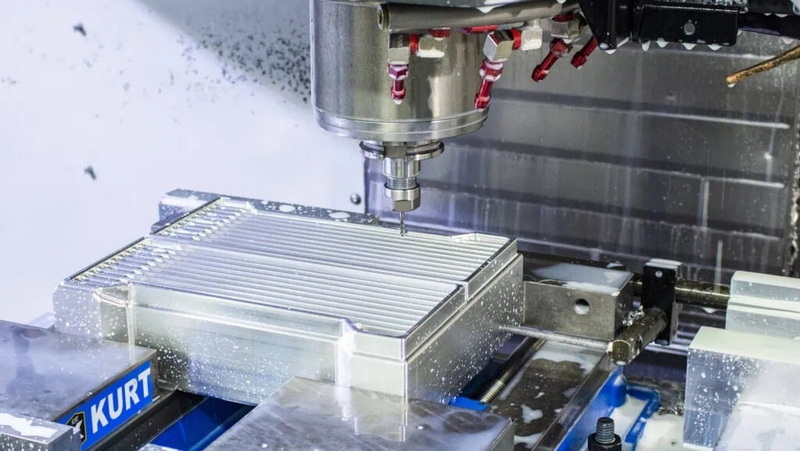
Programming spindle speed and motion relies on standard G-code commands. A typical CNC program initializes spindle speed and tool motion through combinations such as:
| Code | Description |
|---|---|
| S### | Sets spindle speed (RPM) |
| M03 | Spindle on, clockwise rotation |
| M04 | Spindle on, counterclockwise rotation |
| M05 | Spindle stop |
| M19 | Spindle orientation (used for tool change) |
Example G-code snippet:
G90 G54
T01 M06
S1200 M03
G43 H01 Z50
G00 X0 Y0
This program selects tool 1, sets spindle speed at 1200 RPM clockwise, and moves the tool to position.
If the spindle does not start or runs incorrectly, several issues could be at play:
- Incorrect M-code usage: Verify that M03 or M04 commands are properly entered before feed commands.
- Low RPM limit alarms: Some machines require minimum speed thresholds.
- Feedback sensor errors: Modern CNCs use encoders for RPM feedback. Check connections if readings seem wrong.
- Controller override disabled: Ensure speed override dials or keypad inputs are activated.
For best practice, always refer to the machine's operational manual for troubleshooting steps specific to your model.
Many advanced CNC systems now use closed-loop control where the spindle speed is automatically adjusted based on load feedback. Digital displays show target and actual speeds, helping operators confirm optimal operation. Some machines even record trends, allowing predictive maintenance teams to identify wear or imbalance before failure occurs.
Manual verification can also be done using a handheld tachometer or stroboscopic light, particularly in older equipment.
With the growing influence of Industry 4.0, digital tools and simulation software enhance how machinists determine ideal spindle settings. CAM programs such as Mastercam, Fusion 360, or Siemens NX calculate optimal tool paths and spindle speeds based on the selected materials and tools. Sensors integrated into smart machines feed real-time cutting data to automatically modify spindle speeds for precision and efficiency.
Adaptive control technology also allows the machine to slow down spindle speed when it senses increased resistance and return to normal once cutting load decreases. This contributes to higher tool longevity and consistent part quality.
To maintain efficiency and safety:
- Keep spindles lubricated and aligned.
- Schedule regular vibration analysis.
- Store cutting tools properly to prevent imbalance.
- Always verify G-code parameters before production runs.
- Avoid abrupt spindle speed changes that can strain mechanical components.
Proper documentation of preferred spindle settings for each material and tool helps create a reference system for future programming.
Turning on and managing tool speed in a CNC milling machine involves more than pressing a button. It requires an understanding of the mechanical limits of equipment, the physical properties of materials, and the interplay between speed, feed, and depth of cut. By properly setting spindle RPM through G-code commands and continuously monitoring machining performance, operators ensure efficient, precise, and repeatable results. As CNC technologies advance, mastering spindle control remains fundamental to achieving superior productivity and quality.
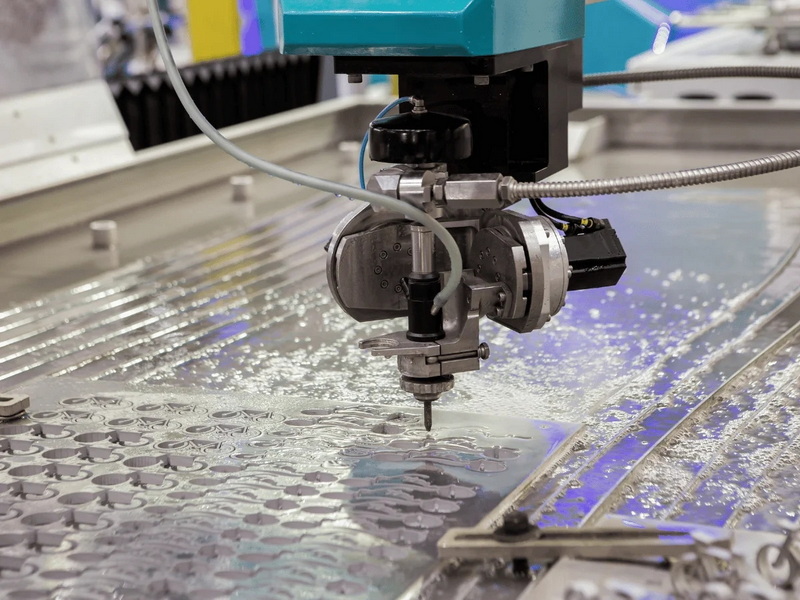
The spindle speed is controlled by the S code, followed by a numeric value representing RPM. For example, `S2500` sets the speed to 2500 RPM. Use M03 for clockwise rotation and M04 for counterclockwise rotation to activate spindle motion.
Use the formula \(N = (1000 V)(pi D)\), where \(V\) is cutting speed (m/min) and \(D\) is tool diameter (mm). This calculation ensures proper surface speed for each material and cutter size.
Yes, most CNC machines allow spindle speed override. The operator can modify RPM using the control knob or interface while the program is running, typically within ±10–20% of programmed speed.
This may result from tool imbalance, worn bearings, or incorrect tool holding. Check collet condition, ensure balance, and if vibrations persist, reduce the spindle speed until stable.
Spindle speed accuracy should be verified regularly — at least once per maintenance cycle or after tool changes. Using a tachometer or control readout helps ensure consistency between commanded and actual values.


