From idea to market-ready product, our NPI solutions make every stage easier, faster. Discover How We Help

Views: 222 Author: Tomorrow Publish Time: 2026-01-31 Origin: Site


Content Menu
● What Is a Work Offset in CNC Milling?
● Machine Coordinate System vs Work Coordinate System
● Why Work Offsets Matter in CNC Milling
● Preparation Before Setting a Work Offset
● Step-By-Step: How to Set Up a CNC Milling Work Offset
>> Step 1: Home the CNC Milling Machine
>> Step 2: Choose the Work Offset (G54, G55, etc.)
>> Step 3: Jog the Tool to the X–Y Origin
>> Step 4: Store the X–Y Work Offset
>> Step 5: Set the Z Work Offset
>> Step 6: Verify the CNC Milling Work Offset
● Best Practices for Work Offsets in CNC Milling
● Using Multiple Work Offsets for Fixtures
● Advanced Work Offset Techniques in CNC Milling
● Common Mistakes When Setting Work Offsets in CNC Milling
● Relationship Between Tool Offsets and Work Offsets
● Practical Example: Single Vise CNC Milling Setup
● FAQ
>> 1. What is G54 in CNC milling work offsets?
>> 2. How many work offsets can I use in CNC milling?
>> 3. Do I need to reset work offsets for every CNC milling job?
>> 4. What is the difference between a tool offset and a work offset in CNC milling?
>> 5. How can I check if my CNC milling work offset is correct?
Setting up a work offset on a CNC milling machine is the foundation of accurate, repeatable CNC milling. A correct work offset tells the control exactly where your part sits inside the machine's working envelope so that every programmed move matches the real-world position of the workpiece.
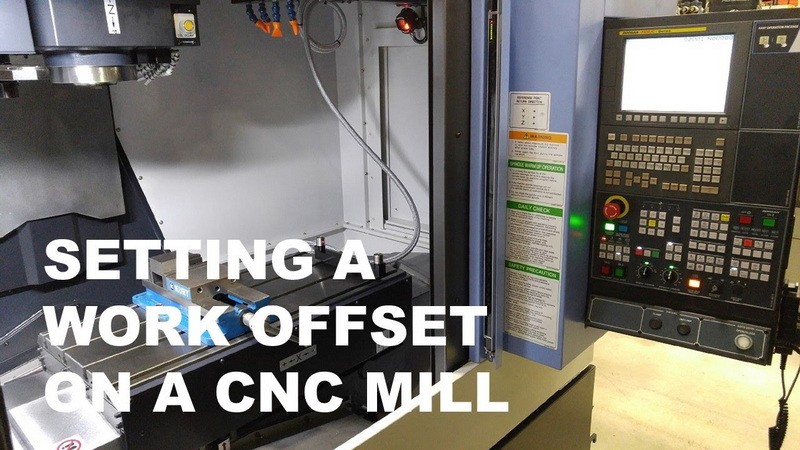
In CNC milling, a work offset is the stored distance between the machine's home position and the zero point you choose on the workpiece or fixture. The control uses this offset so that commands like X0, Y0, and Z0 refer to your part zero instead of the machine zero.
Common work offsets on many CNC milling controls are labeled G54 through G59, and each code represents one independent datum or part zero location. When you call a specific work offset, such as G54, the CNC milling machine shifts its internal coordinate system so that your programmed toolpaths align with the physical part.
Because CNC milling often involves repeated parts, multi-part fixtures, or multiple vises, these work offsets let you store several part origins at once. Activating a particular offset makes the control “think” in that part's local coordinate system without changing the underlying machine coordinates.
Every CNC milling machine has a fixed machine coordinate system defined by the manufacturer. This machine coordinate system is usually referenced as G53 and is established when the machine is homed or returned to reference after startup.
The work coordinate system (WCS), such as G54, is user-defined and sits somewhere inside that machine envelope, usually on a corner or feature of the stock or fixture. Setting a work offset is essentially telling the CNC milling control how far the WCS origin is from the machine home position in X, Y, and Z.
Once this relationship is stored, you can run CNC milling programs that reference the workpiece origin directly, without recalculating positions from machine zero every time. The result is a cleaner, more intuitive programming environment and a repeatable CNC milling process.
A precise work offset ensures that your CNC milling program cuts the part exactly where your CAM system expects it to be. It prevents problems such as cutting air, gouging fixtures, or misplacing features that must line up across multiple setups.
Because work offsets are stored in tables, you can quickly switch between different setups, vises, or fixtures in CNC milling by calling different G54–G59 values. This flexibility supports pallet systems, multi-part fixtures, and repeat orders where the CNC milling machine must return to the same physical origin days, weeks, or months later.
Work offsets are also essential for multi-axis CNC milling, where the relationship between part, fixture, and rotary components needs to stay consistent across complex rotations and tilts. In all of these cases, accurate offsets translate directly into reduced setup time and higher productivity.
Before setting any work offset on a CNC milling machine, you should complete several basic tasks to ensure both safety and accuracy. Proper preparation prevents errors that could damage tools, scrap parts, or distort future CNC milling setups.
Key preparation steps include:
- Home the machine so that the control knows the exact machine zero position.
- Mount and secure the workpiece or fixture in a vise, on a fixture plate, or directly to the table with clamping strong enough for CNC milling forces.
- Load and measure tools, using a tool setter, gauge block, or probing routine to establish tool length offsets for CNC milling.
- Verify the programmed WCS in your CAM software (for example, G54 at the top-left corner of the stock) and match this plan physically on the CNC milling machine.
- Make sure the workpiece is squared to the machine axes so that the CNC milling coordinate system lines up with the physical edges of the stock.
With these steps complete, you can confidently define the actual work offset knowing that the rest of your CNC milling setup is correct.
Most CNC milling machines require a homing cycle at power-up so that the control can locate reference switches on each axis. This homing process establishes the machine coordinate system and gives the controller a consistent origin for every move.
After homing, the control usually displays machine coordinates, and these values change as you jog the axes around the CNC milling table. Keeping this reference in mind is important, because your work offset will be defined relative to these machine coordinates.
Decide which work offset you will use for the current CNC milling setup. Many shops use G54 for the primary part location, then assign G55, G56, and others to additional vises or fixtures across the table.
Open the work offset or coordinate system page on the CNC milling control. You will see fields for X, Y, and Z under each offset label. These fields will soon hold the distances from machine zero to your chosen part zero in your CNC milling setup.
Next, locate the X–Y origin on the workpiece or fixture that you defined in your CAM software. This origin might be the top-left corner of the stock, the center of a hole pattern, or the intersection of two machined surfaces used in CNC milling.
Common methods to find this point accurately include:
- Edge finder: Place the edge finder in the spindle, spin it, and gently jog until it slips off the edge. Compensate for the edge finder radius to calculate the true edge location before setting the work offset.
- Probe: Use a 3D probe routine to automatically touch off multiple faces and calculate the X and Y origin with high precision for CNC milling.
- Visual alignment: For less critical work, jog a pointed tool or drill tip to visually align with a corner, layout mark, or centerline.
Once the tool tip is positioned at the desired X–Y origin, keep the Z axis at a safe height above the surface during this stage of the CNC milling setup.
With the X and Y origin located, go to the work offset page and highlight the X and Y fields under your chosen offset, such as G54. Many CNC milling controls provide a “Measure,” “Part Zero Set,” or similar soft key that records the current machine coordinates into the work offset table.
When you press this key for X and Y, the control calculates and stores the distance between the current tool position and machine zero as the work offset values. From this point onward, when G54 is active, commands such as X0 and Y0 will move the CNC milling tool to this stored origin location.
This process can be repeated for other offsets like G55 or G56, each referencing different vises or fixtures around your CNC milling table.
Setting the Z work offset determines how the CNC milling machine interprets vertical positions relative to the part surface or fixture. The Z origin might be the top of the stock, the top of soft jaws, the top of a precision block, or even a machined reference surface, depending on your CNC milling strategy.
Common Z-setting methods include:
- Gauge block or precision block: Place a known-height block on the reference surface, lower the tool carefully until it just contacts the block, then use the measured location and the block height to define the Z offset.
- Paper method: Place a piece of paper on the reference plane and lower the tool until the paper drags slightly. Treat the paper thickness as part of your Z calculation when defining the work offset.
- Tool setter or probe: Use an automatic tool-setting device that detects contact and writes the Z offset directly. This is fast, repeatable, and widely used in production CNC milling.
After reaching the reference height, press the same “Measure” or “Part Zero Set” key for the Z field of your chosen offset. The control now interprets Z0 as this physical plane whenever that work offset is active during CNC milling.
Before running your full CNC milling program, always verify the work offset to avoid crashes or misalignment. A simple check is to activate the offset (for example, G54) and command a rapid move to X0 Y0 at a safe Z height, confirming the tool sits exactly above your intended origin.
You can also run a short test routine or dry run with the spindle off and the tool path raised above the part. Watching the simulated passes along edges or hole locations reveals whether the CNC milling toolpath aligns correctly with the stock and fixtures.
If you see any mismatch, adjust the work offset values slightly in X, Y, or Z and repeat the verification until the CNC milling motion is perfectly aligned.
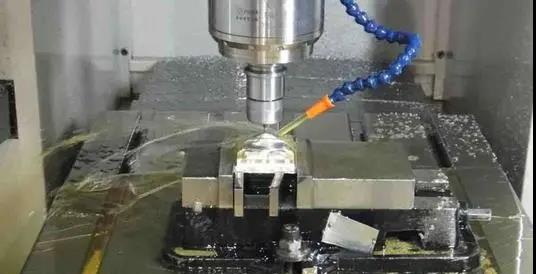
To get consistent results and shorter setup times, you should integrate work offsets into a disciplined CNC milling workflow. Good habits reduce scrap, prevent lost time, and make it easier to revisit previous jobs.
Recommended practices include:
- Document each offset: Record which physical feature corresponds to each work offset, such as “G54: left vise fixed jaw, top of raw stock” or “G55: fixture plate dowel-pinned corner.”
- Use stable reference features: Whenever possible, reference fixed jaws, dowel-pinned locators, or machined datums instead of movable jaws or rough clamp faces.
- Organize offsets logically: Reserve specific offset ranges for particular fixtures, product families, or CNC milling machines, so operators know where to find existing setups.
- Keep offsets clean: Remove obsolete values and clearly label offsets that are in use to avoid confusion during busy CNC milling shifts.
- Combine with safe start positions: Pair work offsets with safe Z heights and clearance moves in your programs to protect tools and fixtures when offsets are slightly off.
These habits make it easier to run multiple CNC milling jobs on the same machine and transfer setups between operators or shifts.
Advanced CNC milling setups often use multiple vises, tombstones, or fixture plates on a single table. Each station can have its own work offset, allowing the machine to run the same program in several locations in one cycle.
For example, you might:
- Assign G54 to the first vise, G55 to the second, and G56 to a third fixture.
- Program the same part with repeated subroutines while simply changing the active work offset.
- Use one set of tools to complete operations at all stations before changing tools, which improves CNC milling efficiency.
This approach is especially useful in production CNC milling where you want to reduce tool changes, shorten cycle time, and run as many parts as possible in a single setup.
As CNC milling becomes more complex, advanced work offset techniques help maintain accuracy and simplify setup. Some controls support external or common offsets, which allow you to shift all fixture offsets by a small amount without editing each individual entry.
Typical advanced strategies include:
- Global Z shift: When proving out a new program, you can apply a positive Z shift to keep tools above the part, then remove the shift when the path is verified.
- Using extended offsets: Many modern CNC milling controls offer extended offset ranges, enabling you to store dedicated values for each pallet, fixture plate, or product family.
- 4-axis and 5-axis references: In multi-axis CNC milling, you may reference the center of rotation or a specific pivot point as a master offset, then build individual part offsets from that reference.
For high-precision CNC milling, automated probing is especially valuable. Probing cycles can automatically set and verify work offsets, adjust for thermal growth, and correct small alignment errors over long runs.
Even experienced operators can make mistakes during work offset setup. Knowing these common errors helps you avoid wasted time and damaged parts in CNC milling.
Typical mistakes include:
- Mismatched origin: The CAM system uses one origin (for example, front-left-top) while the operator picks another (rear-right-top) on the machine.
- Incorrect Z reference: Forgetting to reset Z after changing workholding, using a different gauge block height, or switching reference surfaces without updating the offset.
- Confusing coordinate modes: Reading machine coordinates but entering values into a work offset field as if they were already work coordinates.
- Skipping verification: Failing to dry run or test at a safe height before full-depth cutting in CNC milling.
- Ignoring tool length changes: Changing a tool without updating its tool length offset, which effectively changes the Z relationship even if the work offset stays the same.
Consistency, written procedures, and careful checks go a long way toward eliminating these problems in everyday CNC milling work.
Tool offsets and work offsets work together to position the tool accurately in CNC milling. A tool offset contains information about the tool itself, such as length and sometimes diameter, while a work offset defines where the part sits inside the machine.
During CNC milling, the control combines the tool length offset with the active work offset and the programmed motion to determine exactly where the tool tip should be. If either the tool offset or work offset is wrong, the tool will not reach the correct position on the workpiece.
For complex CNC milling, especially 4-axis and 5-axis machining, keeping tool offsets and work offsets synchronized is vital. A good practice is to verify at least one known point with each tool, confirming that both offset types are correct before running production parts.
Imagine a simple CNC milling job where you clamp a rectangular aluminum block in a vise and machine a pocket and some holes in the top face. In CAM, you define the WCS origin at the top-left-front corner of the block.
On the machine, you would:
- Home the CNC milling machine.
- Clamp the block in the vise with the left face against a fixed jaw and a stop for repeatability.
- Touch off the left and front faces with an edge finder to locate the X and Y origin, then store those values in G54.
- Touch off the top surface with a gauge block or paper and store the Z origin in G54.
- Call G54 in your CNC milling program and run a dry run to verify that the tool follows the correct path above the block.
Once everything matches, you can run parts repeatedly by simply loading new blocks in the same position, using the established CNC milling work offset without re-measuring.
Setting up a work offset on a CNC milling machine means defining a precise relationship between machine zero and part zero in X, Y, and Z. By homing the machine, selecting a work offset like G54, touching off X–Y with an edge finder or probe, and accurately establishing Z, you create a reliable foundation for every CNC milling operation.
Once stored and verified, work offsets allow you to reuse fixtures, run multiple parts, and return to jobs with confidence, all while maintaining accuracy in CNC milling. With good practices, documentation, and careful verification, work offsets become a powerful tool for speed, repeatability, and quality in modern CNC milling.
Contact us to get more information!
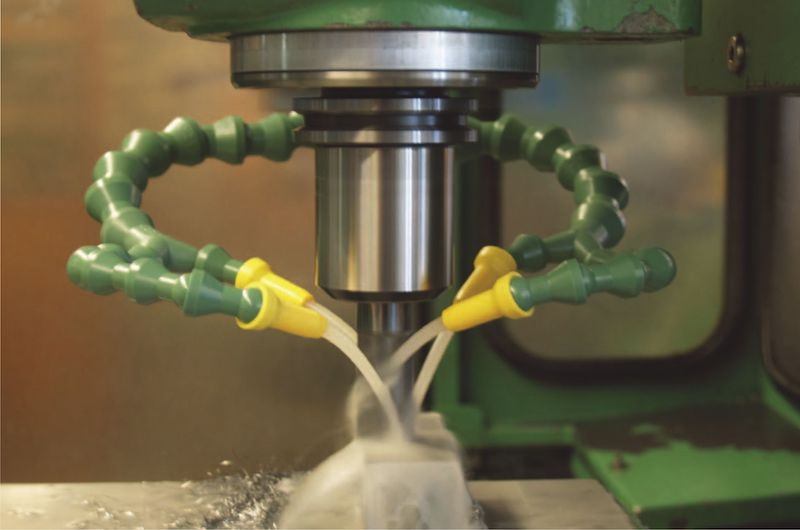
G54 is the first standard work offset used to define a specific part zero relative to the machine coordinate system in CNC milling. When G54 is active, all programmed coordinates reference the X, Y, and Z origin stored in the G54 offset table.
Most controls provide at least G54 through G59 as standard work offsets for CNC milling, giving you six independent coordinate systems. Many modern CNC milling machines also include extended offsets or user tables that offer many additional WCS slots.
You only need to reset work offsets when the physical relationship between the part and the machine changes in CNC milling. If a fixture stays mounted and untouched, you can often reuse the same work offset values for repeated CNC milling runs.
A tool offset stores information about the tool itself, such as length or diameter, while a work offset defines where the part sits in the CNC milling machine. The control combines both values so that the tool tip reaches the correct point on the workpiece during CNC milling.
Activate the chosen work offset, move to X0 Y0 at a safe Z height, and confirm the tool is above the intended origin on the part or fixture in CNC milling. You can also run a dry run or test program slightly above the surface to ensure paths align with stock edges and features in CNC milling.
1. https://www.cnctrainingcentre.com/work-offsets/
2. https://www.cnccookbook.com/g54-g92-g52-work-offsets-cnc-g-code/
3. https://www.instructables.com/CNC-Machining-Setting-Work-Coordinate-System/
4. https://www.autodesk.com/products/fusion-360/blog/cnc-coordinate-system-made-easy/
5. https://www.elephant-cnc.com/blog/what-is-offset-in-cnc-machine/
6. https://www.cncci.com/post/understanding-the-common-fixture-offset


