From idea to market-ready product, our NPI solutions make every stage easier, faster. Discover How We Help

Views: 222 Author: Tomorrow Publish Time: 2026-02-05 Origin: Site
Content Menu
>> Key benefits of CNC machining
>> Core functions of CAD in manufacturing
● The Cross Over Between CNC Machining and CAD
>> 1. Integration Through a Unified Digital Workflow
>> 2. Shared Language and File Formats
>> 3. Continuous Design Feedback from CNC Operators
>> 4. Skill and Knowledge Overlap
>> 5. Automation and Industry 4.0 Connectivity
● Transitioning from CNC Machining to CAD: A Practical Path
>> 1. Learn Design and Geometric Fundamentals
>> 2. Select the Right CAD Software
>> 3. Study How CAD Data Translates Into Machining Code
>> 4. Apply Practical Machining Experience to Design Decisions
>> 5. Pursue Training and Certification
● Challenges in Merging CAD and CNC Machining
● The Advantages of CAD-CNC Integration
● Real-World Application: Automotive Production
● The Role of Simulation in Bridging CAD and CNC Machining
● Future Trends: Artificial Intelligence and Digital Twins
● The Business Impact of Cross-Training Teams
● FAQs
>> 1. What is the main difference between CAD and CNC machining?
>> 2. Can a CNC machinist learn CAD easily?
>> 3. Why is CAD critical for CNC machining?
>> 4. What CAD software is most compatible with CNC machining?
>> 5. How does AI improve the link between CAD and CNC machining?
In modern manufacturing, CNC machining and CAD (Computer-Aided Design) have become inseparable tools driving innovation, precision, and productivity. Each technology serves a different yet connected purpose: CAD focuses on digital modeling and design, while CNC machining transforms those models into real parts. The question often arises — Is there a cross over from CNC machining to CAD? The answer is absolutely yes. The two share data, processes, and even skill sets that make the production workflow more efficient and intelligent.
This article explores how CNC machining and CAD overlap, the skills transferable between them, their combined role in Industry 4.0, and how understanding both creates a competitive advantage for manufacturers and engineers.
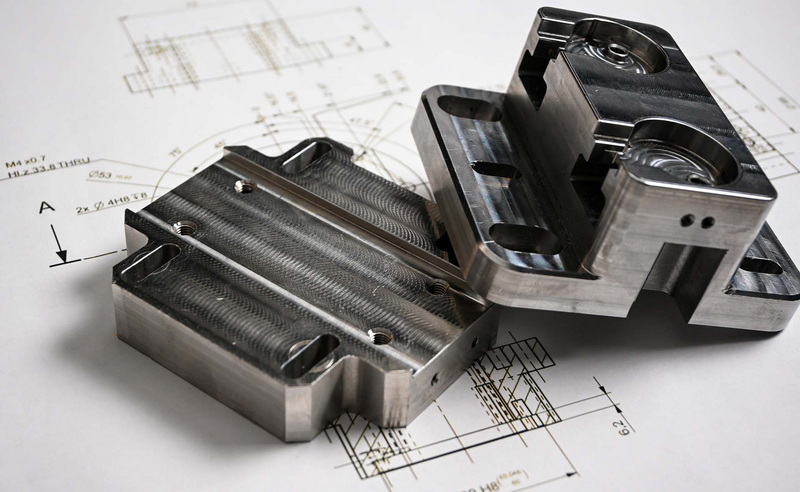
CNC machining stands for *Computer Numerical Control machining*. It's a process that uses programmed commands to control machining tools like mills, lathes, and routers. Instead of manually controlling a machine, code instructions tell the equipment exactly where and how to move.
A typical CNC machining system uses G-code, a language that instructs how tools should position, cut, and finish materials. Through this code, the system can perform repetitive tasks with high precision and consistency — often far beyond what manual machining can achieve.
- Unrivaled accuracy and repeatability.
- Reduced manual error in complex or large-scale production runs.
- Compatibility with metals, plastics, woods, and composites.
- The ability to produce intricate and high-tolerance geometries.
- Direct integration with CAD and CAM data streams.
Modern manufacturing heavily depends on the interconnection between CNC machining and digital design tools. Every toolpath and cutting pattern originates from a CAD model, showing how deeply connected the two are.
CAD (Computer-Aided Design) is software that allows engineers, designers, and machinists to create two-dimensional or three-dimensional product models before physical production begins. Programs like SolidWorks, AutoCAD, CATIA, and Fusion 360 enable visualization and simulation of parts to detect design flaws early.
CAD models form the foundation of manufacturing. They help define every dimension, tolerance, and surface finish specification. Once a design is complete, it transitions into CAM (Computer-Aided Manufacturing) software to generate the toolpath instructions used by CNC machines.
- 3D modeling for mechanical parts and assemblies.
- Engineering drawings with precise geometric data.
- Simulation of stress, temperature, and motion.
- Compatibility with CAM and CNC machining workflows.
- Management of revision control and digital documentation.
In essence, CAD provides the blueprint that CNC machining follows to turn imagination into production reality.
The crossover between CNC machining and CAD is both technical and practical. The two are not separate domains but part of a continuous process from product concept to finished component. Their interplay is the foundation of modern digital manufacturing.
Today's manufacturing environments often use integrated CAD/CAM software where 3D models can directly produce G-code instructions for CNC machines. Engineers can design, simulate, and optimize parts without leaving the same software environment.
This automatic link ensures that geometric accuracy and design intent are preserved throughout production. When a designer updates a CAD model, the changes can immediately reflect in the CNC toolpaths. This saves time and minimizes costly translation errors.
Both CAD and CNC machining rely on common digital file formats such as STEP (.stp), IGES (.igs), and STL (.stl). These open standards enable seamless transfer between design and machining. A machinist familiar with these formats can easily visualize part geometry, identify problem areas, and set up the appropriate machining strategy.
In many professional workshops, CNC machinists work closely with the design team to identify manufacturability challenges. Sometimes, specific CAD models might look perfect on-screen but present difficulties when machined — such as unreachable corners or tool interference.
Machinists provide feedback, leading to small but critical CAD modifications. This feedback loop between the designer and machinist results in a product that is easier, faster, and cheaper to manufacture without compromising function or aesthetics.
Professionals trained in CNC machining often develop CAD skills to interpret digital models more efficiently. Likewise, CAD engineers expand their understanding of tooling capabilities, feeds, and speeds to create designs that align with machining limitations. This convergence is increasingly common in modern factories, where design and production teams work in tight digital synchronization.
With automation technologies and Industry 4.0 platforms, the connection between design and machining is stronger than ever. Cloud-based systems can link CAD data directly to CNC controllers, enabling “design-to-part” workflows. Machines can now read design updates in real time, adjust settings autonomously, and even send feedback to designers based on sensor readings or tool wear data.
This digital thread — from CAD model to real-time machining — represents the essence of smart manufacturing.
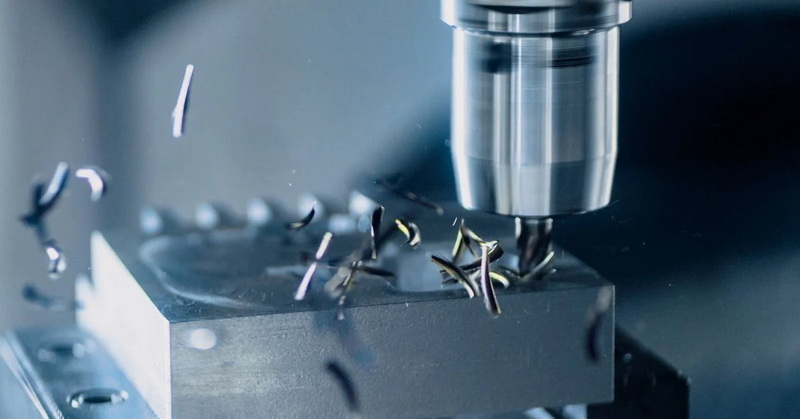
For CNC machinists seeking to grow their technical capabilities, learning CAD represents a logical and career-advancing step. The shift from production to design not only enhances understanding of the overall process but opens opportunities in engineering, prototyping, and product development.
Before jumping into CAD software, grasp the theoretical side of design — geometry, constraints, tolerance stacking, and surface finish principles. Understanding how parts fit and function provides valuable context for digital modeling.
Popular systems such as Fusion 360, SolidWorks, and Autodesk Inventor provide user-friendly interfaces for those with machining backgrounds. Fusion 360, in particular, integrates CAD, CAM, and simulation tools, allowing CNC operators to transition smoothly from physical setups to virtual modeling.
A key aspect of mastering the crossover involves understanding how CAD parameters become CAM toolpaths and then G-code. When machinists learn to map these relationships, they can analyze and optimize the entire process — from roughing cycles to finishing passes.
Experienced machinists already possess invaluable knowledge about materials, cutting conditions, and tool selection. When applied in CAD design, this expertise leads to parts that are not only functional but also *manufacturable*. This is the heart of Design for Manufacturability (DFM).
Technical institutes and online learning platforms now offer hybrid CAD/CAM certification programs. These courses teach cross-disciplinary knowledge — design, simulation, and machining — preparing professionals for advanced roles such as manufacturing engineer or digital production specialist.
Despite the synergy, integrating CAD and CNC machining involves certain challenges:
- Software interoperability: Different CAD and CAM platforms may not share file integrity perfectly, causing minor data translation errors.
- Data management: Keeping design revisions synchronized with recorded machining adjustments demands strict version control.
- Training gaps: Designers sometimes lack machining experience, while machinists may struggle with digital modeling complexity.
- Hardware limitations: Older CNC controllers may not fully support modern direct CAD/CAM integration processes.
Successful integration requires both technical investment and ongoing collaboration between design and production personnel.
The integration of CAD and CNC machining creates a faster, more reliable production cycle that minimizes human error while maximizing productivity. Major benefits include:
- Rapid prototyping capabilities with reduced setup time.
- Shorter design-to-production lead times.
- Early problem detection through digital simulations.
- Enhanced part consistency across large batches.
- Cost reduction via fewer design revisions and material waste.
Companies that master the crossover find themselves capable of responding faster to market changes and client demands — a crucial advantage in global manufacturing competition.
The automotive industry illustrates how CAD and CNC machining cooperate daily. Design engineers build vehicle components — engine blocks, brackets, transmission cases — using CAD software. The digital file then feeds into CNC machining centers that carve these designs from aluminum or steel billets.
During production, machinists might notice that certain recesses are prone to vibration or that material removal rates could be improved. They relay this information back to CAD designers, who adjust the 3D model accordingly. This cycle of feedback refines the part and optimizes efficiency — a perfect example of the digital-manufacturing feedback loop in practice.
Simulation is the digital link that prevents costly real-world mistakes. Before running a CNC program, engineers simulate tool movements within the CAD or CAM environment to check for potential collisions, cutting errors, or excessive tool loads.
These virtual simulations produce insight that helps select optimal cutting tools, reduce machining time, and ensure safety. CNC operators who understand CAD simulation can interpret these visualizations to refine setup conditions long before a single chip is cut.
The future of CNC machining and CAD integration will be shaped by data-driven intelligence. AI systems are beginning to automate design optimization by analyzing machining feedback and adjusting CAD models automatically. This process dramatically cuts down manual data setup and improves accuracy.
A digital twin — a virtual replica of a physical process — represents another significant development. In this model, each CNC machine's operations are mirrored digitally, providing continuous real-time feedback. Designers can then tweak CAD models or machining parameters based on real operational data, ensuring both efficiency and quality.
Companies that cross-train employees in both CAD and CNC machining gain a decisive performance edge. Designers who understand machining constraints make better models, and machinists familiar with CAD become problem solvers rather than mere operators.
This convergence leads to:
- Stronger teamwork between design and production departments.
- Streamlined communication using shared technical vocabulary.
- Higher customer satisfaction due to improved product accuracy.
- Better utilization of digital manufacturing investments.
Ultimately, the synergy between CAD and CNC machining is not just technological — it is organizational, reshaping how modern factories operate.
The connection between CNC machining and CAD represents one of the strongest integrations in manufacturing technology. CAD defines the design intent, while CNC machining executes it with precision. Together, they create an unbroken digital thread from the earliest concept to the final physical part.
As industries embrace automation, AI, and real-time data analytics, the boundaries between design and manufacturing continue to fade. Professionals who can navigate both CAD modeling and CNC machining processes will lead the next generation of efficient, intelligent, and flexible production.
In short, there is not only a crossover — there is a fusion between CNC machining and CAD, forming the backbone of modern digital manufacturing.
Contact us to get more information!
CAD is used for designing digital models, while CNC machining uses those models to physically produce parts. CAD provides geometry; CNC machining converts that geometry into motion.
Yes. Machinists already understand part geometry, tolerances, and materials. This background makes learning CAD software intuitive and practical.
CAD ensures that toolpaths and cutting operations are based on accurate design data. It minimizes human error, enhances efficiency, and allows design validation before production begins.
Fusion 360, SolidWorks, Siemens NX, CATIA, and Mastercam are popular solutions offering integrated CAD/CAM capabilities for seamless workflow management.
AI tools can analyze machining data, automatically update CAD models, predict maintenance issues, and optimize cutting strategies — all contributing to a smarter and faster manufacturing process.
1. https://www.autodesk.com/solutions/cad-cam-software
2. https://www.solidworks.com/solution/cam
3. https://www.mastercam.com/solutions/cad-cam-software/
4. https://www.fusion360.com/
5. https://www.siemens.com/global/en/products/software/nx.html


