Language


Views: 222 Author: Tomorrow Publish Time: 2026-02-05 Origin: Site


Content Menu
● Understanding Sculptris and CNC Machining
● How Sculptris Fits into a CNC Machining Workflow
● Exporting from Sculptris for CNC Machining
● Mesh Cleaning and Preparation Before CAM
● Using Sculptris Models in CAM Software
● Limitations of Sculptris for CNC Machining
● Best Practices for Combining Sculptris with CNC Machining
● When to Choose Other Tools Instead of Sculptris
● Practical Example Workflow from Sculptris to CNC Machining
● Advanced Tips for Preparing Sculptris Models for CNC Machining
● Material and Tooling Considerations in CNC Machining
● Bridging Sculptris, 3D Printing, and CNC Machining
● FAQ
>> 1. Can I send Sculptris files directly to a CNC machine?
>> 2. Which file formats from Sculptris work best for CNC machining?
>> 3. Do I need additional software between Sculptris and CNC machining?
>> 4. Is Sculptris suitable for precise mechanical CNC parts?
>> 5. What kind of CNC machining projects benefit most from Sculptris?
Sculptris is compatible with CNC machining, but only as a front-end sculpting tool in a larger digital workflow that includes mesh repair, conversion, and dedicated CAM software. To successfully use Sculptris models on a CNC machine, you must export the sculpted geometry, clean and convert it, and then generate toolpaths in specialized CNC machining programs rather than sending Sculptris files straight to the machine.
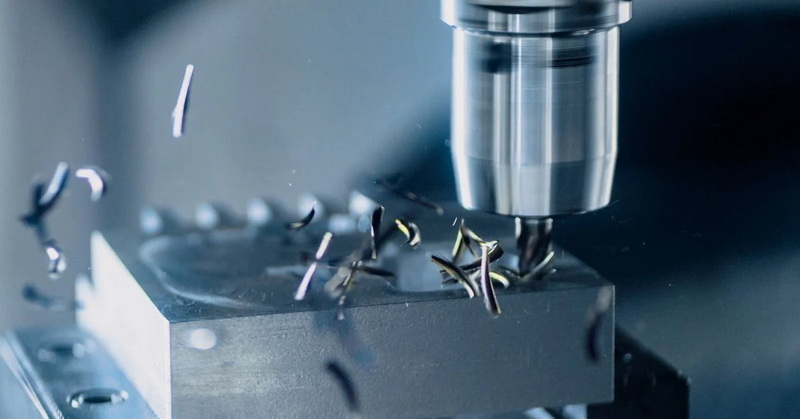
Sculptris is a free, digital sculpting program originally designed for artistic modeling using a “virtual clay” approach, not for engineering-grade CAD modeling. It focuses on intuitive brushes, dynamic tessellation, and organic shapes, making it ideal for character work, reliefs, and decorative geometry that can later be used in CNC machining projects. The software outputs polygon meshes such as OBJ files that can be converted to formats accepted by CNC machining CAM tools.
CNC machining, by contrast, uses G-code toolpaths to drive mills, routers, or other computer-controlled machines that remove material from a solid workpiece. Because of this, CNC machining requires clean, watertight geometry, defined scales, and appropriate mesh density so that CAM software can calculate accurate toolpaths. The more predictable the mesh structure is, the easier it is to create reliable CNC machining operations such as roughing, finishing, and detail passes.
In a typical artistic workflow, designers create an organic model in Sculptris and export it as an OBJ file when the sculpt is complete. That OBJ file can then be loaded into other tools for further preparation before it ever reaches CNC machining software. Sculptris therefore acts as the creative front end, while later stages handle technical requirements like scaling, trimming, and toolpath creation for CNC machining.
For CNC machining, this exported mesh becomes the basis for reliefs, sculptures, or decorative components that are later milled in wood, foam, plastic, resin board, or other machinable materials. Once the Sculptris model is imported into a CAM program such as Vectric Aspire, BobCAD-CAM with artistic modules, PixelCNC, or other 3D toolpathing software, users can generate the 3D toolpaths needed for CNC machining. The CNC machining process then physically reproduces the Sculptris design as a carved or milled object.
Sculptris allows users to export models as OBJ files, which is a common polygon mesh format widely recognized in 3D printing, rendering, and CAM toolchains. After sculpting and texturing in Sculptris, you can save your work and export the final model to feed downstream into mesh-processing or CNC machining tools. This simple export step is what connects Sculptris to the larger CNC machining ecosystem.
However, CNC machining workflows often work more smoothly with STL meshes or solid bodies rather than raw OBJ meshes. For that reason, users typically import the OBJ into an intermediate application such as Meshmixer, Blender, MeshInspector, or similar mesh editors and then convert or export to STL or another format that CAM software accepts for CNC machining. Some CAM packages can read OBJ files directly, but using STL is still common practice in many CNC machining environments.
CNC machining depends heavily on the quality of the 3D model, so Sculptris meshes usually require cleanup before CAM. In practice, a common workflow is: sculpt in Sculptris, export OBJ, clean or edit the mesh in another tool, and only then move the model into a CAM program to generate CNC machining toolpaths. Treating Sculptris as a pure sculpting stage keeps the creative work separate from technical mesh preparation for CNC machining.
Mesh editors can fix issues such as non-manifold edges, holes, inverted normals, self-intersections, and overly dense or inconsistent polygon distributions that could confuse CNC machining software. Tools like Meshmixer, STL repair utilities, and mesh inspection programs can automatically detect and fix many of these problems. Once the mesh is watertight, scaled correctly, and trimmed to a manageable region, the cleaned file can be imported into CAM software that supports 3D relief modeling and CNC machining.
Several CAM applications can read sculpted meshes and convert them to toolpaths suitable for CNC machining. In one well-known workflow, a character model is created and posed in a program like MakeHuman, exported as OBJ, sculpted further in Sculptris, and then brought into a CAM environment such as Vectric Aspire to generate 3D toolpaths for CNC machining. This chain shows how Sculptris integrates smoothly into CNC machining when combined with the right downstream tools.
High-end CAM or hybrid CAD/CAM platforms, as well as specialized 3D carving programs, can create roughing and finishing passes from imported meshes, enabling detailed bas-relief or full 3D carving via CNC machining. Once the toolpaths are calculated, the CAM software outputs G-code or equivalent machine instructions which can be sent to the CNC controller for actual machining. The finished CNC machining result reflects the original Sculptris sculpt, modified by tool selection, step-over, step-down, and other machining parameters.
Sculptris is not traditional CAD and does not provide precise parametric control, engineering constraints, or tolerance management that many CNC machining projects require. Features like exact dimensions, constraints, sketches, and feature history are all missing, because Sculptris was designed around free-form sculpting rather than mechanical design. As a result, it is difficult to guarantee exact fits and tolerances if CNC machining is based solely on Sculptris geometry.
Because CNC machining demands predictable surfaces and dimensions, the purely artistic nature of Sculptris can be a drawback if the part must fit mechanical assemblies or meet tight tolerances. In those cases, engineers often rely on parametric CAD for the functional geometry and reserve Sculptris-style sculpting only for decorative or organic surface details. Those surface details can be projected or wrapped onto CAD-driven models that become the final basis for CNC machining, combining accurate engineering with artistic freedom.
Many creators treat Sculptris as an early creative stage in a broader CNC machining pipeline, rather than as the sole modeling environment. A practical approach is to model or pose a figure in another tool, import it into Sculptris for artistic refinement, export a cleaned OBJ, and then take that file directly into CAM or via a mesh editor for final preparation before CNC machining. This modular workflow gives flexibility at every step of the CNC machining process.
For smoother CNC machining, it is helpful to keep polygon counts reasonable, avoid unnecessary mesh complexity, and ensure a clear, flat base or trimming boundary that suits how stock will be fixtured. Excessively dense meshes can slow CAM calculations and create overly long CNC machining times without visible quality gains. Planning for cutter access, undercuts, and stock thickness at the Sculptris stage also helps avoid surprises when setting up CNC machining in three axes.
If a project centers on mechanical function, precise fits, or standardized dimensions, parametric CAD platforms with integrated CAM or explicit CNC machining workflows are often more suitable than Sculptris. Solid modeling tools generate dimension-driven geometry, maintain constraints, and export formats that align directly with common CNC machining practices, reducing the need for heavy mesh repair or conversion. This approach is particularly important when parts must be inspected, measured, or certified.
By contrast, Sculptris excels when the goal is organic sculpture, character work, or artistic reliefs that will later be turned into decorative carvings through CNC machining. Many workshops, therefore, pair digital sculpting software with dedicated CAM and CNC machining packages to balance creative flexibility with manufacturing reliability. In this hybrid setup, Sculptris and CNC machining complement each other instead of competing.
A typical workflow for a sculpted CNC relief might start with creating a basic human figure in a posing program, exporting it as an OBJ file, and then importing that file into Sculptris for detailed sculpting. After refining features, textures, and surface details, the artist exports the Sculptris model again as an OBJ, ready for downstream processing. This sculpted OBJ becomes the raw material for mesh optimization and CNC machining.
That OBJ is then brought into a mesh editor such as Meshmixer or Blender, where the model is scaled, cleaned, and given a flat back or relief boundary. From there, the processed mesh is imported into CAM software, where the user defines stock size, coordinate origin, and cutting tools before generating roughing and finishing strategies in CNC machining. The resulting toolpaths are saved as G-code and sent to a CNC router or mill, producing a detailed 3D carving derived from the original Sculptris sculpt.
To improve results, many users deliberately design Sculptris sculpts with CNC machining in mind from the very beginning. That can mean avoiding extreme overhangs, building up forms as shallow reliefs rather than full round objects, and simplifying deep cavities that would be hard to reach with standard CNC machining tools. Designing within these constraints makes later fixturing and machining much more straightforward.
Another advanced tip is to manage polygon density strategically. While Sculptris allows very fine detail through subdividing, too many triangles can slow down mesh repair and CAM calculations. A good CNC machining practice is to use enough detail to capture important forms but avoid unnecessary subdivision in flat or simple regions. This balance keeps CNC machining toolpaths manageable while still preserving the look and feel of the original Sculptris artwork.
When moving from Sculptris to CNC machining, material choice has a major impact on how the digital sculpture translates into the real world. Softer materials such as foam, MDF, and softwood allow more forgiving CNC machining, making them ideal for first tests or large-scale prototypes of Sculptris art. Harder materials like hardwood, aluminum, or stone demand more careful tool selection and conservative CNC machining parameters.
Tool choice is equally important. Ball-nose end mills are widely used for finishing 3D reliefs because they smoothly approximate curved surfaces derived from Sculptris models. Strategy choices such as raster finishing, spiral finishing, or custom toolpath patterns determine how closely the CNC machining result matches the original Sculptris model. Matching tool diameter, step-over, and step-down to the scale of Sculptris details is key to preserving fine features in CNC machining.
Although this article focuses on CNC machining, the same Sculptris meshes are often used for 3D printing as well. Many users test a Sculptris design with 3D printing first, using slicers that accept OBJ files or converted STL files, then refine the design based on the print before committing to CNC machining in more expensive materials. This combined approach reduces risk and ensures that the model behaves well in both additive and subtractive processes.
Once a Sculptris model has been validated in 3D printing, the same repaired, optimized mesh can be transferred into CAM software for CNC machining. The dual use of a single Sculptris source model for both 3D printing and CNC machining highlights the flexibility of mesh-based workflows. It also encourages artists and makers to view CNC machining as a natural extension of their existing Sculptris and 3D printing toolchains.
Sculptris is compatible with CNC machining workflows as an upstream sculpting tool that feeds organic meshes into CAM systems capable of creating precise toolpaths. While it cannot replace CAD or CAM, Sculptris plays a valuable role in artistic and decorative projects where its virtual clay tools define form and downstream CNC machining equipment handles manufacturing. By combining Sculptris with robust mesh repair tools, capable CAM software, and thoughtful CNC machining practices, creators can reliably transform digital sculptures into high-quality milled parts and carvings.
Contact us to get more information!
No, you cannot send Sculptris files directly to a CNC machine because CNC machining requires G-code or similar machine instructions generated by CAM software. You must first export the Sculptris model, process it in mesh or CAM tools, and then create toolpaths for CNC machining that your machine controller understands.
Sculptris exports OBJ meshes, which can be imported into mesh editors or CAM programs and then converted to STL or other formats commonly used in CNC machining. Once converted and cleaned, these files enable CAM software to calculate 3D toolpaths for CNC machining, including roughing and finishing passes.
Yes, you typically need a mesh editor or CAD environment plus CAM software to bridge Sculptris and CNC machining. These tools repair and prepare the mesh, apply scaling and trimming, and finally generate the CNC machining toolpaths and G-code. Relying on this toolchain ensures that Sculptris artwork is accurately reproduced on the CNC machine.
Sculptris is not ideal for precision mechanical components because it lacks parametric controls and dimensional constraints expected in engineering-grade CNC machining. For tight tolerances and assemblies, parametric CAD combined with CAM is a better foundation, possibly enhanced with sculpted details from Sculptris before CNC machining. This hybrid method gives you the best of both accuracy and artistry.
Sculptris is most useful for organic sculptures, artistic reliefs, and decorative surfaces that are later milled using CNC machining. Workshops often use Sculptris for form-finding and then rely on CAM software and CNC machining hardware to carve those shapes into wood, foam, plastic, or similar materials. Sign making, custom furniture, prop work, and artistic panels are all strong use cases.
1. https://www.norwegiancreations.com/2017/08/sculptris-first-impressions-and-3d-printing
2. https://community.carbide3d.com/uploads/default/original/2X/d/dd08108e01a4e3b15339b2a12755645f85a3d9cd.pdf
3. https://3dprintboard.com/showthread.php?5344-Software-for-both-3D-printing-and-CNC-machine
4. https://help.maxon.net/zbr/en-us/Content/html/user-guide/3d-modeling/modeling-basics/creating-meshes/sculptris-pro/using-sculptris-pro.html
5. https://www.hubs.com/knowledge-base/3d-printing-stl-files-step-step-guide/
6. https://www.stratasys.com/en/stratasysdirect/resources/articles/how-to-prepare-stl-files/
7. https://www.frog3d.com/software-101-deciding-on-the-best-software-suite-for-your-business/
8. https://formlabs.com/blog/best-stl-file-repair-software-tools/
9. https://www.sculpteo.com/en/tutorial/sculptris-tutorial/
10. https://www.cnc-step.com/cnc-software/cad-cam/
11. https://bobcad.com/artistic-cad-cam-for-cnc-applications-using-art/
12. https://deftware.org
13. https://forums.maslowcnc.com/t/3d-softwares-exchange-and-file-formats/6255
14. https://www.youtube.com/watch?v=I3vFPMy1RIQ


