From idea to market-ready product, our NPI solutions make every stage easier, faster. Discover How We Help

Views: 222 Author: Tomorrow Publish Time: 2025-12-04 Origin: Site


Content Menu
● Essential Prerequisites for Programming
● Step-by-Step Guide to Writing the Program
>> Step 1: Initialize the Program Header
>> Step 2: Define Tooling and Work Offsets
>> Step 3: Program Roughing Operations
>> Step 4: Implement Finishing Passes
>> Step 5: Add Drilling and Boring Cycles
>> Step 6: Include Advanced Features
● Common G-Codes and M-Codes Reference
● Optimizing Feeds, Speeds, and Toolpaths
● Troubleshooting Common Errors
● Best Practices for Production Programming
● FAQ
>> 1. What is G-code in CNC milling?
>> 2. How do you calculate feeds and speeds?
>> 3. What are canned cycles used for?
>> 4. Why use absolute vs. incremental positioning?
>> 5. How to avoid CNC program crashes?
CNC milling programming involves creating instructions that guide computer numerical control machines to shape materials precisely. These programs use G-code, a standard language that dictates tool movements, speeds, and operations. Mastering this skill enables manufacturers to produce complex parts efficiently from raw stock.[1][3]
Beginners start by understanding machine axes, typically X, Y, Z for linear motion, and sometimes A, B, C for rotation. Programs follow a structured format: header with safety codes, tool calls, machining blocks, and end commands. Proper planning reduces errors and optimizes production time.[3][5]

Before writing code, analyze the part blueprint or CAD model to identify features like pockets, contours, and holes. Select appropriate tools based on material—end mills for roughing, ball mills for finishing curves. Calculate feeds, speeds, and depths using formulas tied to tool diameter, spindle RPM, and workpiece hardness.[4][1]
Set up the workpiece securely on the table, establish work coordinates (G54-G59 offsets), and measure tool lengths for compensation (H-numbers). Verify machine limits to avoid crashes, such as travel ranges and axis speeds. Use simulation software to visualize paths before running.[5][3]
Safety codes like G20/G21 for units (inches/metric), G90 for absolute positioning, and G17/G18/G19 for plane selection form the program foundation. Always include coolant commands (M08/M09) and spindle controls (M03/M05).[9][3]
A typical CNC milling program divides into sections: program number (%O1234 or N1234), safety lines, tool change blocks, motion commands, and M30 end. Start with G00 for rapid positioning, followed by G01 for straight cuts. Loops with G81 for drilling or subprograms enhance efficiency.[1][3]
Tool calls use T01 M06 to load tool 1, then G43 H01 for length compensation. Each block ends with a line number for editing. Comments in parentheses ( ) explain operations without affecting execution.[5][9]
Absolute mode (G90) measures from origin; incremental (G91) from last point—use absolute for most milling. Canned cycles like G81 (drill), G82 (counterbore), and G83 (peck drill) simplify repetitive tasks.[3][9]
Begin every program with % or O followed by a unique number, then safety codes. Example lines include G21 (metric), G90 (absolute), G94 (feed per minute), G17 (XY plane), G49 (cancel offsets), G80 (cancel cycles). These ensure consistent starting conditions.[9][3]
Add G28 G91 Z0 (home Z-axis) and G90 X0 Y0 for safe positioning. Spindle off (M05) prevents accidents. This header runs automatically on program start.[1][3]
Call the first tool: T1 M06, then G00 G90 G54 X0 Y0 (move to start over G54 origin), G43 H1 Z10 (tool length comp, rapid to safe Z). Set spindle speed S1200 M03 (clockwise). Mist or flood coolant M07/M08 as needed.[3][5]
For multiple tools, repeat with T2 M06 after retracting Z (G00 Z50), spindle stop (M05), and new offsets. Always rapid to clear height between tools.[9][1]
Roughing removes bulk material using larger tools at deeper passes. For a rectangular pocket, rapid to XY start (G00 X2 Y2), plunge with G01 Z-2 F100 (feed down), then contour walls with G01 X10 F500, Y10, X2, Y2. Helix ramp entry avoids sharp plunges.[4][1]
Use stepover of 40-60% tool diameter for efficiency. Multiple Z passes: loop with G98 (return to initial Z) or manual increments. Monitor chip load to prevent tool breakage.[4][5]
Finishing uses smaller tools at lighter depths for smooth surfaces. After roughing retract (G00 Z50), change to finishing end mill. Follow contours with G01 at high feed F800, shallow stepdown 0.5mm. Spring passes repeat paths to eliminate tool deflection marks.[1][4]
For 3D surfaces, use constant scallop or parallel strategies in CAM, but manual G02/G03 arcs for 2D radii: G02 X5 Y5 R3 (clockwise arc). Verify radius matches part geometry.[3][9]
For hole patterns, position XY, then G81 Z-10 R2 F200 (drill cycle: rapid to R-plane, feed to Z, retract). G80 cancels. Peck drilling G83 clears chips: G83 Z-20 R2 Q3 F200 (dwell peck 3mm).[9][3]
Bolt circles use polar interpolation G12/G13 or subprograms with G81 loops. Boring: G86 for chip breaking or G89 for dwell. Always use rigid tapping G84 if threaded.[9]
Subroutines (M98 P100 L3) repeat sections three times—ideal for patterns. Macros with variables (#100=5.0) allow parametric programming for families of parts. Helical interpolation G02/G03 Z-5 I0 J0 for large holes or ramps.[5]
Custom cycles via G65 call logic blocks. Look-ahead controls (G05.1 Q1) smooth high-speed motion. Thread milling combines G01/G02 for internal/external threads.[9]
| Code | Function | Example Usage |
|---|---|---|
| G00 | Rapid traverse | G00 X10 Y20 Z5 manufacturinget |
| G01 | Linear feed | G01 X50 F300 manufacturinget |
| G02/G03 | Circular feed CW/CCW | G02 X0 Y0 R10 gcodetutor |
| G43 | Tool length comp + | G43 H01 Z10 manufacturinget |
| G81 | Drilling cycle | G81 Z-15 R3 F150 gcodetutor |
| M03 | Spindle CW | S2000 M03 manufacturinget |
| M06 | Tool change | T01 M06 bergekcnc |
| M30 | Program end/restart | M30 manufacturinget |
This table covers core commands; consult machine manual for specifics.[3][9]
Feeds and speeds balance productivity and tool life: RPM = (SFM * 12) / (π * Dia) for inches, Feed = RPM * Chip Load * Flutes. Aluminum: 1000 SFM, 0.004 ipt; steel: 200 SFM, 0.002 ipt. Adjust for climb vs. conventional milling.[4]
Toolpath strategies: zigzag for flats, adaptive clearing for roughing (constant load), rest machining cleans missed areas. Simulate to check collisions and air cuts. Reduce acceleration for fragile parts.[5][1]
Overtravel alarms stem from exceeding limits—scale coordinates or adjust offsets. Poor finish from deflection: reduce depth, increase RPM. Chip welding needs coolant or peck cycles. Verify program dry-run without stock.[1]
Edit iteratively: single-block mode F1 pauses per line. Log alarms for patterns like G40 cutter comp errors (missing D/H). Backup programs externally.[5]
Manual G-code suits simple parts, but CAM like Fusion 360 or Mastercam generates complex code from CAD. Define stock, tools, operations (adaptive, pocket, contour), simulate, post-process to machine dialect. Edit post-output for tweaks.[5]
Conversational programming on controls like Haas lets operators build via menus, outputting G-code. Hybrid approach: CAM for paths, manual headers.[5]
Document programs with headers noting revision, material, cycle time. Use templates for repeatability. Version control changes. Train on one machine before multi-axis. Scale feeds dynamically with load meters.[1]
For high-volume, macro families parameterize sizes. Integrate probing G31 for in-process gauging. Always prove-out on soft jaws first.[5]
Writing CNC milling programs demands precision, planning, and practice to transform designs into flawless parts. From headers to finishing cycles, each step builds reliability and efficiency in manufacturing workflows. Operators who master G-code alongside CAM unlock versatility for prototypes to production runs. Consistent application minimizes waste and elevates output quality.
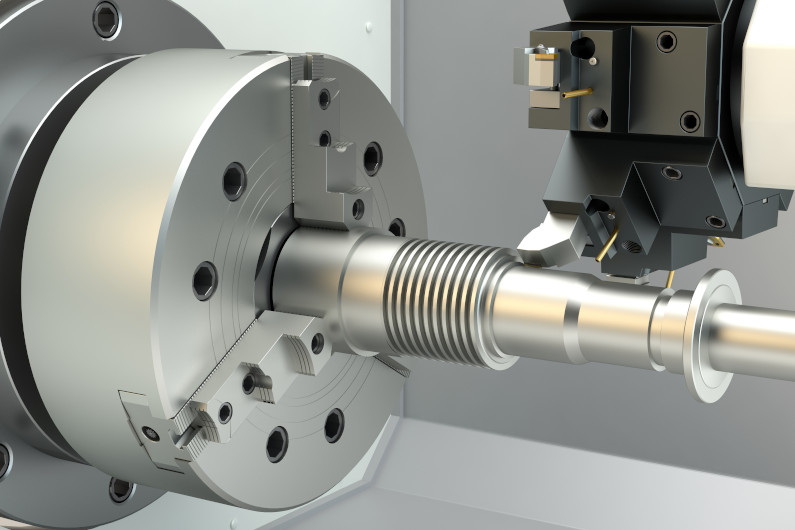
G-code is the foundational programming language for CNC machines, using alphanumeric commands to control motion, tools, and spindles. It includes preparatory codes (G) for paths and miscellaneous (M) for auxiliaries. Programs execute line-by-line for accurate machining.[3][1]
Feeds and speeds derive from surface feet per minute (SFM), chip load, and tool specs: RPM = (SFM × 3.82) / Diameter for metric. Test cuts refine values per material and rigidity. Charts or calculators aid initial settings.[4]
Canned cycles like G81 simplify drilling patterns by defining one line for plunge, dwell, retract sequences. They save code lines and ensure consistency across holes. Cancel with G80 before new moves.[9]
Absolute (G90) references fixed origin for predictable paths; incremental (G91) from prior point suits loops. Most programs default absolute to avoid drift errors. Switch modes explicitly.[3]
Simulate toolpaths, set safe retract heights, home axes first, and use single-block testing. Verify offsets and limits pre-run. Monitor first part closely for adjustments.[1][5]
[1](https://www.bergekcnc.com/a-news-how-to-write-a-cnc-milling-program-detailed-tutorial)
[2](https://www.freelancer.cn/job-search/cnc-milling-machine-wikipedia/)
[3](http://www.manufacturinget.org/home/4476-computer-aided-manufacturing/writing-a-cnc-program/)
[4](https://theworkhorsecnc.com/wp-content/uploads/2023/03/CNC-Milling-for-Makers_-Basics-Techniques-Applications-PDFDrive-.pdf)
[5](https://www.cnccookbook.com/cnc-programming/)
[6](https://www.chictao.com/zh/blog)
[7](https://www.g-w.com/assets/files/pdf/sampchap/9798888174418_ch09.pdf)
[8](https://kd-cncmachining.com/Resources/CNC-Milling-Machine-Programming-and-Operation.html)
[9](https://gcodetutor.com/cnc-machine-training/cnc-g-codes.html)
[10](https://www.sigmatechnik.com/cnc-factory/mastering-cnc-milling-machine-programming-a-comprehensive-guide-with-examples-and-pdf-resources)


