From idea to market-ready product, our NPI solutions make every stage easier, faster. Discover How We Help

Views: 222 Author: Tomorrow Publish Time: 2025-11-18 Origin: Site
Content Menu
● Toolpath Planning Considerations
● Interfacing with CAM Systems
● Common Scenarios and Expanded Examples
>> External Contour with Left Compensation (G41)
>> Internal Contour with Right Compensation (G42)
>> Tapered Features and Compound Angles
● Cancellation and Verification
● Error Scenarios and Troubleshooting
● Best Practices and Recommendations
● Further Practical Code Snippets
>> External contour, left compensation:
>> Internal contour, right compensation:
>> Compound contour with easing
● Common Control Variations and Implications
● Quality Assurance and Process Integration
● FAQ
>> 1. What is the core difference between G41 and G42?
>> 2. When should G41 be used versus G42?
>> 3. How do you ensure the correct tool radius offset (D) is used?
>> 4. Can compensation stay active across multiple features?
>> 5. What are common signs of incorrect compensation, and how to fix them?
G41 and G42 determine how the programmed geometry is translated into the actual toolpath by accounting for the physical radius of the cutting tool. Proper use can eliminate undercuts or overshoots caused by tool diameter, reduce chatter by smoothing transitions around curves, and minimize wear on the tool by maintaining consistent engagement. The decision to use left or right compensation aligns with the directional flow of the cutting operation and the relative position of the workpiece.

When profiling external features, select the compensation direction that preserves the intended final geometry. For internal contours, ensure the compensation keeps the tool away from the workpiece surface until engagement occurs, to avoid gouging. In compound contours, plan compensation changes to occur at safe points where a slight tooling offset won't cause sudden tool movement.
CAM software often generates G41 or G42 commands automatically based on the tool library and setup. It is critical to verify post-processor settings to ensure the correct offset number (D) is emitted and that the compensation is canceled (G40) after the feature. Simulation tools help visualize the compensated path before running on a live part. When CAM output differs from the machine's interpretation, manual adjustment may be necessary.
Tool radius compensation relies on accurate tool radius data stored in the machine offsets. If the tool radius is changed (e.g., replacing a dull cutter with a sharper one of identical nominal radius), the offset must reflect the new dimensions. Regular audit of offsets prevents drift in dimensions, which is particularly important in tight tolerance regimes.
- Goal: Maintain a precise external profile along a rounded edge.
- Key steps: activate G41 with the correct D offset, feed into the corner with controlled radii, cancel with G40 after finishing the contour.
- Goal: Define an internal pocket profile that respects the tool's radius from the inside face.
- Considerations: ensure clearance to avoid collision, schedule compensation changes at safe radii.
- When turning tapered sections, compensation must adapt to the changing tool engagement. Use incremental moves and ensure compensation remains active through transitions to maintain a smooth surface.
- For ramps or bevels, the edge contact length and radius influence the effective path. Proper compensation prevents premature engagement or gouging along the slope.
- After completing a curved feature, verify that G40 has canceled compensation before proceeding. The next operation should not inherit the previous compensation and cause unexpected dimensions.
- If the program results in a constant material removal rate but a poor surface finish, re-check the D offset values and tool geometry. Revalidate the toolpath in a dry run.
- If the tool appears to gouge on turn, confirm that the compensation side matches the intended geometry and that G40 is active when transitioning to a different feature.
- Validate offsets with a calibration part or gauge block approach to confirm that the compensated path yields correct dimensions.
- Use consistent compensation direction across related features to minimize confusion.
- Keep a documented map of tools and their corresponding D offsets in the program or machine control.
- Run trials on scrap parts to confirm the interaction between program, CAM output, and machine behavior.
Note: adjust tool numbers and coordinates to fit the actual machine and part geometry.
T2 M06
G97 S600 M03
G41 D2
G01 X20 Z0 F0.25
G01 X40 Z-20
G01 X60 Z-40
G40
G00 X100 Z100
M05
M30
T3 M06
G97 S650 M03
G42 D3
G01 X-10 Z-20 F0.15
G01 X-30 Z-40
G01 X-50 Z-60
G40
G00 X0 Z80
M05
M30
T1 M06
G97 S800 M03
G41 D1
G01 X15 Z-5 F0.18
G01 X5 Z-25
G02 X-5 Z-15 I-10 J0 F0.12
G01 X-15 Z-10
G40
G00 X60 Z40
M30
Notes:
- G02/G03 arcs are included with I/J offsets relative to turning coordinates if the control supports circular interpolation in the turning plane.
- Ensure that the radius offsets correspond to the actual tool geometry and machine interpretation.
- Fanuc: Typically uses G41/G42 with Dn to reference tool radius. Verification through offset display is recommended.
- Haas: Similar approach, but post-processor behavior and offset naming may differ. Confirm D-n mapping.
- Siemens/Heidenhain: The syntax and offset management may differ. Always consult the control-specific manual and post-processor documentation.
- Stage the operation with a planned sequence: calibration, roughing, finishing, inspection. Cutter compensation is most critical in finishing stages where surface finish and dimensions are sensitive to tool-path accuracy.
- Implement a standard operating procedure for compensation usage to minimize human error.
G41 and G42 provide essential capabilities for accurate tool-path shaping around curved features in CNC turning. Properly defined tool radii, careful activation and cancellation, and mindful integration with CAM workflows result in consistent part quality, better surface finishes, and improved process efficiency. Mastery of cutter radius compensation translates to more reliable production outcomes and a smoother workflow from programming to inspection.
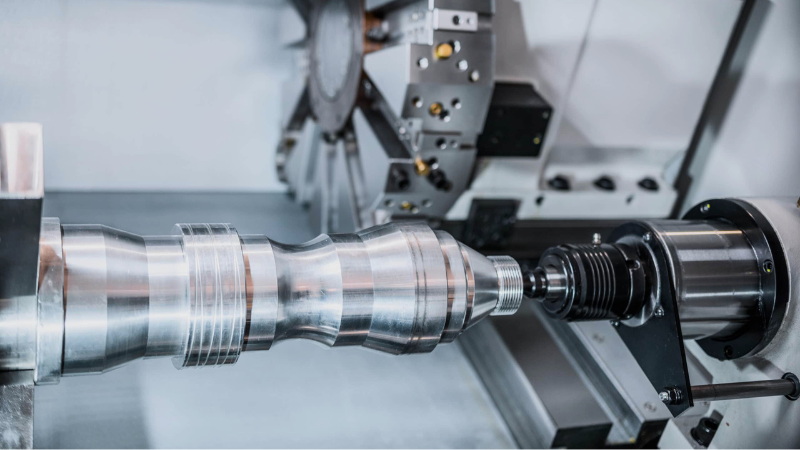
G41 and G42 are cutter radius compensation commands used in CNC turning. G41 activates left compensation, moving the toolpath to the left of the programmed path to account for the cutter’s radius. G42 activates right compensation, moving the toolpath to the right. The choice depends on the desired side of the path relative to the workpiece and the feature being machined. Always cancel compensation with G40 after finishing the curved feature.
Use G41 for external profiles where the tool must follow the contour on the left side of the programmed path, and G42 for internal contours or pockets where compensation from the inside edge is needed to avoid collisions. In tapered or complex geometries, plan the compensation direction to maintain consistent engagement and avoid gouging or undercutting.
Maintain an accurate tool offset table on the machine. Each tool has a corresponding radius value stored as an offset (D-number). When programming, call G41 Dn or G42 Dn to activate the correct offset. Verify by dry running or simulation to confirm that the compensated path yields the intended geometry. Update offsets promptly after tool changes.
Yes, compensation can remain active across several features if the toolpath requires it, but it must be canceled when leaving the feature or before moving to features with different compensation needs. Use G40 to cancel and then re-engage if necessary for subsequent features to avoid unintended offsets.
Common signs include unexpected part dimensions, poor surface finish, gouges or rubbing marks, and tool marks along transitions. Fixes include verifying and updating the D offset, ensuring the correct compensation side (G41 vs G42), confirming the compensation is active only during the intended features, and validating the path with simulations or dry runs before cutting production parts. If issues persist, review machine controller documentation for control-specific nuances.


