From idea to market-ready product, our NPI solutions make every stage easier, faster. Discover How We Help

Views: 222 Author: Tomorrow Publish Time: 2025-12-23 Origin: Site


Content Menu
● Understanding What a 3D Printer Service Is
● 1: Create or Obtain a 3D Model
● 2: Prepare and Optimize Your File
● 3: Upload Your Design to the Service Platform
● 4: Choose the Right Material and Printing Technology
>> Common 3D Printing Materials
>> Popular 3D Printing Technologies
● 5: Confirm and Place Your Order
● 6: Production and Quality Control
● 7: Finishing and Customization Options
● 9: Evaluate the Final Product
● Benefits of Using a 3D Printer Service
● Environmental Considerations
● Future of 3D Printing Services
● FAQ
>> 1. What file formats do 3D printing services accept?
>> 2. How long does it take to receive an order?
>> 3. Can I order a single print or test prototype?
>> 4. What if my model cannot be printed?
>> 5. Are 3D printed parts durable enough for daily use?
3D printing has fundamentally changed how products are designed, prototyped, and manufactured across industries. From intricate jewelry designs to aerospace parts, additive manufacturing enables users to transform digital models into tangible objects with remarkable precision. Using a 3D printer service provides individuals and businesses with access to professional-grade equipment and materials without the need to own or maintain expensive printers.
This comprehensive guide walks you through each stage of using a 3D printer service—from preparing your model to evaluating the final piece—so you can confidently create high-quality prints while saving time and costs.
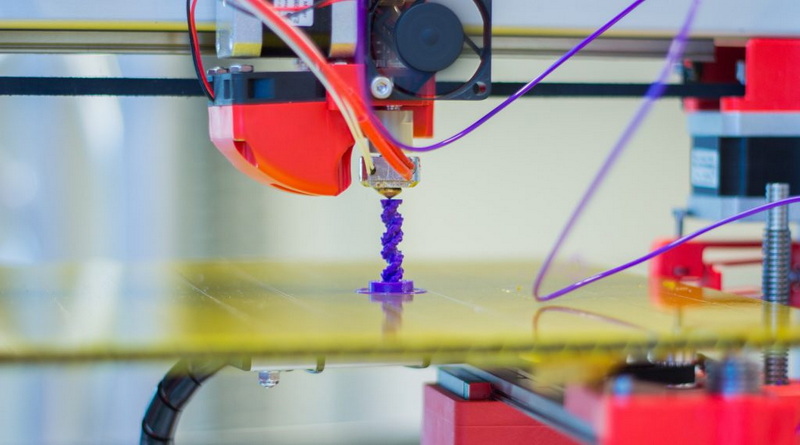
A 3D printer service—also known as a printing bureau or on-demand fabrication provider—produces three-dimensional objects based on the digital files you submit. Instead of buying your own machine, you can rely on these service platforms to access industrial-grade printers, expert operators, and a variety of materials.
Such services are commonly used by:
- Engineers and product designers: for prototyping new inventions.
- Architects: for making scale models of structures.
- Artists and hobbyists: for custom sculptures or decor.
- Medical professionals: for dental models and prosthetic prototypes.
- Manufacturers: for tooling and small-batch production runs.
Because these providers maintain a fleet of advanced printers—ranging from PLA extrusion models to high-end resin and metal units—they can produce results that home equipment cannot easily match.
Every successful print begins with a digital model. This model serves as the “blueprint” for your printed object and defines its shape, features, and dimensions.
There are three main ways to create or obtain one:
1. Design your own: Use CAD or 3D modeling software like Fusion 360, SolidWorks, or Blender to build your object from scratch. These programs allow you to control every aspect of geometry.
2. Download a ready-made model: Websites like Thingiverse, Cults3D, and Printables host millions of community-uploaded designs, from practical tools to decorative art.
3. Scan a real object: 3D scanners and mobile LiDAR apps let you create models from existing items by capturing their shape digitally.
When designing, always confirm that your file meets professional printing standards—clean topology, properly scaled dimensions, and watertight geometry are essential for printability.
Sending a raw or untested model to print can lead to expensive mistakes. Therefore, file preparation is a crucial part of the process.
- Check the geometry: Ensure your object has no open edges, flipped normals, or non-manifold surfaces.
- Apply the right wall thickness: Each technology has limitations; for example, SLA printers can achieve thinner details than FDM printers.
- Consider internal hollowing: For large models, hollowing reduces material cost and print time.
- Simplify complex meshes: High polygon counts slow processing and upload times without necessarily adding visual benefit.
- Simulate printability: Slicing software can preview layer-by-layer fabrication so you can detect overhangs, weak points, or support needs.
After optimization, export your model to a commonly supported file format such as STL, OBJ, or 3MF.
Once your file is ready, visit your preferred 3D printing service provider's website and create an account. Many reputable platforms exist, including Shapeways, Sculpteo, Xometry, Craftcloud, and Materialise.
The upload process generally follows these steps:
1. Log into your account.
2. Upload your 3D file.
3. Select materials, colors, finishes, and resolution quality.
4. Review automatic printability checks.
5. Receive an instant quote for price and production time.
Some platforms allow direct feedback from technicians who review your file for potential issues. This collaboration ensures that your design meets their technical standards before printing begins.
Material selection directly affects your project's durability, flexibility, texture, and cost. The right combination of material and technology defines both performance and appearance.
- PLA (Polylactic Acid): Easy to print and biodegradable; perfect for hobby prototypes or decorative pieces.
- ABS (Acrylonitrile Butadiene Styrene): Strong and heat resistant; suitable for mechanical parts.
- PETG (Polyethylene Terephthalate Glycol): Offers both flexibility and strength; ideal for functional prototypes.
- Resin: Used with SLA printers for detailed, smooth surfaces—excellent for jewelry and miniatures.
- Nylon (PA12): High strength and abrasion resistance; often used in engineering prototypes and durable parts.
- Metal powders (Stainless steel, Aluminum, Titanium): Applied via metal sintering processes for industrial-grade applications.
- FDM (Fused Deposition Modeling): Budget-friendly; builds objects layer by layer with thermoplastic filament.
- SLA (Stereolithography): Uses UV-curable resin to achieve ultra-smooth surface finishes.
- SLS (Selective Laser Sintering): Fuses powdered material using laser energy, creating complex parts without support structures.
- PolyJet and MultiJet Fusion: Combine multiple materials or colors in a single build for advanced designs.
Choose the process based on the purpose—FDM for affordability, SLA for detail, or SLS for durable prototypes.
After material and method selection, review your order carefully. Verify every specification before confirming payment.
Check the following:
- Correct scale and dimensions.
- Chosen color, finish, and strength category.
- Estimated cost and delivery window.
- Shipping address and billing details.
You can often add polishing, dyeing, or coating services during checkout. Once approved, your project enters the service provider's production queue.
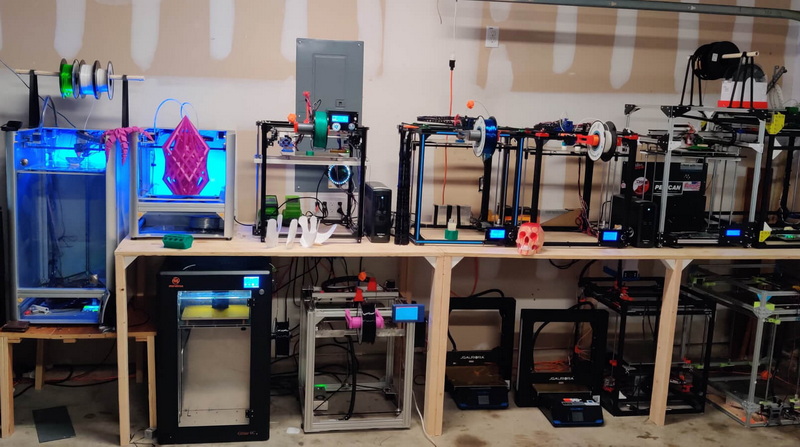
The manufacturing process typically includes several tightly managed stages:
1. Model slicing: The uploaded design is digitally sliced into thin layers that the printer interprets.
2. Printing: Layers accumulate to build the final structure. Depending on the printer type, this can take hours or days.
3. Post-processing: Excess powder, resin, or support material is removed. Parts are washed, cured, or polished.
4. Inspection: Each part undergoes dimensional verification, structural checking, and surface analysis.
High-end services continuously monitor print parameters such as temperature, speed, and calibration to ensure the finished product aligns with your submitted design.
Beyond standard printing, services often offer post-processing enhancements to refine appearance and performance. These can include:
- Sanding and vapor smoothing: To create a sleek, professional texture.
- Painting or dyeing: To match branding or aesthetic preferences.
- Metal plating: To increase durability or achieve decorative effects.
- Assembly or fitting checks: For multi-part models.
If your project requires high-end finishes—like investment casting smoothness or fine dimensions—consult with the provider for optimal finishing techniques before production.
After the product passes quality inspection and finishing, it's packaged for shipment. Providers generally offer multiple delivery options, from economical standard shipping to express global courier services.
Delivery times depend on:
- The size and complexity of the print.
- The selected post-processing steps.
- Your geographic location.
- Chosen shipping method.
Most providers supply tracking information and updates via email or online dashboards so you can follow your package's progress.
When your order arrives, inspect it thoroughly. Measure dimensions and verify that the piece meets your original specifications. Look for inconsistencies such as rough surfaces or unintended warping.
If your product doesn't meet the expected quality, most services offer adjustment options such as:
- File revision and reprint.
- Material or process change for durability improvements.
- Refund or credit depending on the issue cause.
Documenting each print's outcome helps refine your design and material choices for future projects.
The cost of using a 3D printer service depends on multiple elements:
- Material type: Metal and resin materials are more expensive than PLA or ABS.
- Print volume: Larger models require more material and print time.
- Resolution and accuracy: Higher detail increases production time and cost.
- Post-processing and finishing: Polishing, painting, or dyeing add extra fees.
- Shipping and location: International delivery can influence pricing significantly.
Obtaining quotes from several providers allows you to balance quality and affordability effectively.
Even well-designed projects can fail if important steps are overlooked. Here are some frequent errors and how to prevent them:
- Not checking for printability: Always preview the file in slicing software.
- Using incorrect scale or units: Double-check metric versus imperial conversions.
- Selecting the wrong technology: Use SLS for durability, SLA for detail.
- Ignoring support material requirements: Overhangs greater than 45° usually need supports.
- Skipping wall thickness tests: Thin models can easily crack or fail during printing.
By preventing these issues early, you'll save both money and production time.
Outsourcing printing brings numerous advantages when compared to operating your own machine:
- Access to professional-grade equipment.
- Wide range of materials and finishes.
- Expert guidance from experienced technicians.
- Reduced equipment maintenance responsibility.
- Scalable production for prototypes and batch manufacturing.
- Consistent quality assurance and reliable repeatability.
These strengths make 3D printing services invaluable, particularly to individuals and small enterprises without dedicated fabrication labs.
Many users are becoming more conscious of sustainability. 3D printer services increasingly adopt eco-friendly approaches:
- Biodegradable materials: Such as PLA and recycled PETG.
- Minimized waste production: Through efficient slicing and nesting algorithms.
- Energy-efficient operations: Many providers invest in solar-powered manufacturing facilities.
- Material reuse and recycling programs: Powder or resin remnants are reclaimed whenever possible.
Choosing sustainable materials and partners helps reduce your project's carbon footprint while promoting a greener production ecosystem.
The technology continues to evolve rapidly as automation, AI-driven design optimization, and new materials emerge. In the near future, expect to see:
- On-demand local production hubs closer to major cities.
- Enhanced multi-material printing for complex composites.
- Integration with smart manufacturing networks for real-time order tracking.
- Greater accessibility and affordability through competitive global scaling.
As 3D printing becomes increasingly democratized, using a 3D printer service will remain one of the most efficient and flexible methods to materialize creative or industrial ideas.
Using a 3D printer service offers a seamless path from digital design to physical reality without investing in costly hardware. By understanding each stage—from model preparation and material selection to order confirmation and post-production—users can ensure exceptional results. These services make innovation accessible to everyone, accelerating product development, artistic creation, and manufacturing efficiency. Whether you're a hobbyist, entrepreneur, or engineer, mastering how to use a 3D printer service can unlock endless possibilities for custom and functional design.
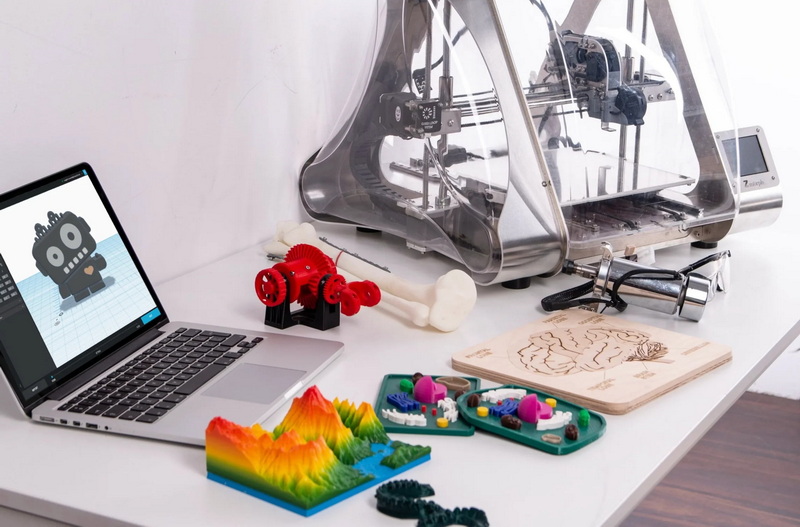
Most professional services accept STL, OBJ, and 3MF file formats because they efficiently store geometric surface data and maintain model integrity.
Lead times vary but generally range from 3 to 10 business days for standard projects. More complex models with finishing steps may extend to two or three weeks.
Yes. Many 3D printing services cater to individual hobbyists and offer small or single-unit print orders with flexible pricing.
If printability checks detect issues, the service typically provides feedback or assisted file repair options. Some even offer in-house design support to correct models before production.
Durability depends on your material choice and printing method. For functional or mechanical parts, consider Nylon, ABS, or metal for strength and long-term reliability.


