From idea to market-ready product, our NPI solutions make every stage easier, faster. Discover How We Help

Views: 222 Author: Tomorrow Publish Time: 2026-02-03 Origin: Site


Content Menu
● What “Smooth” Means in CNC Milling
● Start With Solid CNC Milling Fundamentals
● Clean Up and Standardize Your G-Code
● Use Ramping and Helical Entry Instead of Plunging
● Minimize Non-Cutting Motion and Air-Cuts
● Adopt Adaptive and Dynamic Toolpaths
● Control Corners, Radii, and Direction Changes
● Tune Feeds, Speeds, and Acceleration for Stability
● Reduce Chatter and Vibration in CNC Milling
● Improve Surface Finish in CNC Milling
● Leverage CNC Optimization and Verification Software
● Improve Setup, Warm-Up, and Machine Condition
● Use Safe Test Routines and Incremental Refinement
● Documentation and Standard Work for CNC Milling
● FAQ About Smoothing CNC Milling Programs
>> 1. How do I choose the right feeds and speeds for smooth CNC milling?
>> 2. Why are ramping and helical entry better than plunging in CNC milling?
>> 3. How can design changes help create smoother CNC milling programs?
>> 4. What role do CNC optimization tools play in smoothing programs?
>> 5. How can beginners safely refine and smooth their CNC milling programs?
Creating a smooth CNC milling program is the fastest way to improve surface finish, reduce cycle time, and extend tool life in CNC milling production. A well-designed CNC milling process also makes the operator's job easier and reduces the risk of crashes or unexpected tool failures.
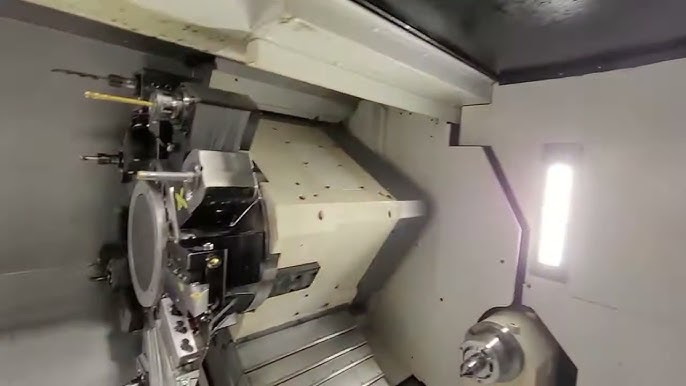
A smooth CNC milling program is one that keeps the tool cutting with consistent load, minimal vibration, and efficient motion from start to finish. In daily production, this means your CNC milling machine runs predictably, without sudden noises, chatter, or visible marks on the finished surface.
Key characteristics of a smooth CNC milling process include:
- Stable chip load and cutter engagement throughout the toolpath.
- Minimal sudden accelerations, decelerations, and direction changes in CNC milling moves.
- Reduced non-cutting motions, retracts, and air-cuts in the CNC milling cycle.
- Predictable spindle load, temperature, and tool wear over long CNC milling runs.
When all of these elements are under control, CNC milling becomes more repeatable from batch to batch, which is essential for industrial production.
Before you optimize a CNC milling program, you must ensure the machining basics are correct. No amount of code tuning can compensate for a dull tool, a weak setup, or the wrong cutting data in CNC milling.
Important fundamentals for smooth CNC milling include:
- Correct tool material and geometry for the workpiece (carbide vs HSS, flute count, coating).
- Proper feeds and speeds for the specific CNC milling operation and material.
- Adequate coolant or lubrication to stabilize temperatures during CNC milling.
- Rigid workholding and machine setup to minimize chatter and deflection in CNC milling.
You should also confirm spindle warm-up, machine alignment, and backlash compensation before relying on any optimized CNC milling program, especially for tight-tolerance parts.
A smooth CNC milling program starts with clean, consistent G-code structure. Standardization makes the program easier to edit, debug, optimize, and reuse across different CNC milling jobs.
Key steps:
- Use a clear safety line at the top: plane (G17), absolute mode (G90), units (G21 or G20), feed mode, and work offset (G54, etc.).
- Avoid unnecessary modal changes and redundant codes that clutter CNC milling programs.
- Separate rapid (G00) moves from cutting (G01/G02/G03) and never use G00 for in-cut motion in CNC milling.
- Use consistent formatting for coordinates, feeds, and comments so CNC milling code is easy to maintain.
When programming arcs and helical moves in CNC milling, match G17/G18/G19 with the correct G02/G03 plane so the control interprets paths correctly. This reduces the chance of jerky or unexpected moves that can damage a part.
One of the simplest ways to smooth a CNC milling program is to replace direct plunges with ramps or helical entries. Plunging straight down into solid material creates impact and shock that are hard on tools and spindles in CNC milling.
Benefits in CNC milling:
- Reduces impact and shock on the cutting edge when entering solid material.
- Keeps the tool in constant motion with controlled chip load during entry.
- Often eliminates repeated retracts and re-entries, shortening the CNC milling cycle.
For example, using a shallow ramp or helical G02/G03 move into a pocket can dramatically cut retracts and make tool engagement smoother in CNC milling operations. This kind of gentle entry also helps with chip evacuation in deep cavities.
Smooth CNC milling is not only about how you cut, but also about how you move when you are not cutting. Every unnecessary rapid, retract, or reposition adds time and introduces more chances for sudden axis movements.
Optimization ideas:
- Combine adjacent features into one continuous toolpath where possible in CNC milling.
- Use ramping or trochoidal motions to link passes instead of full retracts to clearance.
- Shorten rapid distances between cuts while maintaining safe clearance in CNC milling.
- Group operations by tool and by region so the CNC milling machine finishes one area before moving to the next.
By reducing retracts, tool changes, and idle traverses, you smooth the flow of the CNC milling program and prevent repeated acceleration spikes in the machine axes.
Modern CAM strategies such as adaptive or dynamic milling are powerful tools for smoothing CNC milling programs. These strategies are designed to keep cutting forces and chip load constant, even in complex geometries.
These strategies in CNC milling:
- Maintain a nearly constant chip thickness and tool engagement.
- Use deeper axial cuts with lighter radial stepovers, stabilizing load and temperature.
- Reduce corner slowdowns and avoid full-width cuts that shock the tool in CNC milling.
- Enable higher average feed rates without exceeding tool limits.
Adaptive CNC milling toolpaths commonly cut roughing time significantly while also improving surface consistency and tool life. When used correctly, they transform heavy roughing cuts into stable, high-efficiency CNC milling routines.
Abrupt direction changes create jerk and vibration in CNC milling, which show up as marks on the part and can even lead to chatter. Corners are often where CNC milling programs become “unsmooth”.
To smooth a CNC milling program around corners:
- Add corner radii instead of sharp internal corners wherever design allows.
- Use filleted paths and arc blends so the control can maintain speed.
- Avoid tiny zig-zag segments that cause the CNC milling control to repeatedly accelerate and decelerate.
- Use smaller tools or rest-milling strategies to clean tight areas without forcing full-width engagement.
Designing parts with generous radii and programming gentle transitions allows CNC milling machines to move at a steadier, more controlled pace, which directly improves finish quality.
Even with good toolpaths, feeds and speeds must be tuned for smooth CNC milling behavior. Poor cutting data can turn a clean program into a noisy, unstable process.
Key practices:
- Calculate starting feeds and speeds using material, tool diameter, and depth of cut, then refine at the machine.
- Watch spindle load, sound, and chip formation as you test CNC milling parameters.
- Use machine dynamics or smoothing settings (jerk, acceleration, and look-ahead filters) where available.
- Avoid running at spindle speeds that excite resonant frequencies, which lead to chatter in CNC milling.
When dynamics and smoothing features are set correctly, the machine can maintain high feed rates through corners and complex paths without chatter in CNC milling. Record proven parameter sets so you can reuse them on future jobs.
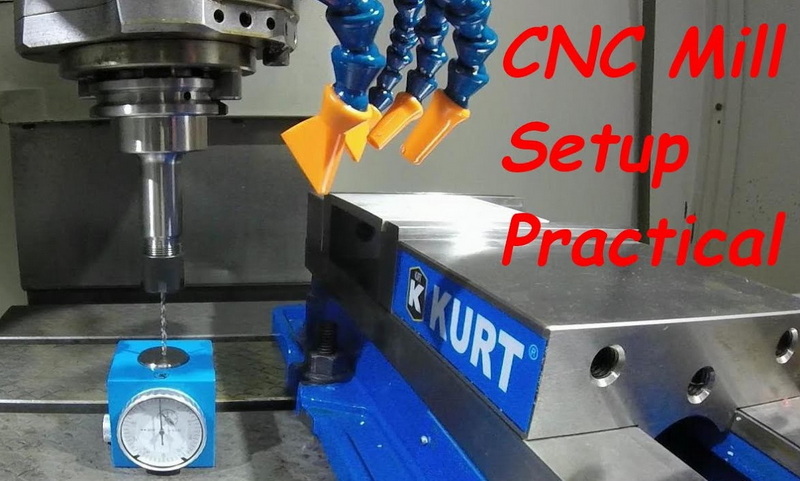
Chatter is one of the biggest enemies of a smooth CNC milling program. It not only ruins surface finish but can also damage tools and spindles.
Practical ways to reduce chatter in CNC milling:
- Use the most rigid tool and toolholder possible, with minimal overhang.
- Choose end mills with variable helix and variable flute spacing to break up vibration patterns.
- Adjust spindle speed slightly up or down to move away from resonance when chatter appears.
- Increase chip load slightly or increase depth of cut so the tool “bites” more consistently in CNC milling.
- Improve workholding rigidity and support thin walls from behind when CNC milling delicate parts.
By treating chatter as a system problem involving tool, holder, machine, workholding, and toolpath, you can systematically improve the smoothness of CNC milling operations.
A smooth CNC milling program should produce a good surface finish without heavy polishing or rework. Many small adjustments can improve finish quality while keeping the process efficient.
Surface finish tips for CNC milling:
- Use sharp tools, positive rake geometry, and appropriate coatings for the material.
- For finishing passes, reduce radial and axial depth so only a thin layer is removed.
- Use ballnose or bullnose end mills instead of sharp-corner tools when possible.
- Increase cutting speed moderately for carbide tools to minimize built-up edge.
- Avoid dwell and pauses at the end of passes, which leave marks in CNC milling.
Separating roughing and finishing in your CNC milling program allows you to push material removal on roughing, then use lighter, more stable parameters to achieve the final surface.
Dedicated optimization tools can automatically adjust feed rates and enhance CNC milling programs. Verification tools simulate the toolpath and show how the machine will behave before you cut metal.
Their contributions to CNC milling include:
- Analyzing cutter engagement and material removal to modulate feed rate block-by-block.
- Keeping chip thickness and cutter load within target ranges across the entire NC program.
- Reducing CNC milling cycle times while increasing tool life and improving finish.
- Detecting collisions, limit overtravels, and gouges before running the CNC milling program.
Combined with simulation and verification, these systems help you detect spikes in tool load, remove unsafe moves, and fine-tune CNC milling programs before running them on the machine. This is especially valuable for complex 5-axis CNC milling.
Machine condition and setup practices directly affect how smooth any CNC milling program will run. Even perfect code will fail on a poorly maintained machine.
Important habits:
- Perform a spindle and axis warm-up routine to stabilize temperatures before precision CNC milling.
- Ensure workholding and fixturing are rigid and appropriately supported to resist cutting forces.
- Maintain good chip evacuation so chips do not recut or jam the cutter during CNC milling.
- Keep ways, ballscrews, and linear guides clean and properly lubricated.
A stable, warmed-up machine with clean ways, proper lubrication, and solid fixturing allows the CNC milling program to run at optimized parameters consistently, shift after shift.
Smoothing a CNC milling program is often an iterative process that requires controlled testing. Rushing directly to aggressive settings can cause crashes or broken tools.
Good practice:
- Start with a conservative version of the CNC milling program and verify motion above the part.
- Use single-block and feed-hold during the first run to inspect key areas of the CNC milling path.
- Incrementally increase feed rates or stepovers once you confirm stability and acceptable surface finish.
- Keep notes of parameter changes and their effect so you build a knowledge base for CNC milling optimization.
By refining the CNC milling code step-by-step instead of jumping directly to extreme parameters, you avoid accidents and build a reliable, repeatable process that any operator can run.
A smooth CNC milling program becomes even more valuable when it is documented and standardized. This ensures consistent results across different shifts, operators, and machines.
Documentation ideas:
- Store CNC milling programs with revision control and clear naming.
- Record proven feeds, speeds, and depths of cut for each material and tool.
- Attach setup sheets with photos, fixture diagrams, and zero-point definitions.
- Create standard checklists for first-piece inspection and in-process checks during CNC milling.
When teams follow the same standard work, improvements made in one CNC milling job are not lost but reused and refined across the entire shop.
To smooth a CNC milling program, you must combine clean, standardized G-code with intelligent toolpath strategies, stable machine setup, and tuned cutting parameters. Ramping entries, adaptive milling strategies, generous radii, and minimized air-cuts all help maintain constant cutter engagement and reduce vibration in CNC milling. Machine dynamics settings, chatter-reduction techniques, and careful surface-finish tuning further improve the stability and quality of CNC milling operations. Modern optimization and verification tools add another layer of improvement by automatically adjusting feeds and identifying load spikes in CNC milling programs. When you integrate these programming, setup, documentation, and verification practices, your CNC milling process becomes faster, safer, and more consistent, with better surface finish and longer tool life.
Contact us to get more information!
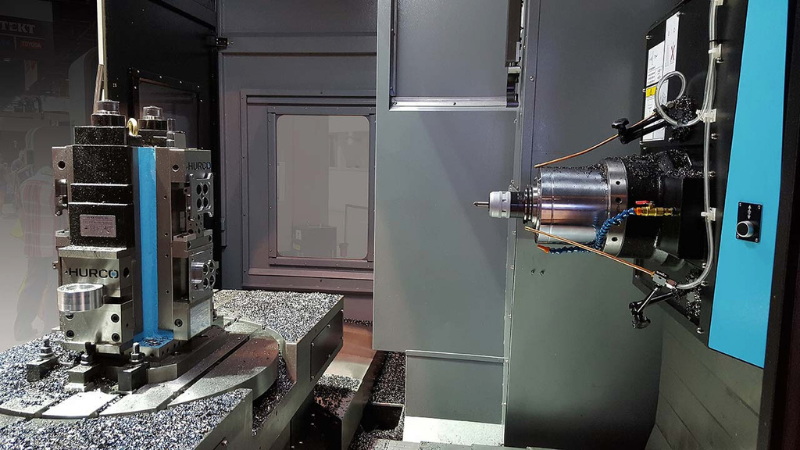
Start with manufacturer recommendations for the tool and material, then adjust based on spindle load, sound, and surface finish during CNC milling tests. If the spindle labors, chips overheat, or vibration increases, reduce feed or depth of cut; if chips are thin and the machine is quiet, you can often raise feed in CNC milling. Always change only one parameter at a time and log the result so you can return to proven CNC milling settings later.
Ramping and helical entry spread cutting forces over time instead of shocking the tool and spindle with a direct plunge in CNC milling. This smoother engagement lowers the risk of chipping, improves chip evacuation, and usually shortens cycle time by reducing retracts and re-entries in CNC milling. In deep pockets, a gentle helical descent also helps maintain coolant flow and chip clearance.
Adding generous internal radii and avoiding deep, narrow slots makes it easier to use constant-engagement CNC milling toolpaths. When part geometry allows the cutter to stay in motion without stopping in sharp corners, the CNC milling machine can maintain more stable speed and load. Designers and programmers should cooperate early so that small design changes can unlock big gains in CNC milling performance.
CNC optimization software analyzes tool engagement and adjusts feed rates to maintain target chip thickness and cutter load across the program. This approach smooths the load profile, shortens CNC milling cycle times, and often improves tool life by preventing overload spikes and underutilized segments. When combined with simulation and collision checking, these tools allow you to run CNC milling programs closer to the machine's real limits with confidence.
Beginners should start with conservative feeds, clear safety lines, and simple toolpaths, then use dry runs, single-block, and high clearance checks. After verifying that the CNC milling motion is safe and stable, they can gradually raise feed rates, introduce ramping and adaptive toolpaths, and use simulation to further smooth the CNC milling process. Over time, they should build personal reference tables of successful CNC milling settings for each material and tool type.
1. https://www.jitbase.com/blog/ultimate-guide-cnc-machining-cmm-inspection
2. https://www.datron.com/resources/blog/6-easy-ways-to-optimize-cnc-program/
3. https://vericut.com/products/force-optimization
4. https://www.practicalmachinist.com/forum/threads/how-to-program-more-effecient.434929/
5. https://www.mmsonline.com/articles/cnc-optimization-software-reduces-cycle-times-25-or-more-and-can-double-tool-life
6. https://www.datron.com/resources/blog/5-cnc-machining-tips-for-beginners/
7. https://www.autodesk.com/products/fusion-360/blog/cnc-programming-fundamentals-g-code/
8. https://www.youtube.com/watch?v=NJ0CukqjjDY
9. https://www.acemicromatic.net/tips-for-operating-a-milling-machine/
10. https://radonix.com/ultimate-guide-to-cnc-g-codes-for-beginners-in-2025/
11. https://forum.largescalemodeller.com/topic/20882-how-can-beginners-optimize-their-cnc-milling-process-for-better-precision/
12. https://bosslaser.com/commentary/tips-for-small-cnc-machines-when-handling-tough-materials/
13. https://gcodetutor.com/cnc-machine-training/cnc-g-codes.html
14. https://www.machinemetrics.com/blog/cnc-setup
15. https://www.makerverse.com/resources/cnc-machining-guides/best-practices-designing-for-cnc-milling/
16. https://www.secotools.com/article/reduce_chatter_for_better_machining
17. https://www.kennametal.com/us/en/resources/blog/metal-cutting/reducing-chatter-and-vibration-in-end-milling.html
18. https://www.youtube.com/watch?v=rKPxfzx3sxE
19. https://www.ksptg.com/learning/how-to-fix-milling-chatter/
20. https://machiningconceptserie.com/reducing-tool-chatter-in-cnc-machining-tips-and-techniques/
21. https://www.moldmakingtechnology.com/articles/toolpath-verification-optimizes-cnc-machining-productivity
22. https://blog.hurco.com/blog/bid/390348/improving-workpiece-surface-finish
23. https://www.cncsolutions.com/en/blog/the-essential-guide-to-reducing-cnc-machine-chatter
24. https://www.mmsonline.com/columns/verify-cnc-program-correctness
25. https://www.datron.com/resources/blog/cnc-machining-the-perfect-surface-finish/
26. https://www.reddit.com/r/Machinists/comments/15y6vts/any_tips_or_tricks_to_reduce_chatter-down-here-it/
27. https://machiningconceptserie.com/toolpath-strategies-for-maximum-efficiency-in-cnc-machining/
28. https://www.cnccookbook.com/milling-finish-complete-guide-feeds-speeds-master-class-lesson-7/
29. https://www.practicalmachinist.com/forum/threads/chatter-on-extended-tool-length.330832/
30. https://blogs.sw.siemens.com/nx-manufacturing/how-cam-software-optimizes-toolpaths-postprocessing-and-simulation/


