From idea to market-ready product, our NPI solutions make every stage easier, faster. Discover How We Help

Views: 222 Author: Tomorrow Publish Time: 2026-02-03 Origin: Site


Content Menu
● Understanding Horizontal CNC Milling
● What Is a Master Tool in CNC Milling?
● Pre-Installation Checks for Horizontal CNC Milling
● Step-By-Step: Initial Machine Setup
>> Power On and Home the Machine
>> Verify Safety and Environment
● Preparing Workholding for Horizontal CNC Milling
>> Advanced Fixture Strategies for Horizontal CNC Milling
● Selecting and Installing the Master Tool
>> How to Choose a Master Tool
>> Installing the Master Tool in the Spindle
● Setting Tool Length Offsets with the Master Tool
>> Using a Tool Setter or Manual Method
>> Measuring Other Tools Relative to the Master
● Establishing Work Offsets for Horizontal CNC Milling
>> Setting the Primary Work Offset
● Loading and Verifying CNC Milling Programs
● Dry Runs and First-Article Checks
● Coolant and Chip Management in CNC Milling
● Monitoring Tool Wear and Tool Life in CNC Milling
● Best Practices for Stable Master Tool CNC Milling
● FAQ
>> 1. How does a master tool improve CNC milling accuracy?
>> 2. Can I use the master tool for cutting operations?
>> 3. How often should I reset the master tool offset?
>> 4. What is the difference between machine zero and work zero in CNC milling?
>> 5. Why are multiple work offsets common on horizontal CNC milling centers?
Setting up a master tool for horizontal CNC milling is critical for accurate, repeatable operations and efficient production. This complete guide explains every step so operators can build a stable CNC milling process on a horizontal machine.
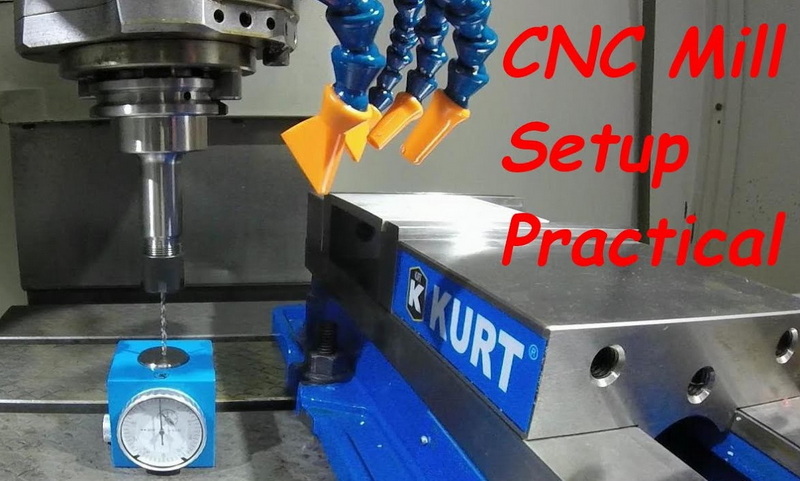
Horizontal CNC milling uses a horizontally oriented spindle and often a rotary pallet or tombstone fixture to cut multiple faces of a part in one setup. Compared with vertical CNC milling, horizontal CNC milling improves chip evacuation and is ideal for deep pockets, heavy cuts, and high-volume production.
Horizontal CNC milling centers usually include automatic tool changers, pallet changers, and powerful coolant systems that support long, continuous CNC milling cycles. When a master tool is correctly set, the same CNC milling offsets can be referenced across many programs, which reduces setup time and human error.
In CNC milling, a master tool is a reference tool used to establish a consistent tool length and sometimes diameter baseline for the entire tool library. The controller stores the master tool offset, and every other CNC milling tool length is measured relative to that master tool.
This strategy lets you change tools in the magazine without re-touching every work offset, which is especially valuable in horizontal CNC milling where multiple faces and fixtures are involved. Once the master tool is set, CNC milling operators can quickly verify or replace cutting tools and still maintain accurate Z-heights across pallets and tombstones.
Before working on master tool setup, the horizontal CNC milling center must be installed and commissioned correctly. Poor installation will make even the best master tool procedure unreliable during CNC milling.
Key checks include:
- Leveling the machine bed and verifying geometric accuracy with precision levels and squares to support precise CNC milling.
- Confirming stable foundation, anchor bolt grouting, and vibration control around the CNC milling center.
- Verifying correct power supply, grounding, lubrication, and coolant systems before any CNC milling operations.
- Running basic axis movement tests and homing cycles to confirm smooth travel and repeatable positioning for CNC milling.
Proper initial setup creates the base coordinate system for all future CNC milling work on the horizontal machine.
After powering up, return all axes to the reference or home position so the CNC milling controller knows the exact machine zero coordinates. Homing every axis before CNC milling ensures that travel limits, soft limits, and work offsets behave predictably.
Check that doors, interlocks, and emergency stops function correctly before starting CNC milling. Confirm coolant levels, chip conveyor operation, and proper guarding so long CNC milling cycles can run safely.
Workholding is more complex on horizontal CNC milling centers because parts are often machined on several faces in one setup. Rigid and repeatable workholding is essential for accurate CNC milling with a master tool reference.
Good practices include:
- Using vises, grids, blocks, or tombstones specifically designed for horizontal CNC milling.
- Making sure all mating surfaces are clean and free of chips before mounting fixtures for CNC milling.
- Using locating pins, stops, or qualified surfaces so each workpiece returns to the same CNC milling position every time.
- Verifying clamping force and part accessibility so the cutter can reach all features during CNC milling without interference.
For high-mix or high-volume CNC milling, fixture strategy becomes a major productivity lever. Multi-axis tombstones are widely used in horizontal CNC milling because each face can hold multiple parts or multiple operations, allowing the spindle to stay cutting while the operator loads the opposite side.
You can design dedicated fixtures that hold families of parts for CNC milling, using common datums so the same program and master tool structure covers many variants. Hydraulic or pneumatic clamping reduces load time and ensures consistent clamping force for CNC milling, especially when parts are heavy or require deep roughing cuts.
Well-designed CNC milling fixtures should balance rigidity with chip evacuation. Avoid pockets or blind corners that trap chips, because recutting chips during CNC milling leads to poor surface finish and premature tool wear. Integrate clearance channels and coolant access into the fixture so the horizontal CNC milling spindle can cut aggressively without chip packing.
Selection of the master tool strongly affects how stable your CNC milling process will be.
Many shops use a simple, robust end mill or tool holder as the master because it will stay in the magazine for long periods of CNC milling. The master tool should have:
- A rigid, high-quality holder suited to your spindle interface for stable CNC milling.
- A clearly measurable length, either to the tip or a defined gage line, for accurate CNC milling offsets.
- A large tool number, reserved only for reference in all CNC milling programs.
Some shops prefer a non-cutting probe or gage tool as the master for CNC milling, but a cutting tool can also serve as long as it is not used for production cuts. The key is that the master tool geometry must stay constant over many CNC milling cycles so that offsets remain valid.
Load the master tool into the spindle or tool changer pocket and make sure the retention knob and taper are clean to avoid runout during CNC milling. Tighten the holder to the recommended torque so that the master tool behaves consistently through many CNC milling cycles.
Make sure the tool number in the controller matches the physical pocket where the master tool sits. A mismatch between tool numbers and pockets is one of the most common causes of crashes in CNC milling, especially on large horizontal machines with big magazines.
Tool length offsets are central to any CNC milling strategy, especially on horizontal machines where Z-direction changes with pallet rotations.
You can measure the master tool length in several ways during CNC milling preparation.
- Using an automatic tool setter: touch the master tool to a fixed pad, and the controller records the Z position for CNC milling reference.
- Using a manual method: jog the master tool down to a 1-2-3 block or other known gage, then record the Z coordinate for CNC milling use.
In both cases, the controller saves this value as the master tool offset, which other CNC milling tools will reference. The goal is to create a stable relationship between the spindle nose, the master tool, and the table or pallet that never changes during normal CNC milling operations.
After defining the master tool, measure every cutting tool in the magazine relative to that same reference during CNC milling setup. The controller then stores individual tool length offsets so that all tools share a common Z baseline for accurate CNC milling.
When a tool is replaced, you only need to measure that individual tool length again; the master tool remains the anchor for the entire CNC milling tool library. Over time, this approach dramatically reduces setup time and ensures consistency between shifts and different CNC milling operators.
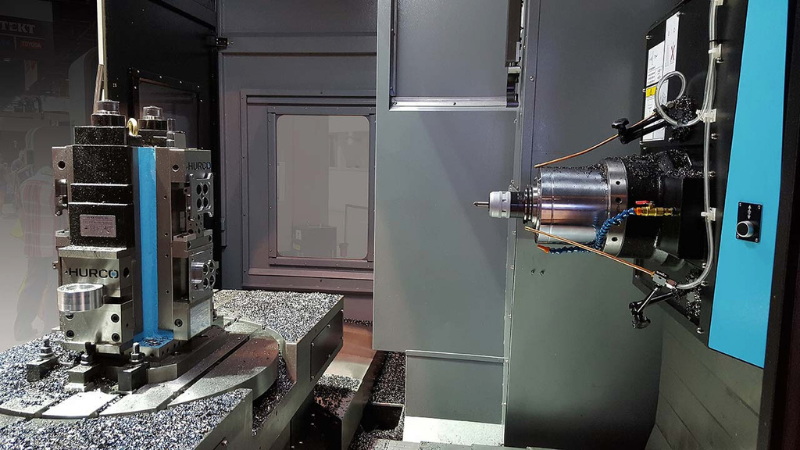
Work offsets connect the digital part origin to the real part on the fixture for CNC milling.
Choose a standard work coordinate system such as G54 to represent the main fixture location for CNC milling. Use the master tool to pick up a reference point on the fixture, such as the corner of a qualified block, then record X, Y, and Z coordinates as the work offset for CNC milling.
The Z offset is especially important in CNC milling because it defines how deep tools cut relative to the part surface. With a master tool system, any change in work offset Z directly affects all tools in the same CNC milling setup, so take time to verify this value carefully with a feeler or gage block.
Horizontal CNC milling often uses G55, G56, and other offsets for different sides of a tombstone or different pallets. Always set these offsets using the same master tool so that all faces share a consistent Z reference during CNC milling.
You can program from a central origin in CAD/CAM and then map each face to a separate work offset on the CNC milling controller. This method simplifies horizontal CNC milling programs because rotations, B-axis moves, and offset calls follow a consistent pattern from part to part.
With tool and work offsets ready, you can load CNC milling programs that call the master tool and other tools.
- Import or load G-code into the controller, making sure that tool numbers and offsets match the physical setup for CNC milling.
- Confirm that each operation calls the correct work offset (G54, G55, etc.) so the CNC milling paths align with the actual fixtures.
- Check key machining parameters such as spindle speed, feed rate, and depth of cut for the materials assigned to CNC milling.
- Verify safe retract planes and clearance heights that respect the tallest fixtures used in the CNC milling setup.
Where possible, use proven CNC milling post processors that understand horizontal kinematics and B-axis rotations. Consistent code structure makes it easier to trace which tool and offset are active during complex horizontal CNC milling cycles.
Before cutting metal, always perform a verification step to protect tools, fixtures, and the CNC milling machine.
- Run the CNC milling program in single-block or graphics simulation mode to look for collisions or overtravel.
- Execute a dry run above the workpiece, with coolant off and feed reduced, to confirm safe tool paths on the horizontal CNC milling center.
- Perform a slow first cut and pause frequently to check for unusual noise, vibration, or chip build-up during CNC milling.
- Measure a first-article part to verify critical dimensions and adjust offsets or tool wear values in the CNC milling controller if required.
Document any offset tweaks made during the first-article CNC milling run so they can be reused on future batches. This habit steadily builds a library of reliable horizontal CNC milling processes that start right the first time.
Coolant and chip control have a direct impact on tool life, surface finish, and dimensional accuracy in CNC milling. Horizontal CNC milling offers natural advantages for chip evacuation because gravity helps move chips away from the cutting zone, but coolant strategy still matters.
For aluminum CNC milling, a synthetic or semi-synthetic coolant with strong cooling and good anti-staining properties usually works well. For steels and difficult alloys in CNC milling, semi-synthetic or high-lubricity coolants help reduce heat and flank wear on tools. Maintaining correct concentration, filtration, and flow rate is essential to keep CNC milling stable during long unattended cycles.
Chip conveyors, washdown hoses, and well-placed coolant nozzles prevent chips from packing in pockets or around clamps during CNC milling. On horizontal CNC milling centers with tombstones, pay extra attention to clearance holes and chip escape paths in fixtures, otherwise chips can fall onto lower faces and interfere with subsequent CNC milling operations.
Even the best master tool setup cannot compensate for heavily worn or broken cutters in CNC milling. Monitoring tool condition is therefore a core part of a robust CNC milling process.
You can track tool life in the CNC milling controller by assigning a maximum number of parts, passes, or cutting time to each tool. When the limit is reached, the controller can stop the CNC milling cycle or automatically switch to a sister tool if the magazine has a duplicate loaded.
Regular inspection of cutting edges, especially on roughing tools used in heavy CNC milling, prevents unexpected failures that can damage fixtures or parts. Advanced shops implement tool wear monitoring using spindle load, vibration, or acoustic sensors integrated with the CNC milling machine, but even simple manual checks and consistent record-keeping can significantly improve reliability.
To keep master tool horizontal CNC milling reliable over time, apply some disciplined practices.
- Keep the master tool dedicated and do not use it for production CNC milling cuts so it remains undamaged.
- Document the exact gage length, tool holder, and pocket number assigned to the master tool for CNC milling reference.
- Recheck the master tool offset after crashes, maintenance, or spindle repairs on the CNC milling center.
- Clean contact surfaces regularly—taper, pull stud, fixture faces—so CNC milling accuracy is not lost due to chips or rust.
- Standardize your CNC milling setup sheets so every operator follows the same master tool and work offset procedures.
- Train all operators on the logic behind master tool CNC milling so they understand why offsets are set a certain way and do not overwrite values casually.
Consistent documentation, training, and housekeeping around the master tool system turn horizontal CNC milling into a repeatable, low-risk process instead of a constant troubleshooting exercise.
A well-planned master tool setup for horizontal CNC milling creates a stable reference framework for every tool, pallet, and fixture in the shop. By carefully installing the machine, establishing accurate tool length offsets, and aligning consistent work offsets, you can run complex CNC milling jobs with confidence and repeatability.
Systematic dry runs, first-article inspections, and disciplined maintenance keep the horizontal CNC milling process safe and productive over the long term. When these steps are followed, master tool horizontal CNC milling becomes a powerful backbone for high-precision, high-volume production.
Contact us to get more information!
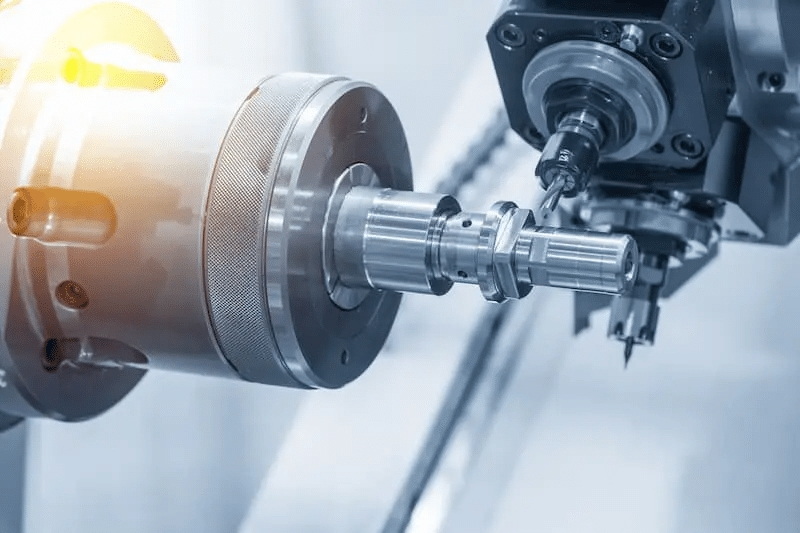
A master tool gives the CNC milling controller a single, consistent Z-length baseline that all other tools reference. This reduces cumulative error and keeps depths and clearances uniform across every CNC milling operation on the machine.
Most shops avoid using the master tool for actual CNC milling cuts so its length never changes due to wear or breakage. Keeping it as a reference only makes horizontal CNC milling setups more stable and predictable.
You should verify the master tool offset after machine crashes, spindle service, or major fixture changes that affect CNC milling geometry. Many operators also schedule periodic checks as part of preventive maintenance for horizontal CNC milling centers.
Machine zero is the fixed home position built into the CNC milling machine, usually defined by limit switches during homing. Work zero is the user-defined origin on the part or fixture that CNC milling programs reference through work offsets like G54 or G55.
Horizontal CNC milling often uses tombstones or pallets with several faces that each need their own part origin. Multiple work offsets let CNC milling programs move from one face or pallet to another without physically re-zeroing the machine each time.
1. https://geomiq.com/blog/cnc-milling-guide/
2. https://www.elephant-cnc.com/blog/cnc-milling-machine-process/
3. https://mscncrouter.com/blogs/how-to-guides-tutorials/how-to-use-a-cnc-milling-machine-step-by-step-guide
4. https://metrom.com/the-abc-of-cnc-machining-a-beginners-guide-to-getting-started/
5. https://en.catocnc.com/news_details/32.html
6. https://www.oturnmachinery.com/news/cnc-horizontal-machining-center-installation-and-commissioning-guide/
7. https://www.okuma.com/guides/hmc-machining-guide
8. https://www.3erp.com/blog/cnc-machining-parameters/
9. https://www.uti.edu/blog/cnc/milling
10. https://www.makerverse.com/resources/cnc-machining-guides/best-practices-designing-for-cnc-milling/
11. https://cnccookbook.com/cnc-jigs-fixtures-workholding-solutions-milling/
12. https://www.wisconsinmetalparts.com/blog/cnc-fixturing-guide
13. https://www.cncmachines.com/types-of-coolants-cnc-machines
14. https://quickgrind.com/8-ways-to-extend-cnc-ool-life-and-maximise-performance/
15. https://shoplogix.com/tool-wear/


