From idea to market-ready product, our NPI solutions make every stage easier, faster. Discover How We Help

Views: 222 Author: Tomorrow Publish Time: 2025-12-18 Origin: Site
Content Menu
● Understanding CNC Turning Machines
● 1: Preparing the Installation Site
● 2: Machine Leveling and Alignment
● 3: Electrical and Pneumatic Connections
● 4: Machine Cleaning and Lubrication
● 5: Tool Turret and Workholding Setup
>> Workholding System Preparation
● 6: CNC Control Configuration
● 7: Program Loading and Verification
● 9: Calibration and Accuracy Verification
● 10: Maintenance and Safety Verification
● Advanced Tips for Optimization
● Common Setup Mistakes to Avoid
● FAQ
>> 1. What is the ideal environment for a CNC turning machine?
>> 2. How often should I calibrate a CNC turning machine?
>> 3. What are the main causes of poor surface finish?
>> 4. Can all CNC turning machines use the same G-code programs?
>> 5. How do I know if the machine is properly leveled?
Setting up a CNC turning machine is a critical process that combines mechanical precision, software calibration, and operational safety. Whether you are installing a new lathe or preparing one for a new production line, correct setup ensures consistent part quality, optimal cutting performance, and long machine life. This guide provides a complete, step-by-explanation for setting up a CNC turning machine, along with expert insights into alignment, tool selection, programming verification, testing, and maintenance.

A CNC turning machine, or CNC lathe, is a high-precision automated machine tool designed to remove material from a rotating workpiece. The cutting tools, mounted on a turret, move along specific paths programmed in the CNC controller to create complex cylindrical shapes.
Key components include:
- Headstock: The main spindle assembly that rotates the workpiece at controlled speeds.
- Chuck: A mechanical clamp that holds the material firmly in place.
- Tool turret: A multi-position rotating mount for different cutting tools.
- Tailstock: Provides support for longer workpieces or those subject to bending.
- CNC control panel: The interface for operating, programming, and monitoring the machine.
- Coolant and lubrication system: Maintains proper cutting temperatures, preventing thermal distortion.
CNC turning machines can operate with two axes (X and Z) or more in advanced models featuring live tooling, Y-axis movement, and sub-spindles for milling or secondary operations.
Successful operation begins with environmental and infrastructural preparation. The goal is to provide a stable base and suitable conditions for precision machining.
- Ground and foundation: The floor should be level and vibration-free. Concrete foundations are preferable, as they provide maximum rigidity.
- Ventilation and temperature: Maintain the environment at 18°C–22°C with stable humidity. Extreme temperature fluctuations can cause expansion and contraction in machine components.
- Power connection: Match the rated voltage, frequency, and phase specified by the manufacturer. A power stabilizer may be necessary in regions with unstable electricity supply.
- Lighting and accessibility: Ensure sufficient light and space around the machine for operator safety, tool changes, and coolant maintenance.
Once the workspace meets all conditions, the CNC turning machine can be positioned, anchored, and leveled for operation.
Precision begins with correct leveling. Even a small deviation can result in tapered cuts, uneven tool wear, and rejected parts.
1. Position the machine: Use a forklift or hoist system to set it near the intended location.
2. Place leveling pads: Install under each support point to distribute load evenly.
3. Measure across multiple positions: Using a machinist's level, check horizontal and vertical alignment along the bed ways.
4. Adjust using leveling screws: Make gradual corrections until the spirit level indicates perfect alignment.
5. Verify tailstock alignment: Mount a test bar between the centers and check for taper using a dial indicator.
Repeat the measurements after 24–48 hours to allow for settling. Perfect alignment ensures that both headstock and tailstock centers share the same rotational axis.
After leveling, connect the power, control, and air supply systems.
- Main power connection: Route wires through the electrical cabinet, following the machine's circuit diagram. Test for phase correctness by manually jogging the spindle direction.
- Grounding: Use a dedicated grounding rod and check resistance (typically below 4 ohms).
- Pneumatic system: For air-operated chucks, clean and dry compressed air is required, usually between 0.6 and 0.8 MPa.
- Hydraulic unit: For hydraulic chucks or tailstocks, verify oil level, temperature sensors, and pressure settings.
Safety interlocks and emergency-stop circuits must be tested before operating any moving parts.
Before first use, the entire system should be cleaned and properly lubricated.
- Remove shipping grease and protective coatings using an approved degreaser.
- Lubricate linear guides and ball screws manually before activating the automatic lubrication system.
- Check pump operation: When powered on, the lubrication indicator should show normal pressure or flow.
- Fill coolant tank with a recommended emulsion mixture (typically 5–10% concentration).
Proper lubrication and cooling directly affect the accuracy, finish quality, and tool life.
The tool turret holds multiple turning and boring tools that are rotated automatically during machining. Precision tool setup enhances productivity and prevents collisions.
1. Mount tools accurately: Face tools, boring bars, and drills should be secured tightly in their holders.
2. Check center height: Measure each tool tip's height to ensure it aligns exactly with the spindle centerline.
3. Balance turret load: Evenly distribute heavy tools to prevent vibration.
4. Input tool numbers in sequence: Maintain logical order to simplify programming.
Choose the proper chuck or collet type depending on the material and diameter.
- Clean contact surfaces to avoid runout errors.
- Clamp test pieces and measure concentricity using a dial test indicator.
- Use soft jaws or custom collets for fragile or high-precision parts.
- Adjust chuck pressure to avoid deformation.
Solid workholding ensures consistent part geometry throughout production runs.
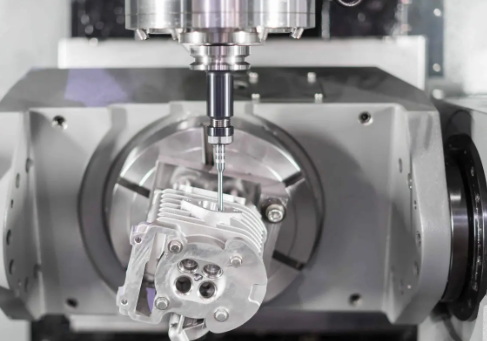
Every CNC turning machine includes a controller where the digital logic translates the part program into mechanical movement.
- Axis referencing: Perform machine homing to establish zero positions for all axes.
- Setting up coordinate systems: Assign work offsets (G54, G55, etc.) relative to the workpiece's origin.
- Tool offset entry: Measure and enter length and radius values for each tool using touch-off cycles.
- Parameter validation: Upload system parameters, backlash compensation, and spindle limits as per the manufacturer.
- Communication setup: Connect the CNC to a PC or network for file transfers using Ethernet or DNC link.
Some modern controls include adaptive learning options that optimize cutting conditions automatically based on feedback sensors.
CNC programs define toolpath motions, feed rates, and spindle speeds. Before executing them on a physical workpiece, verification is vital.
1. Load G-code via USB or network. Confirm correct file format (.nc or .tap).
2. Execute a dry run. Simulate the motion path at reduced feed rate with no material to detect any error or collision.
3. Check graphics simulation. Most modern CNCs include a visual display for toolpath simulation.
4. Verify spindle direction and feed alignment. Incorrect direction may break tools instantly.
5. Check program start and end sequences. Ensure spindle stop, coolant off, and retract commands are correct.
If all tests pass, save the verified program as the master copy for repeat production.
A test cut is the final validation step.
- Use standard stock. Begin machining a simple component to evaluate performance.
- Monitor tool load. Use sound, vibration, and chip color as indicators of proper cutting conditions.
- Measure results. Compare part dimensions with the drawing using calipers, micrometers, and surface finish testers.
- Fine-tune tool offsets. Apply small corrections directly from the control panel.
- Adjust cutting parameters. Modify feed or spindle speed for improved finish or reduced tool wear.
Once the test results are within tolerance, you can move ahead to batch production confidently.
Before large-scale production, conduct geometric and cutting tests to ensure consistent precision.
- Spindle runout test: Mount a precision mandrel and check runout with an indicator. Values above 0.005 mm may require adjustment.
- Axis squareness test: Move the cross-slide and measure deviation over full travel.
- Backlash compensation: Use measuring cycles to calibrate encoder compensation parameters.
- Dynamic accuracy tests: Perform repeated cycles to monitor thermal expansion.
Calibration should be repeated at intervals or after maintenance operations to sustain precision.
A well-maintained CNC turning machine delivers repeatable precision and minimizes downtime.
- Check coolant levels daily.
- Clean chip trays and conveyors after every shift.
- Inspect belts, hydraulic oil, and filters weekly.
- Verify spindle bearing temperatures remain within nominal range.
- Ensure safety devices like door interlocks and emergency stops function correctly.
Operators should also wear mandated protective equipment—safety glasses, gloves, and ear protection—and never bypass safety controls.
To further enhance your CNC turning setup, consider these expert best practices:
- Tool life management: Use a digital monitoring system to track tool wear and automatically call replacement tools.
- Coolant optimization: Vary coolant nozzle angles for maximum chip evacuation and temperature control.
- Chip control inserts: Select chip breaker designs suited to your material type—aluminum, stainless steel, or titanium.
- Vibration dampers or stabilizers: Install these for long boring operations or thin-wall parts.
- Data-driven process monitoring: Use machine learning or sensor feedback to detect anomalies such as chatter or spindle imbalance.
Consistent process monitoring is the hallmark of professional machining operations.
Despite automation, small human oversights can cause costly downtime or part rejection.
- Neglecting foundation alignment. Causes accuracy issues in every cut.
- Forgetting tool offset updates. Leads to immediate tool crashes.
- Incorrect coolant concentration. Causes chip adhesion and poor finish.
- Misinterpreting coordinate systems. May shift work origin and waste expensive stock.
- Skipping regular lubrication. Results in premature component wear.
Following a detailed checklist avoids these pitfalls and ensures a stable production process.
Setting up a CNC turning machine goes far beyond mechanical placement. It's a comprehensive process involving precise alignment, accurate tool setup, calibration, software configuration, and ongoing verification. When performed correctly, setup ensures long-term reliability, optimal cutting conditions, and production efficiency. Every small detail—from machine leveling to coolant management—directly impacts final part quality. By applying the methods outlined in this guide, operators can achieve consistent accuracy, minimize downtime, and maintain the safety and longevity of their CNC turning machine.

A clean, stable environment with temperature control around 20°C and low humidity is ideal. Vibrations and dust should be minimized to ensure consistent precision and prevent contamination.
Basic calibration checks should be done monthly, while complete geometric calibration can be performed every six months or after any maintenance procedure that affects alignment.
Incorrect feed rate, tool wear, inadequate coolant supply, or vibrations often cause poor finishes. Adjusting cutting parameters and tool geometry usually resolves such issues.
Not always. While many use standard G-code, minor differences in syntax, post-processor settings, and tool numbering can cause issues. Verify compatibility before transferring programs between different brands.
Using a precision level placed along the machine bed and cross-slide, ensure the bubble remains centered in all directions. Regular verification after relocation or extensive use is essential for accuracy.


