From idea to market-ready product, our NPI solutions make every stage easier, faster. Discover How We Help

Views: 222 Author: Tomorrow Publish Time: 2025-12-04 Origin: Site


Content Menu
● Key Components of a CNC Milling Machine
● Safety Precautions Before Operation
● Step-by-Step Machine Initialization
● Material Preparation and Workpiece Fixturing
● Programming Basics for CNC Milling
● Setting Tool Length and Work Offsets
● Executing Rough Machining Passes
● Finishing Operations and Quality Checks
● Troubleshooting Common Issues
● Advanced Techniques for Efficiency
● Maintenance Procedures Post-Operation
● FAQ
>> 1. What safety gear is essential for CNC milling?
>> 2. How do you set work offsets accurately?
>> 3. What causes tool breakage during operation?
>> 4. How often should CNC mills receive maintenance?
>> 5. What parameters optimize roughing cuts?
CNC milling machines use computer numerical control to automate the removal of material from a workpiece using rotating cutters. These machines operate on multiple axes, typically starting with three axes for basic operations, allowing precise shaping of metals, plastics, and composites. Operators follow structured steps to ensure accuracy, safety, and efficiency in production environments.[1][3]
Understanding the core principles prepares users for hands-on operation. Modern CNC mills feature servo motors, ball screws, and linear guides for smooth movement control. Mastery involves setup, programming, and monitoring to produce complex parts consistently.[5][7]
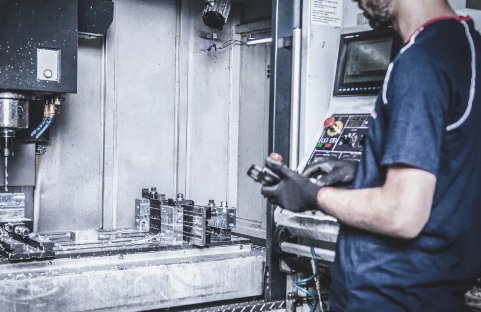
The spindle holds and rotates the cutting tool at high speeds, driven by a motor that determines RPM and power. The worktable or bed supports the workpiece, often equipped with T-slots for clamping vises or fixtures. Axes mechanisms, including X, Y, and Z, enable linear motion via ball screws and guide rails.[4][9]
Control systems form the brain, interpreting G-code instructions through a CNC controller interface. Tool changers automate swapping cutters, while coolant systems manage heat and chip removal during operation. Lubrication units keep moving parts functioning smoothly to prevent wear.[7][5]
Sensors and safety interlocks, such as limit switches and emergency stops, protect operators and maintain precision. Displays show real-time coordinates, speeds, and feeds for monitoring. These elements integrate for reliable performance across industries like aerospace and automotive.[3][9]
Always wear personal protective equipment including safety glasses, gloves, and hearing protection to guard against flying chips and noise. Inspect the machine for damage, loose parts, or leaks in hydraulic and pneumatic systems before powering on. Clear the work area of tools, debris, and unnecessary items to avoid accidents.[1][3]
Verify electrical connections and grounding to prevent shocks. Ensure guards cover moving parts like the spindle and axes. Review the program for errors and perform a dry run without tools touching the workpiece to check for collisions.[4][7]
Never leave the machine unattended during operation. Keep hands away from the cutting zone and use proper lifting techniques for heavy workpieces. Familiarize with emergency stop locations and shutdown procedures.[3][1]
Power on the CNC machine first, followed by the control system to allow proper startup sequences. Home all axes by jogging them to reference points, establishing the machine's coordinate system accurately. This step calibrates X, Y, and Z positions relative to the home switches.[1][3]
Select and install the appropriate cutting tool in the spindle collet, ensuring it seats securely without play. Input tool length and diameter offsets into the controller's tool table for compensation. Jog the spindle to the workpiece area and set work coordinates using a touch probe or manual touch-off.[7][3]
Load the G-code program via USB, network, or directly into the controller. Switch to manual mode for final checks, then transition to automatic mode. Confirm coolant lines and chip conveyor are ready.[4][1]
Choose material based on project requirements, such as aluminum for lightweight parts or steel for durability, and cut it to rough dimensions. Measure the stock for flatness and stability, squaring edges if needed to prevent vibration. Clean surfaces to ensure secure fixturing.[3][1]
Position the workpiece on the table using parallels or soft jaws in a vise for alignment. Clamp firmly with adequate pressure, testing for movement by applying side force. Use dial indicators to verify parallelism to machine axes within 0.01mm tolerance.[1][3]
For irregular shapes, employ custom fixtures or vacuum tables. Perform a test alignment by jogging the tool over the edges without contact. Secure multiple parts in one setup for batch efficiency.[7]
Create or import CAD models into CAM software to generate toolpaths. Define roughing passes for bulk removal followed by finishing passes for surface quality. Set parameters like feed rates, spindle speeds, and depths of cut based on material and tool specs.[4][7]
Output G-code with commands like G00 for rapid moves, G01 for linear interpolation, and M03 for spindle start. Include cycles such as G81 for drilling. Simulate the program in CAM to detect errors like gouging or overtravel.[3]
Edit code manually for optimizations, adding dwells or overrides. Transfer the file to the machine and verify header commands match machine capabilities. Test in single-block mode for the first few lines.[1]
Install a tool setter or use paper method to establish Z-axis zero by touching the tool tip to the workpiece top. Record the offset in the machine's table, compensating for tool changes automatically. Repeat for each tool in sequence.[3]
Edge find the X and Y zeros using a probe or half-center method, moving the tool to touch opposite sides and halving the distance. Input these as G54 work offset or higher for multiple setups. Verify by probing corners and adjusting as needed.[1][3]
Run an air cut at offsets to confirm paths align with part edges. Update offsets if thermal expansion shifts dimensions during long runs. Precision here ensures dimensional accuracy across the entire job.[7]
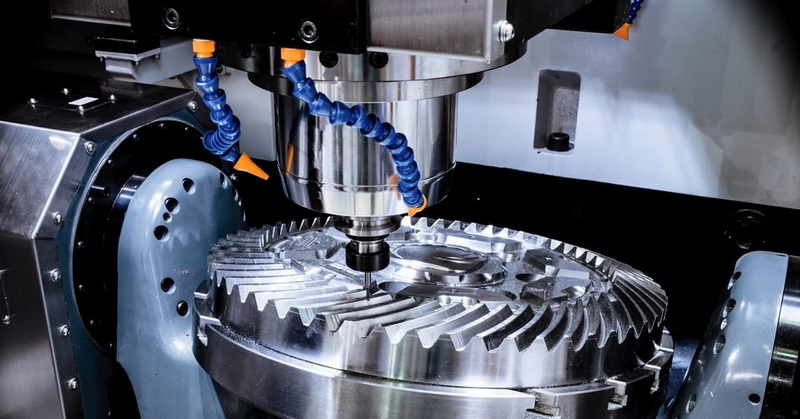
Load the roughing program and start in single-segment mode to monitor initial cuts. Use conservative feeds and depths, around 0.5mm per pass on aluminum, ramping entry to avoid tool breakage. Activate coolant flood to evacuate chips and cool the tool.[7][1]
Watch for vibration, chatter, or unusual sounds, pausing to inspect tool wear or fixture stability. Measure interim dimensions with calipers or CMM to adjust feeds if undersized. Advance to deeper passes once stable.[3]
Roughing removes 80-90% of excess material efficiently, prioritizing speed over finish. Multiple tools like large end mills or face mills speed this phase. Transition seamlessly to finishing after verifying stock allowance.[4]
Switch to finishing tools with smaller diameters for detail work, using stepover values of 10-20% of tool diameter. Employ climb milling for better surface finish on most materials. Maintain light depths to minimize deflection.[7]
Inspect finished surfaces with profilometers for Ra values meeting specs, typically under 1.6µm. Check critical dimensions with micrometers, ensuring tolerances like ±0.05mm. Deburr edges using files or tumbling if required.[4][1]
Run final dry passes if needed for polish. Document measurements for traceability in production logs. Approve parts before unclamping to preserve offsets for repeats.[3]
Chatter marks indicate unstable fixturing or excessive feeds; reduce RPM or add damping. Tool breakage stems from dull edges or chip buildup; sharpen or replace promptly and improve evacuation. Poor surface finish often results from incorrect climb/conventional milling direction.[1][7]
Dimensional errors trace to thermal growth or offsets drift; use compensation tables and measure at stable temperatures. Program crashes from overtravel require boundary checks in CAM. Always back up code before edits.[4][3]
Implement high-speed machining with trochoidal paths to extend tool life on hard materials. Use 4th or 5th axis for undercuts and complex geometries without repositioning. Integrate probing cycles for in-process gauging to reduce scrap.[9]
Optimize feeds via constant engagement angles. Employ adaptive clearing strategies in modern CAM for faster roughing. Monitor with IoT sensors for predictive maintenance.[7]
Shut down by stopping the spindle and program first, then power off the control and machine. Clean chips from ways, table, and tool holder tapers using compressed air. Lubricate axes and check levels of coolant and way oil.[3]
Inspect belts, filters, and belts for wear. Store tools in organized racks to prevent damage. Log runtime hours for scheduled servicing like spindle rebuilds every 5000 hours.[5][1]
Running a CNC milling machine demands precision, safety awareness, and systematic procedures from initialization to finishing. Mastering these steps yields high-quality parts efficiently, minimizing waste and downtime. Continuous practice and updates to skills ensure competitiveness in manufacturing. Operators who follow these guidelines achieve reliable results across diverse applications.
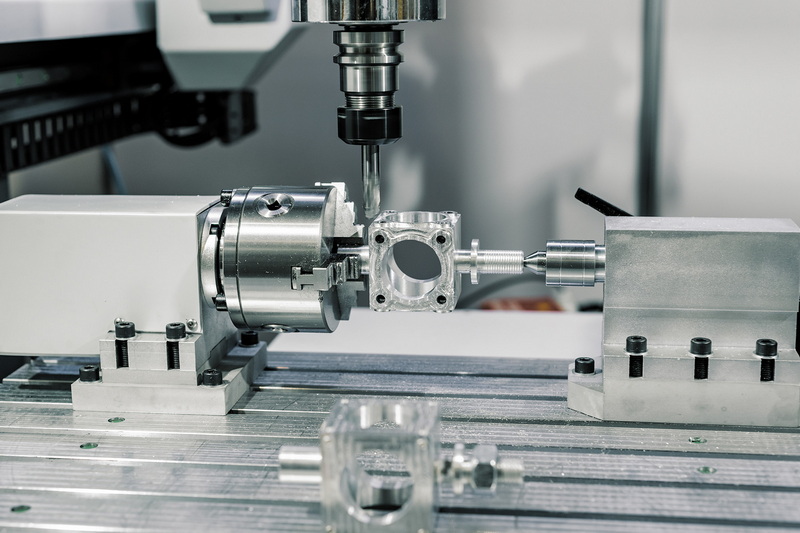
Safety gear includes ANSI-approved glasses, hearing protection, gloves, and steel-toed boots. Guards must cover spindles, and emergency stops should be accessible. Pre-shift inspections prevent hazards.[1][3]
Touch off Z-zero on the workpiece top, then edge find X and Y using probes. Input into G54 offset and verify with air cuts. Recheck after thermal stabilization.[7][3]
Breakage results from excessive feeds, poor chip evacuation, or dull tools. Ramp entries, use coolant, and monitor wear. Simulate programs first.[1][7]
Daily cleaning and lubrication, weekly filter checks, and annual spindle servicing. Log hours for predictive schedules.[5][3]
Use 0.5-2mm depths, 1000-3000mm/min feeds on aluminum, and 8000-12000 RPM. Adjust per material hardness.[4][1]
[1](https://www.elephant-cnc.com/blog/cnc-milling-machine-process/)
[2](https://www.freelancer.cn/job-search/cnc-milling-machine-wikipedia/)
[3](https://mscncrouter.com/blogs/how-to-guides-tutorials/how-to-use-a-cnc-milling-machine-step-by-step-guide)
[4](https://excelforging.com/cnc-machining/cnc-milling-basics)
[5](https://www.steckermachine.com/blog/cnc-machining-101)
[6](https://uegeek.com/search.xml)
[7](https://www.speedtigertools.com/solution/ins.php?index_id=107)
[8](https://samhotool.com/zh/blog/how-to-correctly-use-cnc-end-mills/)
[9](https://hwacheonasia.com/cnc-milling-machines/)
[10](https://richconn.com/zh-CN/understanding-cnc-milling/)


