From idea to market-ready product, our NPI solutions make every stage easier, faster. Discover How We Help

Views: 222 Author: Tomorrow Publish Time: 2026-01-31 Origin: Site


Content Menu
● Understanding a Haas 3 Axis CNC Milling Machine
● Safety Before You Start CNC Milling
● Powering Up the Haas CNC Milling Machine
● Loading Tools for CNC Milling
● Mounting and Securing the Workpiece
● Setting Work Coordinate Offsets (G54.
● Understanding Haas Control Modes for CNC Milling
● Loading and Checking the CNC Milling Program
● Dry Run and Single Block for First-Time CNC Milling
● Running the CNC Milling Program in Production
● Coolant, Chip Control, and CNC Milling Stability
● Avoiding Common CNC Milling Mistakes on a Haas Mill
● Basic CNC Milling Best Practices on a Haas Mill
● FAQ About Running a Haas 3 Axis CNC Milling Machine
>> 1. How do I start up a Haas CNC milling machine safely?
>> 2. How do I set the work offset (G54. for CNC milling on a Haas?
>> 3. Which mode should I use to run a CNC milling program?
>> 4. How can I reduce the risk of crashes during CNC milling?
>> 5. Do I need CAM software for Haas CNC milling or can I program manually?
Running a Haas 3 axis CNC milling machine is a structured process that combines safety checks, accurate setup, and careful program execution to produce precise CNC milling parts. This guide walks you step by step from power-up to stable production so you can confidently operate a Haas 3 axis CNC milling machine for CNC milling work.
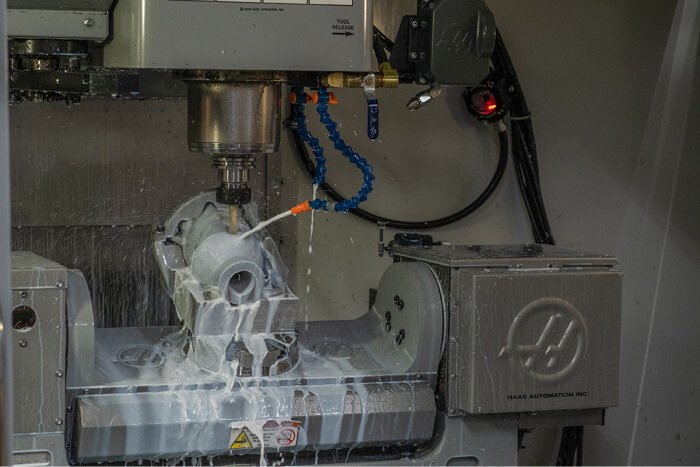
A Haas 3 axis CNC milling machine is a vertical machining center that moves the cutting tool along the X (left–right., Y (front–back., and Z (up–down. axes to remove material from a fixed workpiece using CNC milling programs. The main components include the spindle, tool changer, worktable, enclosure, and the Haas control panel, which work together to automate CNC milling operations with repeatable accuracy.
CNC milling on a Haas machine relies on G-code to define toolpaths, spindle speeds, feed rates, and coolant commands, allowing the machine to follow complex contours automatically. Once you understand the control modes, offsets, and safety features, Haas CNC milling becomes a predictable and reliable process for both one-off prototypes and production runs.
Before any CNC milling operation, you must follow basic safety procedures to protect yourself, the machine, and the work area. Even though a Haas 3 axis CNC milling machine has an enclosed workspace, it still presents risks from moving axes, rotating tools, flying chips, and high-pressure coolant.
Key safety practices for CNC milling include:
- Wear safety glasses and suitable shop clothing, avoiding loose sleeves, jewelry, and long hair near the spindle.
- Keep machine doors closed whenever the spindle or axes are moving during CNC milling.
- Learn the location of the emergency stop and Feed Hold buttons on the Haas control and practice using them.
- Remove vise handles, loose tools, and any other objects from the table and enclosure before CNC milling begins.
- Never reach into the enclosure while the spindle is turning or the table is moving, even during setup.
Treat CNC milling as a high-energy process and always assume the machine can move unexpectedly if the control is active.
To run any CNC milling program, the Haas mill must be powered up and referenced correctly so the control knows the true position of each axis. The startup sequence ensures that all CNC milling moves are based on a known machine zero point.
Typical startup steps:
1. Turn on the main breaker at the back or side of the machine.
2. Press the green POWER ON button on the control to boot the Haas interface.
3. After the control loads, reset any emergency stop by turning the E-Stop button clockwise if it is engaged.
4. Press RESET several times to clear existing alarms.
5. Close the doors, then press POWER UP / RESTART to send X, Y, and Z to their home positions.
Once homed, the CNC milling machine has a reliable reference, and you can safely jog axes, set offsets, and continue with setup.
Correct tool loading is essential for accurate and safe CNC milling on a Haas 3 axis machine. Each cutter used in CNC milling must be mounted in a tool holder, assigned a tool number, and have a corresponding length offset.
Basic tool setup for CNC milling:
- Insert each cutting tool (end mills, drills, face mills. into suitable tool holders and load them into the tool changer pockets.
- Decide on a clear tool numbering scheme, such as T1 for a face mill, T2 for a roughing end mill, T3 for a finishing end mill, and so on.
- On the TOOL OFFSET or OFFSET screen, assign tool length geometry values for each tool.
- Set tool length offsets using a probe, a dedicated tool setter, a gauge block, or the paper-touch method, then store each value in the correct tool row.
Accurate tool offsets ensure the CNC milling cutter reaches the correct depth without colliding with the workpiece, vise, or table.
Workholding directly affects CNC milling stability, surface finish, and dimensional accuracy on a Haas 3 axis CNC milling machine. A poorly clamped part can shift during CNC milling and damage the part, tooling, and potentially the machine.
For typical CNC milling jobs:
- Place the raw material in a vise or custom fixture and tighten it firmly so it cannot move under cutting forces.
- Verify that the vise or fixture is properly bolted to the table or subplate and that all T-nuts and bolts are secure.
- Remove the vise handle and any setup tools from the enclosure before starting CNC milling.
- If high accuracy is required, indicate the fixed jaw or a reference edge so the part is aligned with the X and Y axes.
Good workholding practice reduces vibration, improves CNC milling accuracy, and increases tool life.
Work coordinate offsets tell the Haas control where the part zero is located relative to machine zero so that the CNC milling toolpaths match the real workpiece. The most commonly used work offset is G54, though you can use G55, G56, and others for multiple setups.
To set a work offset for CNC milling:
1. Load a probing tool or the first cutting tool into the spindle.
2. Press HANDLE JOG and choose the axis you want to move.
3. Use a larger jog increment to move near the stock, then a fine increment to position exactly at the desired part zero.
4. Jog the tool to the origin point your CNC milling program expects, such as the top-front-left corner of the raw stock.
5. On the OFFSET page, highlight the G54 X field and capture the current position to store it as the X origin.
6. Repeat for G54 Y and G54 Z until the complete work offset is defined.
After this, any CNC milling program that calls G54 will automatically shift all coordinates so toolpaths are aligned with the actual workpiece.
The Haas control provides several modes that you will use repeatedly during CNC milling operations. Knowing when and how to use each mode makes running a Haas 3 axis CNC milling machine more efficient and safer.
Common modes used in CNC milling:
- JOG / HANDLE JOG: Manually move the axes for setup, touch-off, and inspection.
- MDI (Manual Data Input.: Execute single lines or short blocks of G-code for simple actions like turning the spindle on or moving to a safe position.
- EDIT: Create, open, and modify CNC milling programs before running them.
- MEM (Memory.: Run CNC milling programs stored in the machine's memory.
- LIST PROG or PROG: Select, manage, and load programs from internal memory or external devices such as USB drives.
Switching correctly between these modes helps you avoid accidental motion and organize your CNC milling workflow.
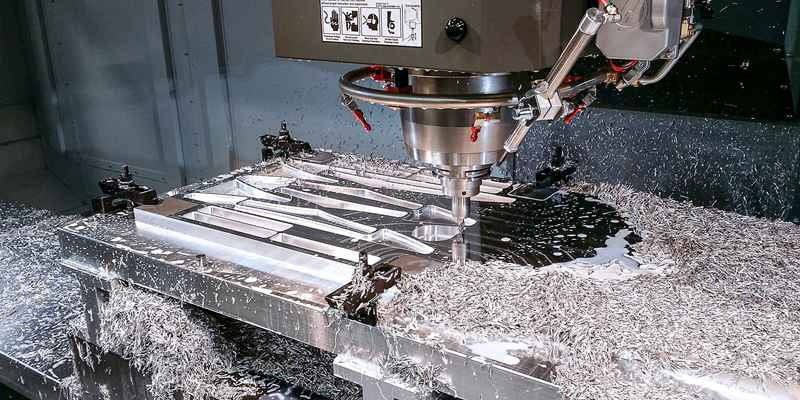
Before any CNC milling cut, you must load and verify the program that will control the Haas machine. Your program may come from a CAM system or be written manually in G-code.
Basic program handling for CNC milling:
- Use LIST PROG or PROG to locate your program in memory or on a USB device.
- Load the file into machine memory and make it the active program.
- Scroll through the code and confirm important items: selected work offset (G54 or others., tool numbers, spindle speeds, feed rates, coolant commands, and safe retract moves.
- If your Haas control supports it, run a graphics simulation to visualize tool motion without moving the axes.
This step helps you catch missing tool calls, incorrect offsets, or unsafe moves before actual CNC milling begins.
When running a CNC milling program for the first time, you should always proceed with extra caution. Dry runs and single block mode allow you to verify motion and logic before committing to full-speed CNC milling.
Recommended first-run practices:
- Clear the work area and ensure all tools, clamps, and loose items are removed from the table.
- Activate Single Block so the control executes one line of code at a time and pauses after each block.
- Reduce rapid feed overrides to a low percentage so rapid moves are slow and easy to monitor.
- Keep one hand near the Feed Hold button so you can stop motion immediately if anything looks suspicious.
- Use Dry Run mode if available to execute the CNC milling toolpaths above the workpiece without engaging the material.
Once you are confident the program and setup are correct, you can turn off Single Block and gradually increase the rapid and feed overrides for normal CNC milling.
After verifying the setup and program, you can run the CNC milling job in full automatic mode on the Haas 3 axis machine. At this stage, consistent setup, monitoring, and documentation are the keys to stable production.
Typical steps for full-run CNC milling:
1. Confirm that the correct workpiece is loaded, oriented correctly, and clamped securely.
2. Ensure all tools in the program are present in the tool changer and that their offsets are current.
3. Select MEM mode and call up the desired CNC milling program.
4. Close the doors and confirm door interlocks and safety indicators are satisfied.
5. Press CYCLE START to begin the CNC milling cycle.
6. Monitor spindle load, chip evacuation, coolant flow, and unusual noises, especially on the first parts of a new batch.
If necessary, you can pause the CNC milling program with FEED HOLD or stop it instantly with the emergency stop.
Coolant and chip control are critical to reliable CNC milling on a Haas 3 axis machine. Poor chip evacuation or incorrect coolant use can cause tool wear, poor surface finish, and even tool breakage.
Good practices for coolant and chip control in CNC milling:
- Select a coolant type and concentration appropriate for the material, such as water-soluble coolant for general steel and aluminum CNC milling.
- Adjust coolant nozzles or programmable coolant so the flow hits directly at the cutting zone during CNC milling.
- Use chip conveyors, augers, or chip fans to keep chips from building up in pockets and deep slots.
- Periodically clean chips from the enclosure and chip pans, and check the coolant level and concentration between CNC milling jobs.
Stable coolant and chip management improve part quality and extend tool life across all CNC milling operations.
New operators often make similar mistakes when learning CNC milling, and being aware of them can save time and reduce expensive errors. Many crashes and scrap parts result from a few preventable issues.
Common CNC milling mistakes to avoid:
- Forgetting to set or update tool length offsets after changing or regrinding tools.
- Running the wrong work offset, such as calling G55 in the program while only G54 is properly set.
- Leaving vise handles, wrenches, or measuring tools on the table when starting CNC milling.
- Using full rapid speeds on an unproven program without Single Block or Dry Run.
- Ignoring abnormal noises, excessive spindle load, or poor chip evacuation during CNC milling.
By avoiding these typical errors, you make your Haas 3 axis CNC milling machine more reliable and your workflow more efficient.
Developing good habits will improve both quality and productivity in CNC milling on a Haas 3 axis machine. Over time, these practices reduce scrap, improve surface finish, and extend tool life.
Helpful CNC milling tips:
- Use cutting parameters that match the material and tool, adjusting spindle speed, feed rate, and depth of cut to avoid chatter.
- Prefer climb milling when the workholding and machine rigidity allow it, as it often improves CNC milling finish and tool life.
- Keep the machine clean by regularly removing chips from the table, tools, and coolant filters.
- Maintain documentation of your setups, including tool lists, offsets, fixture positions, and any notes that affect CNC milling quality.
- Start with simple 2D contours and pockets and gradually move to 3D surfacing and multi-fixture CNC milling jobs as your confidence grows.
With consistent procedures and continuous learning, a Haas 3 axis CNC milling machine becomes a powerful base for precision CNC milling in many industries.
Learning how to run a Haas 3 axis CNC milling machine is about mastering a repeatable workflow that covers safe startup, solid workholding, precise tool and work offsets, thorough program verification, and controlled initial runs. Once these fundamentals are in place, CNC milling on a Haas machine allows you to produce accurate, complex parts efficiently and reliably, whether you are making a single prototype or a high-volume production batch.
Contact us to get more information!
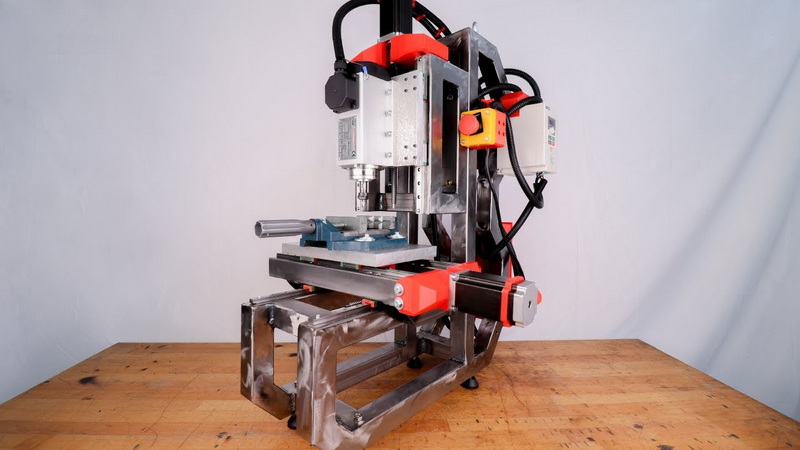
To start up safely, turn on the main breaker, press POWER ON, reset any emergency stop, clear alarms with RESET, close the doors, and press POWER UP / RESTART to home all axes. This sequence prepares the control for jogging, setting offsets, and running CNC milling programs without unexpected motion.
Load a tool, use HANDLE JOG to move the tool to your chosen part zero location, then on the OFFSET screen write the current machine position into the G54 X, Y, and Z fields. After that, any CNC milling program that calls G54 will use that origin to position all toolpaths correctly on the part.
After you load and verify the program, select MEM mode on the Haas control to run the CNC milling program from machine memory. For a first run, use Single Block and reduced rapid overrides, then switch to continuous running once you confirm the CNC milling path is safe and correct.
To reduce crash risk, always perform a Dry Run or air cut above the part, keep Single Block on for first runs, and lower the rapid feed override. Double-check tool numbers, tool length offsets, and work offsets so the Haas machine does not drive tools into the table, vise, or fixtures during CNC milling.
You can manually program simple 2D CNC milling operations such as drilling patterns, facing, and basic pockets using standard G-code. However, for complex 3D surfaces, multi-tool operations, or large production jobs, CAM software is recommended to generate efficient CNC milling toolpaths and reduce programming errors.
1. https://www.scribd.com/document/354129029/CNC-Milling-HAAS-Lab-Tutorial-1
2. https://www.instructables.com/Starting-Up-the-HAAS-Mill/
3. https://www.wikihow.com/Setup-a-Haas-CNC-Mill
4. https://openoregon.pressbooks.pub/manufacturingprocesses45/chapter/unit-6-hass-control/
5. https://academy.titansofcnc.com/files/Fundamentals_of_CNC_Machining.pdf
6. https://www.practicalmachinist.com/forum/threads/tips-for-new-3-axis-vertical-mill.404890/
7. https://www.reddit.com/r/CNC/comments/ahgqzj/got_access_to_a_haas_cnc_but_have_no_experience/
8. https://www.youtube.com/watch?v=1NBte9ZeB88
9. https://www.youtube.com/watch?v=J7dCwBkUNNU
10. https://www.youtube.com/watch?v=5I1eG49XnTA
11. https://www.youtube.com/watch?v=uNjMIIRttFE
12. https://www.cnczone.com/forums/haas-mills/171263-manually-set-work-offset-z.html
13. https://www.youtube.com/watch?v=l2DoP67p-SY
14. https://www.practicalmachinist.com/forum/threads/haas-tool-offset-measure.407367/


