Language


Views: 222 Author: Tomorrow Publish Time: 2026-01-06 Origin: Site
Content Menu
● Understanding the Purpose of Technical Drawings
● 1: Choose the Right Drawing Standard
● 2: Define the Drawing Sheet and Layout
● 3: Include Appropriate Views
● 4: Apply Correct Dimensioning Techniques
● 5: Define Tolerances and Fits
● 6: Specify Materials and Surface Finishes
● 7: Add Threads, Holes, and Fastener Details
● 8: Add CNC Manufacturing Notes
● 9: Verify Coordinate Systems and Orientation
● 10: Perform Drawing Review and Final Checks
● Advanced Considerations for CNC Machining Drawings
>> Using Model-Based Definition (MBD)
>> Adjusting for Tooling Limitations
>> Documenting Assembly Relationships
>> Adding Inspection Requirements
>> Specifying Machining Sequence (When Necessary)
● Benefits of a Well-Prepared Drawing
● FAQ
>> 1. What file format should I use for CNC machining?
>> 2. Are tolerances always necessary?
>> 3. How do I choose between first-angle and third-angle projection?
>> 4. Can I provide only the 3D model instead of a drawing?
>> 5. What's a typical surface finish for CNC machined parts?
Preparing a technical drawing for CNC machining is a fundamental skill in modern manufacturing. Technical drawings bridge the gap between design intent and fabrication, providing machinists with the precise instructions needed to transform a digital model into a physical component. A well-prepared drawing ensures accuracy, efficiency, and consistency during production while reducing errors, time loss, and misinterpretation.
This guide explores the key principles, best practices, and detailed steps to help you prepare professional technical drawings for CNC machining. Whether you are an engineer, designer, or machinist, understanding these guidelines will help you improve communication and achieve higher-quality results.

Technical drawings serve as a universal language between designers, engineers, and machine operators. Even though 3D CAD models define geometry, they don't always communicate how a part should be manufactured or inspected. That's where 2D drawings in—they provide dimensional control, tolerances, finishes, and other critical annotations.
A well-crafted drawing ensures everyone involved in the process understands the same design intent. It also acts as a permanent reference document for quality control, regulatory compliance, and maintenance. In short, a drawing turns a concept into a manufacturable reality.
Standards provide structure and consistency, ensuring that everyone interprets designs the same way. The two most recognized standards are:
- ASME Y14.5 (American Society of Mechanical Engineers): Commonly used in the United States and Canada.
- ISO 1101 (International Organization for Standardization): Adopted widely in Europe and other parts of the world.
These standards define everything from projection methods and line types to dimension placement and tolerancing symbols. Once you select one, use it consistently across all your documentation. In professional manufacturing, mixing systems can cause confusion, increase the risk of rework, and ultimately drive up production costs.
Before beginning the drawing, determine the appropriate sheet size—A-format for ISO or letter-size equivalents for ASME systems. The drawing's layout should be functional and organized, not artistic.
The title block located at the bottom or side should include key information:
- Company name and logo
- Drawing title and part number
- Revision level and approval date
- Material and finish specification
- Unit of measurement (mm or inch)
- Drawing scale
- Designed, checked, and approved by signatures
Additionally, reserve space for a revision table. As the part evolves, every design change must be traceable to ensure consistent manufacturing and document control.
Good drawings visually explain geometry from multiple perspectives. The most typical arrangement includes front, top, and right-side views, but complex parts may need section, detail, and auxiliary views.
- Orthographic views show exact dimensions without distortion.
- Isometric views help visualize 3D appearance, aiding machinists in understanding spatial relationships.
- Section views reveal hidden or internal details clearly, especially in parts with holes, cavities, or undercuts.
- Detail views enlarge small regions to display features that require precision.
Label every view and maintain logical alignment between them. Avoid unnecessary duplication, as too many views may complicate rather than clarify information.
Dimensioning communicates the exact size, position, and geometry of every feature. Each dimension should be clear, unique, and easily measurable on the part. When adding dimensions:
1. Dimension only once—avoid redundancy.
2. Use baseline dimensioning for repeat features or chain dimensioning when series length matters.
3. Reference functional datums that define how the part interfaces with other components.
4. Place dimensions outside part outlines where possible for readability.
5. Maintain uniform font and arrow styles for professional consistency.
CNC machines interpret coordinates relative to datums, so ensure datums are accurately defined. Misplaced or missing datums can result in cumulative positional errors.
Not all dimensions require the same level of precision. Tolerances define how much a measured value can deviate from its nominal dimension. For example, a hole with a diameter of 10.00 mm ±0.02 mm can range from 9.98 mm to 10.02 mm.
When defining tolerances:
- Use standard general tolerances for non-critical features (e.g., ±0.1 mm).
- Apply specific tolerances only where necessary to save machining costs.
- For assembled parts, define fit classes (e.g., H7/g6 or H8/f7) to ensure proper clearance or interference.
- Incorporate GD&T (Geometric Dimensioning and Tolerancing) symbols to describe shape, orientation, and position accuracy.
GD&T can drastically improve design clarity by controlling feature relationships like perpendicularity, concentricity, or cylindricity more efficiently than traditional plus-minus tolerances.
Material selection directly affects machinability, strength, and cost. Always state the specific material grade, not just a general type. For example, use “6061-T6 Aluminum” instead of just “Aluminum.” The suffix or temper designation can significantly alter behavior during cutting and finishing.
Include relevant manufacturing notes such as:
- Heat treatment requirements (e.g., hardened to HRC 45).
- Surface coatings (e.g., anodized, zinc-plated, or powder-coated).
- Surface roughness specifications (e.g., Ra 1.6 μm for sealing surfaces).
- Hardness or tensile strength requirements.
Surface finish not only affects aesthetics but also influences friction, wear, and sealing. CNC machinists use these values to select tool paths, speeds, and feeds that ensure compliance.
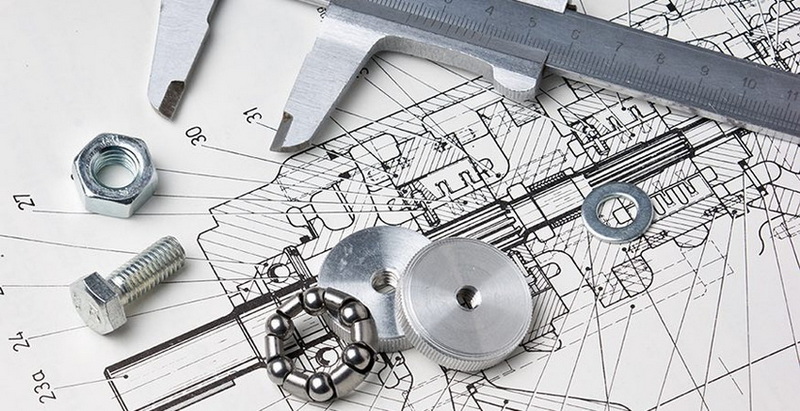
Threaded and drilled features are among the most critical in CNC parts. Always specify thread type, pitch, and class. For example: “M6 × 1.0 - 6H” or “1/4″-20 UNC - 2B.”
For holes, include:
- Hole diameter and depth.
- Quantity and pattern (center-to-center distances).
- Thread type and tolerance.
- Whether the hole is blind or through.
- Countersink or counterbore details if applicable.
If multiple holes share geometrical relationships, use hole tables or reference coordinates from a common origin. Clear callouts save time during CNC programming and inspection.
Beyond geometry, manufacturing notes guide how parts should be machined. They might specify cutting direction, workholding method, or inspection requirements. Common examples include:
- “Break all sharp edges 0.2 mm.”
- “Machine all over.”
- “No burrs or sharp edges allowed.”
- “Ream hole Ø6.00 ±0.01 mm after drilling.”
- “Apply coating after machining.”
Avoid overloading the drawing with excessive notes that distract from essential data. Prioritize instructions that directly affect manufacturability, safety, or tolerance compliance.
Before finalizing your drawing, confirm that datums, projections, and coordinate directions align consistently. CNC programs rely on a work coordinate system (WCS), usually tied to a feature like a face corner or bore center. Misalignment between drawing datum and machine WCS can produce mirrored or rotated parts.
Indicate the X, Y, and Z axes in an isometric view for complex 3D parts. Clearly show where the “zero point” (origin) is located. It acts as the reference for all machining operations, ensuring tool paths mirror the designer's intent.
A final review should confirm accuracy, readability, and completeness. Go through a checklist:
- Are all views labeled and aligned?
- Do all dimensions have tolerances?
- Are materials and finishes fully specified?
- Does the title block contain version control and scale?
- Is any unnecessary information cluttering the layout?
Have another design engineer or machinist review your work. A second perspective often catches inconsistencies like conflicting units, incorrect thread standards, or missing datum symbols that could cause production delays.
Once verified, export the final drawing as a PDF and the associated 3D model as a or IGES file. These formats maintain geometric integrity and are compatible with nearly all CNC CAM software.
Avoiding common errors can save time and prevent manufacturing failures.
1. Over-tolerancing: Extremely tight tolerances increase machining costs. Apply precision only where functionality demands it.
2. Incomplete hole information: Holes without specified depth or thread type often lead to rework.
3. Inconsistent units: Mixing inches and millimeters can be catastrophic. Choose one and stay consistent.
4. Ambiguous section lines: Always mark and label cutting planes clearly.
5. No revision control: Untracked drawing changes cause mismatched versions between design and production.
Consistency, clarity, and correctness yield high-quality CNC results.
For more complex projects, advanced strategies help further improve communication:
MBD integrates tolerances and manufacturing notes directly within 3D models instead of separate 2D drawings. While not yet universal, it streamlines digital workflows and reduces interpretation errors.
Consider the available cutting tools when dimensioning. For instance, internal corners can't be perfectly sharp—specify a radius to match the smallest end mill. Similarly, ensure hole depths and diameters are machinable with standard drill lengths.
When parts interact in assemblies, mention mating components or key fit surfaces. This ensures accurate alignment and functional compatibility.
Quality control depends on measurable definitions. Include inspection callouts or critical-to-quality (CTQ) identifiers for features that require precise verification.
Though rarely required in simple parts, complex components may need machining order definitions to ensure accuracy, such as “Machine reference face before drilling holes.”
A properly executed technical drawing not only eliminates ambiguity but also strengthens the entire production process. Its benefits include:
- Reduced setup time: Machinists spend less time interpreting unclear data.
- Improved communication: Everyone from design to inspection works from the same reference.
- Consistent quality: Repeatability is assured even across multiple production runs.
- Enhanced cost-effectiveness: Clear tolerances prevent unnecessary precision machining.
- Compliance assurance: Drawings serve as documentation for ISO, ASME, or internal quality audits.
Ultimately, better drawings elevate product and process reliability.
Preparing a technical drawing for CNC machining combines technical expertise, attention to detail, and effective communication. Each annotation, symbol, and tolerance conveys vital information that determines the success of the manufactured part. By following standardized practices, maintaining visual organization, and validating every dimension and note, engineers ensure that CNC machinists can produce accurate, repeatable, and cost-effective components.
A technical drawing is more than just lines on paper—it is the blueprint of precision manufacturing. Investing time in clarity and accuracy will drastically improve production outcomes and foster strong collaboration between design and machining teams.
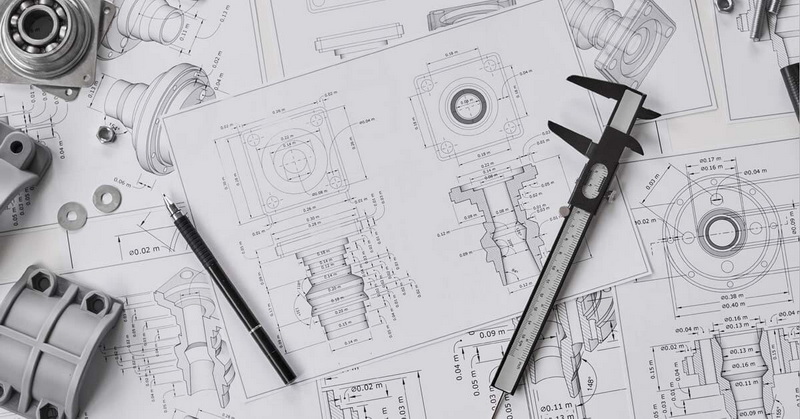
Use (.stp) or IGES (.igs) for 3D models and PDF for 2D drawings. These formats provide high geometric accuracy and are compatible with most CAM systems.
Yes. Tolerances define acceptable variations for each feature. Without them, machinists cannot determine the part's required accuracy, often leading to improper fits or functional failures.
Follow regional convention—ISO uses first-angle projection, while ASME uses third-angle projection. Clearly indicate the projection symbol on your drawing's title block.
Not recommended. Although CAM software can generate toolpaths from models, technical drawings remain essential to communicate tolerances, surface finishes, and inspection requirements.
Standard machined surfaces usually range from Ra 1.6 µm to 3.2 µm. Decorative or precision-fit surfaces may require finer finishes or specialized post-processing, such as polishing or coating.


