From idea to market-ready product, our NPI solutions make every stage easier, faster. Discover How We Help

Views: 222 Author: Tomorrow Publish Time: 2025-11-15 Origin: Site


Content Menu
● Hands-On Practice: Your First Steps
● CNC Programming: G-Code and CAM Mastery
● Intermediate and Advanced Machining Skills
● CNC Machining Safety and Maintenance
>> 1. Phase 1 – Foundation (Months 1-3):
>> 2. Phase 2 – Core Skills (Months 4-7):
>> 3. Phase 3 – Advanced Work (Months 8-12):
● Practice Project Suggestions
● Troubleshooting Common Issues
● Future-Proofing Your CNC Skills
● FAQ
>> 1. What is the first step to start learning CNC machining?
>> 2. Which software should I learn for CNC programming?
>> 3. How long does it take to become proficient in CNC machining?
>> 4. What materials are easiest for beginners to machine?
>> 5. How can I measure progress effectively?
CNC machining, or Computer Numerical Control machining, has transformed the modern manufacturing landscape—delivering precision, speed, and repeatability critical for high-value industries like aerospace, automotive, electronics, and medical device manufacturing. At its core, CNC machining automates the control of complex machinery through coded instructions, minimizing human error and optimizing efficiency.
Learning CNC machining means mastering both the digital and mechanical realms. You need to understand machine operation, material science, programming logic, and strict safety standards. This article presents a step-by-step guide to developing CNC skills, from initial exposure through advanced practical abilities.
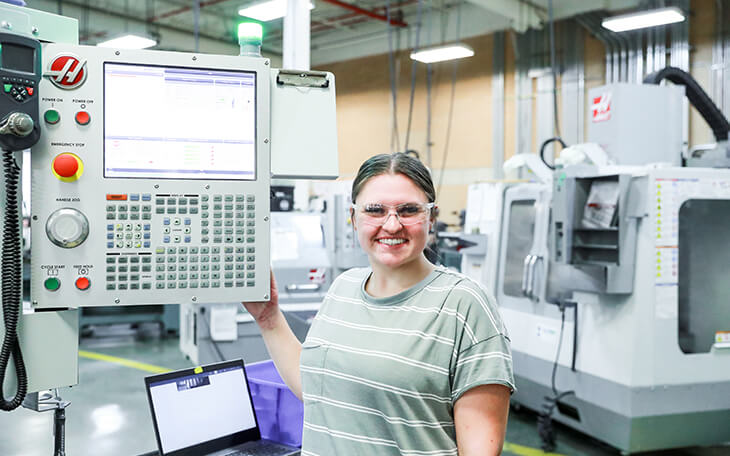
Modern CNC machines commonly include mills, lathes, routers, and grinders, each suited for particular manufacturing needs. Before tackling complex projects, grasp the essentials:
- Coordinate Systems and Part Setup: Every CNC machine operates within a fixed coordinate system. Learn the distinction between machine coordinates (the absolute axes of the machine) and workpiece coordinates (where the part zero is located). Mastering coordinate offsets, probing routines, and fixture alignment is crucial.
- Tooling Basics: Understand different cutting tools and their applications. End mills handle various milling tasks, drills create precise holes, and inserts manage tough metals on lathes. Choosing suitable geometry and materials for tools directly impacts performance.
- Material Properties: Materials machine differently depending on hardness, ductility, and heat tolerance. Soft metals like aluminum allow high feed rates, while hardened steels require slower, deliberate passes. Learn to recognize behaviors such as chip formation, built-up edge, and surface finish implications.
- Tolerances and GD&T: Precision manufacturing relies on tight dimensional tolerances. Familiarize yourself with common symbols and rules in Geometric Dimensioning and Tolerancing (GD&T), allowing accurate communication of design intent to the machine operator.
- Feeds, Speeds, and Depth of Cut: Cutting parameters affect tool life and product quality. For example, aggressive feeds boost productivity but risk tool wear and poor surface finish. Use cutting charts, calculators, and testing to optimize parameters.
Building skills involves moving from theoretical understanding to hands-on learning:
- Workshop Orientation: Participate in in-person training, emphasizing safety and basic operations. Practice zero-setting, tool changes, and routine maintenance. Observe experienced operators to absorb good habits.
- Simple Operations: Start with basic tasks—face milling to create flat surfaces, drilling standardized holes, and making simple turned profiles. These exercises build familiarity with machine controls and tool selection.
- Entry-Level Projects: Manufacture simple objects such as brackets, bushings, or keychains. Track your outcomes, noting where dimensions deviated and what you can improve next time.
- Iterative Improvement: Approach mistakes as learning opportunities. Record settings and results for each run, using measurement tools to check tolerances and finishes. Set incremental goals like reducing dimension errors to less than 0.1 mm or improving surface finishes.
Programming is the "language" of CNC machines:
- G-Code Fundamentals: G-code tells the machine how and where to move. Commands include linear moves (G1), rapid positioning (G0), arcs (G2/G3), tool changes (M6), and coolant operation (M8/M9). Practice writing simple programs—such as drilling hole patterns or creating square pockets—to build fluency.
- Using CAM Software: Modern machinists rely on Computer-Aided Manufacturing (CAM) to automate complex program creation. Import a CAD part file, define stock material, choose preferred tools, and let the CAM software generate toolpaths for operations like contouring, drilling, or threading.
- Simulation and Post-Processing: Always simulate toolpaths virtually before machining. This step helps detect collisions, tool errors, or missing features. Learn to configure post-processors so CAM output matches your specific machine's control language.
Progress in CNC machining involves tackling more demanding scenarios:
- Multi-Axis Machining: Moving beyond basic 3-axis work, explore machines with rotary axes. Four- and five-axis CNCs enable intricate surfacing, undercuts, and complex geometries, essential for parts like turbine blades or complex housings.
- Advanced Toolpaths: Practice high-efficiency roughing, ramped entry cuts, and constant engagement strategies. These techniques minimize cycle times and wear, especially when working with hard alloys or maximizing tool life.
- Workholding Solutions: Design custom fixtures or jigs using modular systems or dedicated clamps. Proper fixturing is vital to hold parts securely, maintain accuracy, and ensure operator safety during multi-sided machining.
- Precision Quality Control: Incorporate in-process probing, surface finish analysis, and periodic dimensional checks with precision metrology devices like calipers, micrometers, and coordinate measuring machines (CMM).
The quality of your CNC work stems from attention to detail and a disciplined, iterative practice routine:
- Record and Analyze Results: Maintain a logbook of every job, documenting tools, settings, cycle times, and outcomes. Reviewing historical data speeds troubleshooting and helps replicate successful processes.
- Network and Learn: Join forums, apprentice with professionals, and seek mentors. Networking exposes you to diverse setups, best practices, and new technologies.
- Attend Workshops: Take part in industry events, hands-on seminars, and vendor-led training. Such events deliver exposure to newer machines, software improvements, and creative problem-solving in real-world contexts.
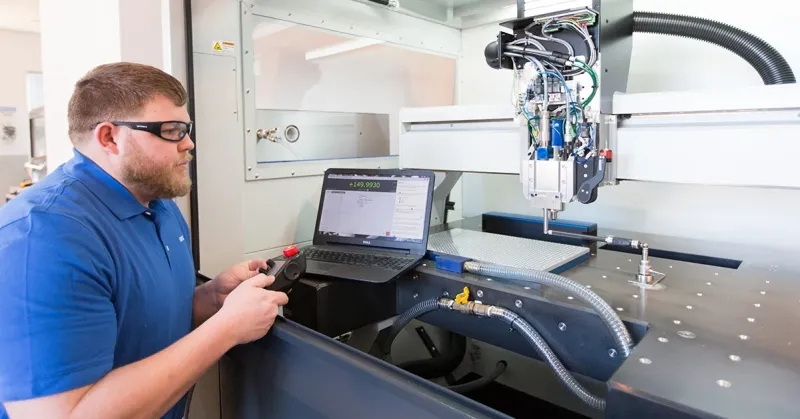
Successful machinists put safety first:
- Personal Protective Equipment (PPE): Always wear protective glasses, gloves, and, where necessary, hearing protection. Turn off machines before performing maintenance or changing cutters.
- Routine Maintenance: Maintain machines by cleaning, lubricating, and calibrating. Inspect for spindle run-out, worn bearings, coolant system failures, and loose hardware—proactive care reduces downtime and improves reliability.
- Safe Programming and Setup: Validate every new toolpath, especially before running an expensive or time-intensive part. Use dry runs and step-by-step verification to prevent crashes.
To accelerate progress, set defined learning phases:
- Focus on safety, basic machine operation, and simple programming.
- Practice making basic cuts and measuring results.
- Apply knowledge to real parts with broader tolerances.
- Learn CAM, refine programming, try simple multi-axis jobs, and design basic fixtures.
- Tackle high-precision applications, optimize toolpaths for speed and finish, and incorporate automated probing.
- Start leading small projects with external customers or in team settings.
- Textbooks: "CNC Programming Handbook" by Peter Smid and "Machining Fundamentals" by John Walker provide solid theoretical and practical knowledge.
- Online Platforms: Udemy, Coursera, and YouTube feature structured CNC machining courses for beginners and intermediate users.
- Industry Groups: Organizations like the Society of Manufacturing Engineers (SME) and local makerspaces host events and offer certifications.
- Aluminum Coin: Design and machine a flat coin with engraved text. Use pocketing, contouring, and finishing operations.
- Precision Bushing: Create a turned part with multiple diameters, tight fits, and smooth finishes. Practice tolerance control and surface measurement.
- Multi-Feature Bracket: Mill a bracket with pockets, holes, and slots. This project tests fixture design and multi-operation planning.
- Plastic Enclosure: Machine a complex geometry from engineering plastic, combining contouring, ribbing, and post-machining hand finishing.
Every CNC learner faces obstacles. Key troubleshooting steps include:
- Dimensional Inaccuracy: Check for fixturing stability, calibrate machine, and verify coordinate system alignment.
- Tool Breakage or Wear: Confirm feeds and speeds, minimize tool overhang, ensure adequate cooling, and select correct tool for material.
- Poor Surface Finish: Optimize finishing passes, reduce vibration, and clean workholding surfaces. Choose appropriate cut direction and tool geometry.
- Chip Removal Problems: Adjust coolant flow, use chip evacuation strategies, and select tools with efficient flute designs.
CNC machining technology evolves quickly. To stay current:
- Keep Learning: Pursue additional certifications, attend advanced training, and explore automation or robotics in manufacturing environments.
- Understand Related Technologies: Learn about additive manufacturing, laser machining, and industrial robotics—these often integrate with CNC workflows.
- Explore Specializations: Consider focusing on high-speed machining, medical component production, or micro-machining for ultra-precise devices.
Learning CNC machining combines discipline, creativity, and technical insight. Start with foundational concepts, consistently practice programming and operation, pay attention to precision, and always prioritize safety. With a structured practice plan, reliable resources, and ongoing mentorship, your skills can advance rapidly—preparing you for a lifelong journey in advanced manufacturing.
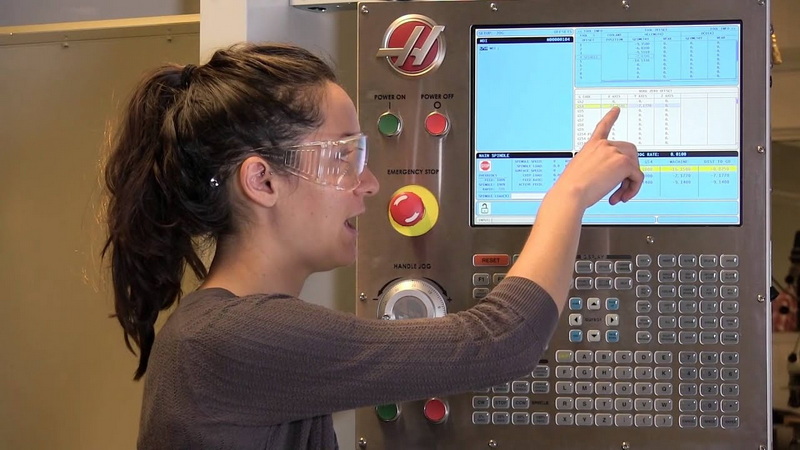
Begin with safety training and a solid grasp of basic machining concepts, then practice simple milling and turning operations on a suitable machine under supervision.
Start with a beginner-friendly CAD/CAM package and a basic G-code interpreter. As skills grow, learn to read and modify G-code directly and use CAM for toolpath generation.
Proficiency timing varies by intensity and prior background, but a focused program often yields solid fundamentals within 6–12 months, with ongoing improvement over several years.
Aluminum is typically forgiving due to its machinability and wide availability. Plastics can be good for practicing operations, but require different handling and tool selection.
Use precise measurement tools to compare finished parts against drawings, track cycle times, monitor surface finish, and document tool wear and setup repeatability.


