From idea to market-ready product, our NPI solutions make every stage easier, faster. Discover How We Help

Views: 222 Author: Tomorrow Publish Time: 2026-01-22 Origin: Site


Content Menu
● Understanding Double Sided PCBs
● Why Use CNC Milling for Double Sided PCBs?
● Choosing the Right Tools for CNC Milling
>> Essential Tools and Accessories:
● Setting Up Your CNC Milling Machine
>> Step 1: Level and Secure the Board
>> Step 2: Establish Origin and Zero Points
>> Step 3: Load the Toolpath Files
● Precise Board Flipping and Alignment
>> Accurate Alignment Techniques:
● Cleaning, Finishing, and Soldering Preparation
>> Recommended Finishing Steps:
● Common Pitfalls and Troubleshooting Tips
● Optimizing CNC Milling Parameters
● Quality Testing the Milled PCB
● Advanced Tips for Professional Results
● FAQ
>> 1. How can I align both sides for perfect registration?
>> 2. What's the ideal cutting tool for PCB milling?
>> 3. Can all CNC machines handle PCB milling?
>> 4. How are vias connected between both layers?
>> 5. How can I improve milling consistency?
In modern electronics manufacturing, Printed Circuit Boards (PCBs) serve as essential foundations for almost every device—from microcontrollers and IoT gadgets to robotics and industrial systems. While single-layer PCBs are common for simpler circuits, engineers and hobbyists increasingly rely on double sided PCB milling with a CNC machine to produce compact, high-performance designs.
This technique allows you to use both sides of the board's copper surface, optimizing space and routing efficiency without resorting to outsourced fabrication services. With a well-calibrated CNC milling setup, you can produce professional-grade double-layer PCBs directly in your workshop.

A double sided PCB consists of two copper layers—one on each side of the non-conductive substrate. Electrical connections between these layers are achieved through vias, which act as copper-lined tunnels that allow signals to pass from one layer to the other.
This design offers key advantages:
- Increased circuit density and configuration flexibility.
- The ability to separate analog and digital signals to minimize interference.
- Easy integration of power planes and ground planes.
Unlike traditional chemical etching, CNC milling mechanically removes unwanted copper, shaping precise traces without liquids or toxic chemicals. This mechanical method is particularly beneficial for laboratories, prototype studios, and educational environments where quick iteration and cleanliness matter.
CNC milling outperforms traditional PCB production for prototyping because it combines speed, precision, and adaptability.
Key benefits include:
- Rapid turnaround: Designs can be milled within minutes once the G-code is ready.
- Environmentally friendly: No acids, developers, or etching waste.
- Controlled tolerances: Ideal for traces as thin as 0.2 mm when done correctly.
- Scalable prototyping: Whether you need one board or ten, setup time remains minimal.
- Cost efficiency: Eliminates expensive minimum order quantities that PCB factories often require.
CNC-based PCB production is particularly suited for engineers who frequently test and revise hardware projects, offering near-instant feedback cycles.
Design preparation is perhaps the most crucial stage in double sided PCB milling. A strong foundation in the layout process prevents downstream issues like misalignment and incomplete isolation.
1. Design the circuit layout using tools such as KiCAD, Altium Designer, DipTrace, or Eagle. Ensure both top and bottom layers are clearly distinguished.
2. Add alignment marks or reference holes near the board corners; these will assist in flipping later.
3. Generate Gerber files and NC drill files. These represent the copper patterns, hole positions, and board outlines.
4. Import your files into CAM software like FlatCAM, CopperCAM, or Fusion 360 Manufacturing Workspace. Here, you'll define the trace isolation paths and drilling sequences, outputting CNC milling G-code for execution.
Design optimization tip: maintain at least 0.3 mm of clearance between isolated traces to ensure clean copper removal without shorting.
Your tool selection directly impacts the accuracy and repeatability of double sided PCB milling.
- CNC Router or Milling Machine: Machines like the 3018 Pro, Shapeoko, or Bantam Tools Desktop Mill are popular among makers.
- End Mills: V-bits (0.1–0.2 mm tip diameter) provide fine trace isolation, while flat end mills (0.8–1 mm) are used for drilling holes or cutting outlines.
- Bed Leveling Tools: A flat and level machining surface is vital for consistent trace width.
- Spindle: A spindle speed of 10,000–12,000 RPM ensures clean copper removal.
- Workholding Accessories: Double-sided tape, clamps, or vacuum tables keep the PCB fixed during milling.
Regularly inspect and replace worn-out bits; blunt tools can cause uneven cuts and incomplete isolation.
Accurate machine setup guarantees successful double sided PCB milling.
Ensure your PCB blank is flat and free from dust. Secure it on the milling bed using adhesive tape or clamps, avoiding board movement during operations.
Manually home the machine, then use a probing function or paper test to define the Z-axis zero at the board's copper surface. This minimizes trace depth variations.
Open the G-code files in your CNC control software (commonly GRBL, Candle, or Mach3). Verify the tool paths and preview them in simulation mode to confirm proper scaling and origin coordinates.
Once confirmed, you're ready to start the top side milling.
The top-side process defines your visible copper traces, component pads, and through-holes.
Typical milling sequence:
1. Trace Isolation: Fine CNC milling bits cut narrow channels around each trace, separating electrical paths.
2. Drilling: Drill holes for vias and components as defined by your NC drill file.
3. Board Contour: Lightly cut the board edge but don't detach it completely yet—it maintains positional stability for two-sided alignment.
After the top side is complete, use compressed air or a soft brush to clear debris. Avoid wiping across the board to prevent scratching.
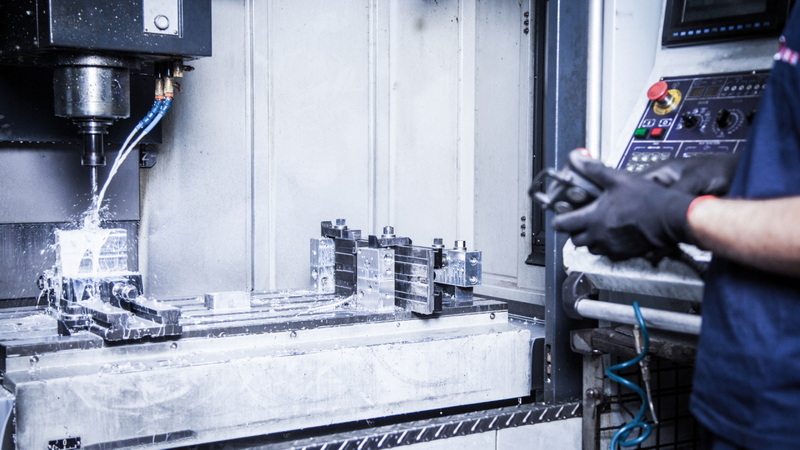
Aligning the bottom layer is often the hardest part of double sided PCB milling. Precision during this stage determines final circuit quality.
- Reference Pin System: Use two alignment holes drilled at opposite corners as guide points when flipping. Insert pins to reset the board precisely.
- Corner Coordinate Recording: Note or mark X and Y coordinates before flipping and reuse them afterwards.
- CAM File Mirroring: Remember to mirror the bottom layer (along the X-axis) before generating toolpaths to correspond with the flipped board orientation.
After flipping, re-zero your tool on the copper surface if needed and verify that the spindle path aligns with the expected traces.
The bottom layer follows the same procedure as the top, but precision alignment ensures vias and through-hole pads correspond exactly.
1. Load the mirrored CNC milling G-code for the bottom traces.
2. Perform trace isolation and drilling as per design requirements.
3. Verify that drilled holes match top-side markers.
Inspect the milled bottom with a magnifying lens to double-check trace spacing and depth consistency. This ensures electrical reliability during soldering and testing.
When both sides are milled, proceed with post-processing to achieve professional quality.
- Deburring: Lightly sand the surface with fine grit (600+) to remove raised copper edges.
- Copper Cleaning: Wipe boards with isopropyl alcohol or acetone to remove dust and lubricant residues.
- Via Connection: For double-sided electrical continuity, thread small copper wires through drilled vias and solder them on both sides. Alternatively, use via rivets for a refined look.
- Tin Plating: Apply solder tin paste or plating solution for better solder adhesion and oxidation resistance.
An optional but valuable finishing step is adding a DIY solder mask layer, protecting traces from accidental bridges during component assembly.
Even experienced engineers encounter challenges with CNC milling PCBs. Below are common issues and preventive actions:
- Problem: Trace edges are rough or incomplete.
Fix: Decrease feed rate slightly or increase spindle speed.
- Problem: Layers misaligned after flipping.
Fix: Always use two fixed reference points to guide the flip.
- Problem: Copper not fully isolated.
Fix: Adjust milling depth by calibrating the Z-axis zero more carefully.
- Problem: Drill bit wandering.
Fix: Use sharp carbide drills, reduce feed rate, and ensure spindle runout is minimal.
Consistency and patience are crucial. Avoid rushing the milling process; minor setup checks often save hours of repair work later.
Optimal machine settings balance speed, tool wear, and precision.
| Parameter | Recommended Range | Purpose |
|---|---|---|
| Tool Diameter | 0.1–0.2 mm | Clean trace isolation |
| Feed Rate | 60–100 mm/min | Smooth trace edges |
| Spindle Speed | 10,000–12,000 RPM | Prevents tear-out |
| Cut Depth | 0.05–0.1 mm | Optimal copper removal |
| Step Over | 40–50% | Ensures trace consistency |
| Drill Speed | 500–1000 mm/min | Clean hole formation |
These ranges are tested for standard FR-1 and FR-4 PCB materials. However, always perform a test carve before running the final job to validate depth and quality.
After production, verifying electrical continuity and performance is essential before soldering components.
- Visual Inspection: Use magnification to check trace integrity and spacing.
- Continuity Test: Probe with a multimeter to ensure no shorts or opens between adjacent traces.
- Through-Hole Verification: Confirm electrical connectivity between layers via vias.
- Mock Component Placement: Dry-fit major components to ensure proper hole alignment.
A thorough inspection phase ensures your CNC milled double sided PCB performs reliably from the first assembly.
- Use Vacuum Dust Collection: Keeps the work area clean and improves visibility.
- Automate Tool Changes: Advanced CNC controllers can swap drill and mill bits to speed workflow.
- Add Fiducial Marks: Useful for optical alignment in automated solder paste application.
- Upgrade Bit Quality: Diamond-coated or carbide bits dramatically extend cutting life.
- Implement Height Mapping: Some GRBL-based plugins enable mesh bed leveling to compensate for uneven PCB surfaces.
Incorporating these enhancements steadily improves yield, consistency, and machining quality for your CNC milling projects.
Although CNC milling double sided PCBs is excellent for rapid prototyping, small manufacturing batches also benefit significantly. It allows engineers to iterate circuit changes on-site, accelerating R&D timelines and reducing dependency on suppliers.
Additionally, combining CNC milling with laser engraving enables seamless labeling, component tagging, and serial numbering on the same machine, enhancing product traceability.
Mastering double sided PCB milling with a CNC machine enables complete in-house PCB manufacturing control—from concept to physical circuit in a single day. With precise design workflows, proper alignment strategies, and correct machine calibration, even small desktop CNC routers can produce superior double-layer boards rivaling factory-made versions.
Whether you're building educational prototypes, IoT sensors, or innovative engineering projects, CNC milling transforms your creative ideas into tangible, functional hardware without relying on outsourcing delays. Through practice, refinement, and experimentation, you can repeatedly deliver consistent, professional-quality circuit boards for any application.
Contact us to get more information!
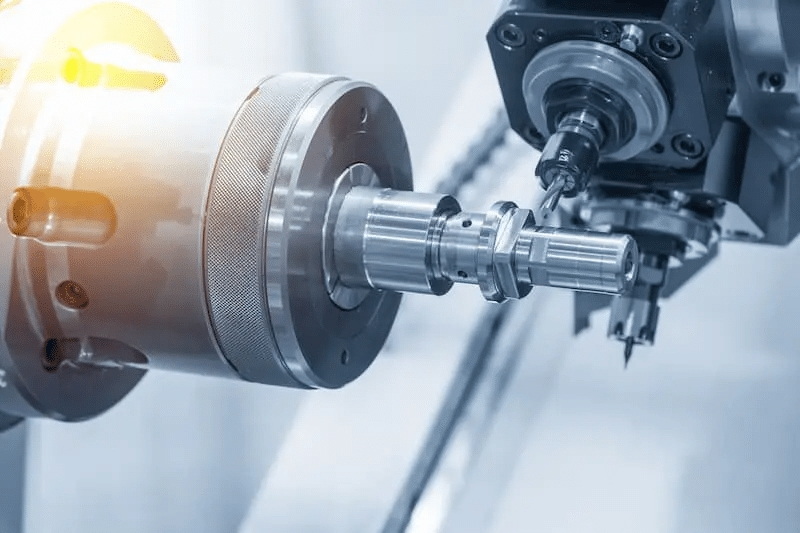
Drill two diagonal alignment holes before milling. Use these holes and guide pins to position the board when flipping it to the second side.
A V-bit with a 0.1 mm tip offers high detail for fine isolation. For larger tracks or outlines, flat end mills between 0.8–1 mm are preferred.
Any CNC machine capable of fine-resolution motion (below 0.05 mm per step) can mill PCBs effectively. Desktop models are sufficient if properly leveled and rigid.
Manually insert small copper wires through via holes and solder both ends. Alternatively, use rivet vias for durable and uniform interconnections.
Ensure the surface is level, recheck Z-axis calibration frequently, and replace dull bits. Running height-mapping calibration also enhances accuracy across the board.
1. (https://www.kicad.org)
2. (http://flatcam.org)
3. (https://www.bantamtools.com)
4. (https://www.allaboutcircuits.com)
5. (https://github.com/gnea/grbl)


