From idea to market-ready product, our NPI solutions make every stage easier, faster. Discover How We Help

Views: 222 Author: Tomorrow Publish Time: 2025-12-28 Origin: Site
Content Menu
● Understanding Mach4 CNC Software
● The Importance of Motion Controllers
● Common Mach4-Compatible USB Controllers
● Why USB Isn't Ideal for Real-Time CNC Motion
● Step-by-Step: Configuring Mach4 with a USB Controller
● Practical Performance Tips for USB Mills
● Comparing Mach4 USB vs. Mach4 Ethernet Systems
● Troubleshooting in Mach4 USB Systems
● When to Use USB and When to Upgrade
● Expanding Mach4's Capabilities Beyond Connectivity
● FAQ
>> 1. Can I use Mach4 with any USB CNC controller?
>> 2. Why is Ethernet preferred over USB for Mach4?
>> 3. Is Mach4 backward-compatible with Mach3 USB controllers?
>> 4. Which USB controller is best for small desktop mills using Mach4?
>> 5. How do I troubleshoot a lost USB connection in Mach4?
Mach4 CNC milling software stands as one of the most powerful and flexible programs in the CNC world. Developed by Newfangled Solutions, it continues to push the boundaries of digital manufacturing by enabling precision machining through a variety of hardware setups. Among CNC enthusiasts, builders, and industrial machinists, a recurring question arises: Can Mach4 CNC milling software drive a USB mill?
While the question may sound simple, the answer requires understanding how Mach4 communicates with hardware, how USB-based controllers function, and the technical requirements of real-time machine control.
Mach4 is an evolution of Mach3, a program that revolutionized home and small-scale CNC machining. Designed with modularity and professional versatility, Mach4 goes beyond hobby-level applications and enters the realm of precision manufacturing.
Key features of Mach4 include:
- High-speed motion control with smoother interpolation and trajectory planning.
- Lua scripting support that allows total customization for automation and toolpath logic.
- Modular architecture to support diverse hardware setups, including routers, lathes, lasers, and mills.
- Native motion compensation that corrects mechanical inaccuracies.
- Improved user interface (UI), enabling easier setup and monitoring.
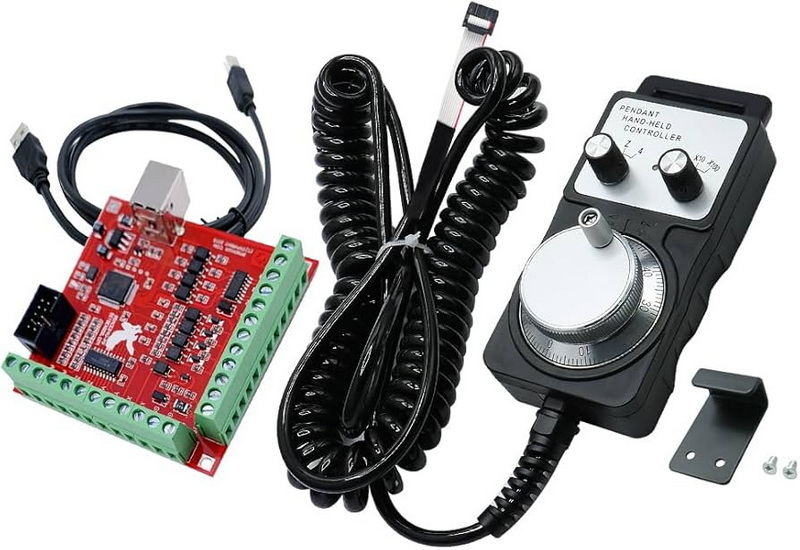
However, Mach4 doesn't communicate directly with stepper motors, drivers, or servos. Instead, it sends instructions to a motion controller, a dedicated device that translates digital commands into electrical signals for machine movement.
This separation of control layers makes Mach4 both powerful and flexible — but it also means that its compatibility with USB-based systems depends entirely on the controller and its plugins.
A USB mill refers to a CNC milling machine that connects to a computer via USB, instead of using legacy parallel (LPT) ports or modern Ethernet interfaces. This setup enables data transmission through a single cable, simplifying connections for compact machines or desktop environments.
USB mills are favored for their plug-and-play nature. They are widespread in the following categories:
- Hobbyist CNC machines such as small routers or 3-axis benchtop mills.
- Educational setups that require quick installation and portability.
- DIY builders who prefer affordable USB motion boards over industrial Ethernet controllers.
Yet, USB milling machines differ widely in their internal design. Some use microcontrollers that process G-code internally (real-time boards), while others only act as data forwarding devices, relying on the computer's processor for motion control. The latter type often struggles with real-time stability when paired with software like Mach4.
Mach4 separates machine control from the PC's operating system to avoid timing issues. Real-time motion commands are handled by motion controllers, which act as an intelligent intermediary between Mach4 and the mill's drivers.
These controllers handle crucial functions like:
- Pulse generation for stepper or servo motors.
- Real-time interpolation of motion paths.
- Input/Output management for sensors, limit switches, and spindle relays.
- Error detection, homing routines, and emergency stops.
In modern CNC systems, these controllers connect through different communication interfaces:
1. Parallel Port (Legacy) – Reliable but outdated, supported in Mach3, not Mach4.
2. USB – Convenient, but not ideal for real-time performance unless properly buffered.
3. Ethernet – Preferred for industrial use due to stable, deterministic communication.
Because Mach4 operates on a non-real-time OS (Windows), the motion controller performs the real-time timing tasks, making its reliability vital to accurate machine performance.
The crucial point is this: Mach4 can drive a USB mill only if the USB motion controller provides an official, Mach4-compatible plugin. Without the proper plugin, Mach4 has no way to communicate with the controller.
Most low-cost USB boards available from online marketplaces lack these official drivers. They are often designed for Mach3, GRBL, or proprietary software, but not for Mach4. Using such boards can lead to connection loss, missed steps, and uneven motion.
A compatible USB controller must provide:
1. A Mach4 plugin (.m4plugin file) officially distributed by its manufacturer.
2. Real-time motion firmware that buffers and interprets motion commands.
3. Stable drivers and firmware updates to maintain reliable communication.
When these criteria are met, Mach4 can indeed control a USB mill effectively. However, users must be wary of devices that falsely advertise Mach4 compatibility without verified plugin support.
While Ethernet controllers dominate the Mach4 landscape, a few trusted USB options exist:
- PMDX-411 USB Motion Controller – Developed specifically for Mach4, this controller offers synchronized motion, low-latency communication, and plug-in-based configuration.
- Warp9 USB SmoothStepper (USS) – A well-known board offering stable motion with Mach4 drivers, though its Ethernet version (ESS) offers greater reliability.
- UC100 USB Controller (for UCCNC) – Partially supported through third-party development, though best used with UCCNC software.
Note: When choosing between the PMDX-411 and USB SmoothStepper, users often find that the Ethernet SmoothStepper (ESS) provides superior performance under Mach4, especially for multi-axis setups and long cable installations.
USB's main limitation lies in its non-deterministic nature. It uses packet-based data transfer controlled by the operating system, meaning data is sent in bursts rather than constant streams. In CNC motion control, this results in irregular timing — even millisecond variations can translate to mechanical inaccuracies.
Ethernet, conversely, allows consistent transmission speed and dedicated communication lines. That's why high-accuracy CNC machines, industrial robots, and automation setups nearly always rely on Ethernet, RS-485, or similar real-time protocols.
Examples of USB pitfalls in CNC:
- Step pulse jitter leading to inconsistent cuts.
- Delayed responses to limit switches or E-stop.
- Random disconnects from electromagnetic interference.
- Latency spikes when background Windows processes consume CPU cycles.
Therefore, Mach4's official stance is to encourage Ethernet controllers when maximum performance and stability are required.
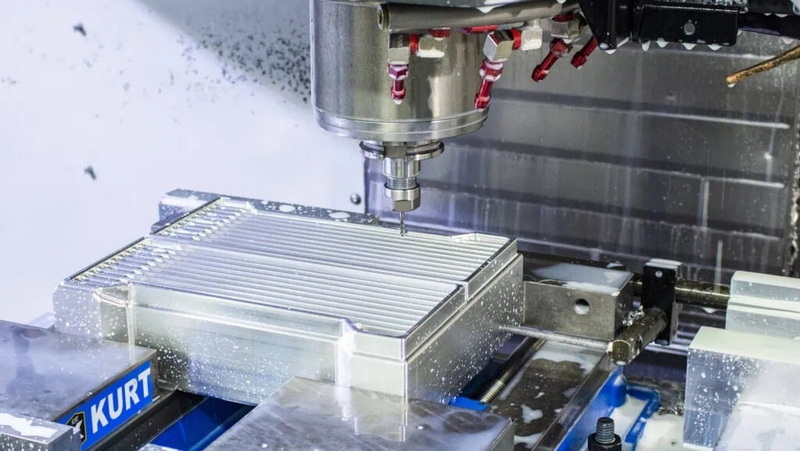
If your USB controller is verified to work with Mach4, follow these steps for setup:
1. Install Mach4 and Licensing:
Activate your Mach4 installation via the Mach4License.dat file.
2. Install the Controller Plugin:
Copy the official plugin file into Mach4's plugin directory and restart the software.
3. Connect the USB Controller:
Use a high-quality shielded USB cable. Avoid long or unshielded cables to minimize interference.
4. Select Motion Device in Mach4:
Open Configure → Control → Plugins and enable your controller by name.
5. Assign Motor Outputs:
Match your X, Y, Z (and optional A/B) step and direction pins according to the manufacturer's documentation.
6. Calibrate Motion:
Set steps per unit, velocity, and acceleration to align software motion with physical machine displacement.
7. Test Jog Control:
Use keyboard or pendant jog functions to confirm directional movement and limit switch operation.
This process ensures the USB controller receives accurate instructions and smoothly translates them into machine motion.
To achieve stable machining with a USB connection, implement the following best practices:
- Use short, shielded cables (under 2 meters).
- Avoid USB hubs and extension adapters.
- Run Mach4 on a dedicated PC with no background software interfering with CPU scheduling.
- Keep firmware and plugin versions matched to avoid communication glitches.
- Add ferrite chokes to cables to suppress electrical noise from spindle drives.
Good grounding and shielding practices can make an enormous difference in communication reliability and cut quality.
| Feature | USB Motion Controllers | Ethernet Motion Controllers |
|---|---|---|
| Communication Stability | Moderate to low | Very high |
| Real-time Motion Precision | Limited by OS timing | Deterministic and consistent |
| Cable Length | Up to 5 meters | 50+ meters possible |
| Setup Complexity | Easy (plug and play) | Moderate (network setup required) |
| Recommended Use | Hobby and small routers | Professional and industrial systems |
While USB systems are simpler to install, Ethernet's reliability and speed make it the preferred choice for virtually all serious Mach4 installations.
Even with supported hardware, users can face issues like stuttering or disconnects. Troubleshooting steps include:
- Update all drivers and plugins. Incompatibilities often arise after a Mach4 update.
- Disable power management for USB devices in Windows Device Manager.
- Use powered USB ports to ensure consistent voltage supply.
- Watch for EMI (Electromagnetic Interference) from variable-frequency drives or spindles.
- Test using another PC or cable to isolate hardware vs. software issues.
When symptoms persist despite proper configuration, switching to an Ethernet motion controller often resolves the problem instantly.
USB controllers are acceptable in several scenarios:
- You own a smaller desktop mill or router used for light-duty projects.
- The controller is verified as Mach4-compatible and manufacturer-supported.
- You do not require demanding multi-axis synchronized motion or high-speed toolpaths.
However, for professional applications such as multi-axis machining, metal cutting, or high feed rates, upgrading to an Ethernet-based controller ensures consistent performance and safety.
The Ethernet SmoothStepper (ESS) or Vital Systems Hicon Integra are industry favorites, offering lightning-fast communication and solid plugin support.
Mach4 is more than a communication platform—it's a comprehensive CNC automation tool. Some advanced functions independent of interface type include:
- Macro customization: Automate tool changes or probing routines.
- Scripting integration: Create adaptive machining workflows.
- Real-time feedback loops: Connect spindle encoders, torque sensors, or vision systems.
- Machine diagnostics: Monitor spindle load, temperature, and servo feedback from within Mach4.
These functions represent the higher-level advantage of Mach4—its capacity to scale from hobbyist use to full industrial deployment simply by upgrading external hardware, not rewriting control logic.
Mach4 CNC milling software can drive a USB mill, but this depends entirely on whether the machine's USB motion controller is officially supported with a Mach4 plugin and true real-time firmware. Unsupported or generic USB controllers will fail to deliver consistent motion due to non-deterministic data transfer over USB.
While USB can serve well in lightweight or educational environments, Ethernet remains the gold standard for precision, scalability, and reliability. Those serious about accurate, uninterrupted machining should invest in an Ethernet motion controller to unleash Mach4's full potential.
No. Mach4 only communicates through motion controllers that have an official Mach4 plugin and real-time firmware. Most low-cost generic boards are incompatible.
Ethernet provides stable, deterministic communication, while USB data transmission can fluctuate, causing motion delays and inaccuracies.
Generally, no. Most Mach3 controllers lack Mach4 plugin support, making them incompatible unless the manufacturer provides updated firmware.
The PMDX-411 is purpose-built for Mach4 and highly recommended for small USB-connected CNC systems.
Check cable shielding, disable USB power saving, update plugins, and ensure electromagnetic interference from spindle drives is minimized.


